Looking for an OmniRoute alternative? Meet AgentsRoom.
OmniRoute is a free AI gateway under the MIT license: one local endpoint in front of hundreds of model providers, with automatic fallback from your subscription to an API key, then to cheaper and free models, and a compression pipeline that trims tokens on the way. AgentsRoom works one layer above the model: a desktop command center that runs the agent CLIs themselves, each in its own terminal, with a backlog, a diff review, several accounts per provider and a mobile app.
Both tools exist because a usage limit in the middle of a task is the worst moment to stop. OmniRoute answers at the request level: it decides which model serves the next call. AgentsRoom answers at the agent level: it shows the quota of every account before the wall, moves the same conversation to another account you own when one runs out, and keeps a dozen agents organized while they work. The two are not interchangeable, and one can run behind the other.
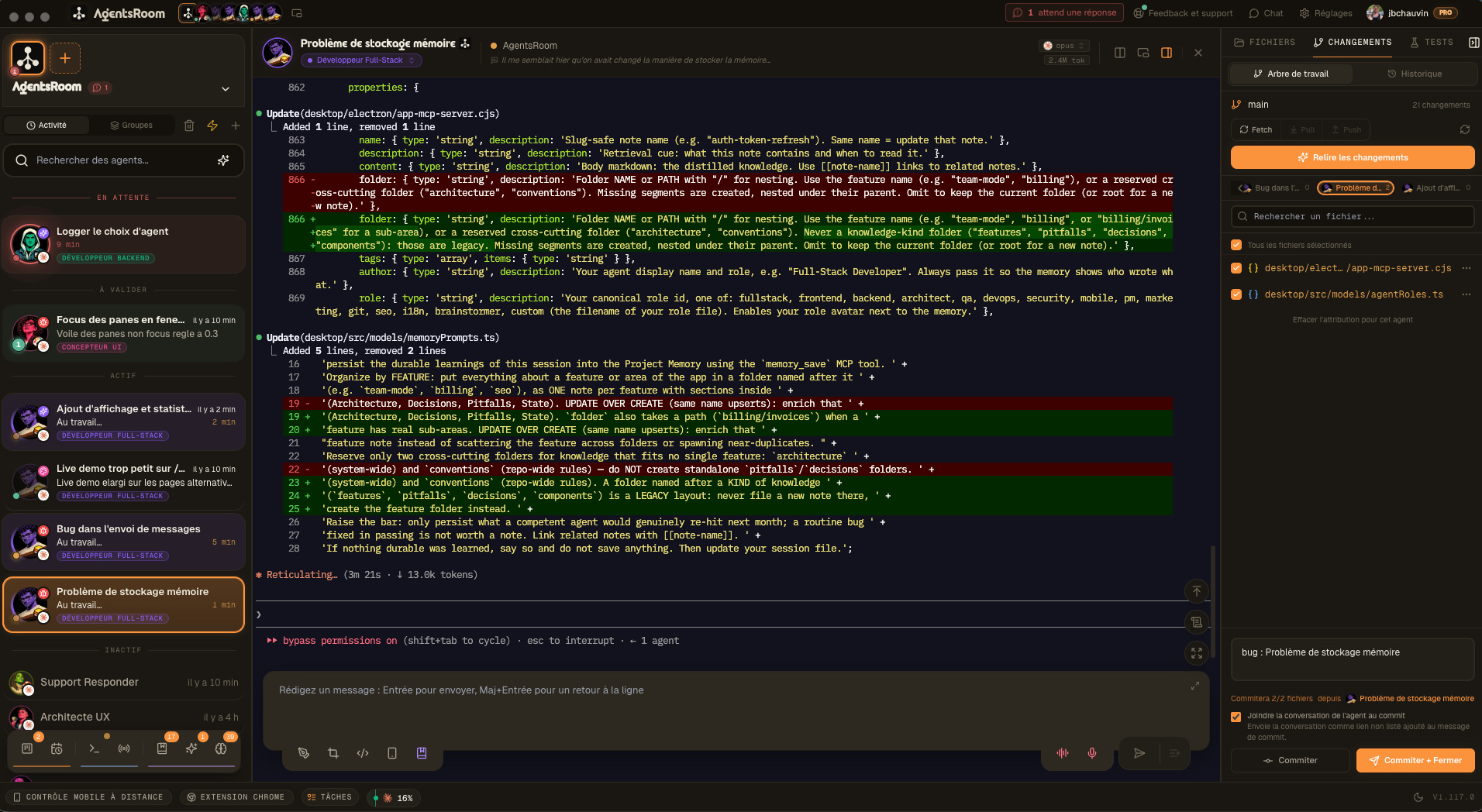
The difference at a glance
With OmniRoute
- One local endpoint, compatible with the OpenAI, Anthropic and Gemini APIs, in front of hundreds of model providers
- Automatic fallback when a quota runs out or a provider fails: subscription first, then API key, cheaper models and free tiers
- A compression pipeline that trims tokens before a request reaches the provider
- Free and open source under the MIT license, self-hosted: npm, Docker, a desktop build, even Android through Termux
- Works with any tool that accepts a custom endpoint: Claude Code, Codex, Cursor, Cline, Copilot and more
- Around the gateway, an orchestration view tracks the tasks it dispatches to cloud agents or to a remote fleet. There is no live terminal per agent, no built-in diff review and no native mobile app
With AgentsRoom
- A desktop command center: every agent in its own terminal, with a live status, across all your projects
- Runs the agent CLIs as their vendors ship them: Claude, Codex, GitHub Copilot CLI, Cursor and 10 other agent CLIs
- Several accounts per provider, a quota bar for each one, and alerts before you reach the wall
- At the limit, the same conversation moves to another account you are signed in to and carries on
- A backlog the agents work from, a built-in diff review, 14 specialized roles and agent teams
- Native iOS and Android apps: a push when an agent is blocked, and you answer it from your phone
Two ways past a usage limit
This is the question that brings most people to OmniRoute, so here is how each tool answers it.
OmniRoute changes the model
OmniRoute sits between your tool and the providers. You declare a chain of targets, and when the subscription you route through it runs out, the next request goes to the next one: another account, an API key, a cheaper model, a free tier. The tool notices nothing and the task keeps moving, possibly on a model that is not the one you started with.
AgentsRoom changes the account
AgentsRoom leaves the CLI untouched and reads the quota bars it publishes. A quota rule you write moves the agents of a saturated account to another account you are signed in to: Claude Code and Codex resume the same conversation with its full history, on the same model. Other rules start new agents on another provider or on a lighter model once a threshold is crossed, and alerts warn you at 50, 75 and 90 percent.
Each question has its own page
Feature-by-feature comparison
An honest OmniRoute comparison starts with what a gateway does and a command center does not. The first rows are the ones OmniRoute wins.
| Feature | AgentsRoom | OmniRoute |
|---|---|---|
| Open source | ✗ | ✓ |
| Free model tiers built in | ✗ | ✓ |
| Fallback to another model or provider, request by request | ✗ | ✓ |
| Token compression on every request | ✗ | ✓ |
| OpenAI-compatible endpoint for any tool | ✗ | ✓ |
| Runs headless on a server or in Docker | ✗ | ✓ |
| Works with editor extensions (Cline, Continue) | ✗ | ✓ |
| Another account takes over at the limit | ✓ | ✓ |
| Quota and usage tracking | ✓ | ✓ |
| Built-in MCP server | ✓ | ✓ |
| Model per agent | ✓ | ✓ |
| The CLI talks straight to its vendor | ✓ | ✗ |
| Visual interface | ✓ | Web UI |
| Agent status (working, waiting, done) | ✓ | Dispatched tasks |
| Dedicated terminal per agent | ✓ | ✗ |
| Multi-project management | ✓ | ✗ |
| Drag and drop organization | ✓ | ✗ |
| Task backlog feeding the agents | ✓ | Task queue |
| Built-in diff review and commit | ✓ | ✗ |
| Specialized agent roles (14) | ✓ | ✗ |
| Agent teams (visual workflows) | ✓ | ✗ |
| Edit CLAUDE.md from the interface | ✓ | ✗ |
| Desktop and phone notifications | ✓ | Webhooks |
| Native mobile app | ✓ | PWA |
| Setup time | 30 sec | ~1 min |
What a gateway does not do for you
OmniRoute owns the request. AgentsRoom owns what surrounds the agent that sends it: the ticket that starts the work, the terminal it runs in, the diff that comes out, and the phone in your pocket.
Watch the agent work, not only the task
OmniRoute's dashboard is built around traffic: providers, quotas, cost, latency. Its Orchestration page adds a card for each task it dispatches to a cloud agent or to a remote fleet, with a state and a result to fetch. AgentsRoom shows the session itself: every agent in its own live terminal on your machine, with a status that says working, waiting for you or done, all of it grouped by project. You read what the agent is doing, and you can type into its terminal.
Read the diff before it ships
In AgentsRoom, each agent's changes open as side by side diffs with syntax highlighting, filtered by the agent that wrote them, and end in a commit, all in the same window. In OmniRoute, the result of a dispatched task is a branch to fetch or a pull request: the review happens in your git tools, outside the gateway.
Tickets, not prompts
AgentsRoom carries a Kanban backlog. You write a task, drag it to In Progress, and an agent picks it up with the right role and the right model. OmniRoute queues prompts for cloud agents, or for a fleet hub called OmniConductor, and lists them by state. That is a run queue. A backlog is where the work is written, sorted and assigned before anything runs.
A team, not a pool
OmniRoute pools keys and accounts so that a request always finds capacity. AgentsRoom organizes the agents themselves: 14 specialized roles, a model per agent, and agent teams you draw on a canvas, where Dev hands over to QA and QA to the reviewer, with the summary and the diff passed along.
Every project in one window
Agents are grouped by project and projects by folder, and each level can set its default CLI, account and model. One agent on the API, two on the web app and one on the mobile app stay readable side by side. OmniRoute knows requests and, for a dispatched task, a repository address. It has no workspace per project.
The phone in your pocket
Native iOS and Android apps mirror your agents, send a push when one is blocked or done, and let you answer it from anywhere. OmniRoute takes another route to the phone: its dashboard installs as a PWA and its server can even run on Android through Termux. That brings the gateway to a phone, where AgentsRoom brings the agents' terminals, diffs and questions.
Use both: OmniRoute under AgentsRoom
The two sit at different layers, so nothing stops you from stacking them. AgentsRoom launches the CLI, the CLI calls OmniRoute, OmniRoute picks the model.
Run OmniRoute
Install it and start it. Its endpoint and its dashboard are served from your machine, and the dashboard gives you an API key.
Point an agent at it
In AgentsRoom, add the gateway address and its key as environment variables: on a single agent, on a whole project, or on a provider, which then covers every agent of that CLI on the machine. The key can be a reference to the Secret Manager instead of the token itself.
Launch as usual
Leave the model picker on Default, or pin the gateway's model name in the agent's CLI options. That agent now goes through OmniRoute's routing and compression, and AgentsRoom still gives it a terminal, a status, a ticket and a diff review.
ANTHROPIC_BASE_URL=http://localhost:20128
ANTHROPIC_AUTH_TOKEN={{secret:OMNIROUTE_KEY}}See AgentsRoom in action
Watch how AgentsRoom drives several coding agents from a single window, with a backlog, specialized roles and one terminal per agent.
The desktop app, in Simple mode
On a phone the demo runs the real desktop app in its Simple interface mode: one project, its agents, one prompt. The full cockpit is on your computer.
When OmniRoute might be the better choice
We believe in honest comparisons, and an alternative to OmniRoute is not always what you need. Here are the cases where OmniRoute is the right tool and AgentsRoom is not.
You want free or cheap models
OmniRoute catalogs the free tiers of more than a hundred providers and falls back to them on its own. AgentsRoom brings no model of its own: every agent runs on a subscription or an API key you already have. If the goal is to code without paying for a plan, or to stretch a small budget across cheap models, a gateway is the answer and a command center is not.
Your agent lives in an editor, or in your own code
Cline, Continue, Copilot Chat in VS Code, a script calling an OpenAI-compatible API: anything that accepts a custom endpoint can be pointed at OmniRoute. AgentsRoom runs terminal agent CLIs and nothing else. If your agent is an editor extension, or if you are building your own application on top of model APIs, OmniRoute fits and AgentsRoom does not.
You need open source and self-hosting
OmniRoute ships under the MIT license and is built by hundreds of contributors. You can read the source, fork it, and run it on a VPS, in Docker, on a Raspberry Pi or on a phone through Termux. AgentsRoom is a proprietary desktop application with a free tier. If your policy requires open source, or if the machine has no display, OmniRoute wins on both counts.
You want fewer tokens on every request
OmniRoute's compression pipeline rewrites tool output and prose before they reach the provider, and its documentation reports savings from 15 to 95 percent depending on the mode. AgentsRoom shows what a session consumes and where each quota stands, but it never rewrites what the CLI sends. Shrinking the requests themselves takes something in the request path, which is exactly where a gateway sits.
Getting started takes 30 seconds
AgentsRoom works with the projects and the CLIs you already have. Nothing to migrate, and OmniRoute can stay where it is.
Download AgentsRoom
Download the desktop app for macOS, Windows or Linux from agentsroom.dev and open it. That is the install.
Add your projects
Drag your project folders into AgentsRoom. Your existing CLAUDE.md and AGENTS.md files are detected automatically.
Launch your agents
Create agents with specialized roles, pick a CLI, an account and a model for each, and follow them from your desktop or your phone.
Frequently asked questions
What is OmniRoute?
Is AgentsRoom a replacement for OmniRoute?
OmniRoute vs AgentsRoom: what is the difference?
What happens when Claude Code hits its usage limit in each tool?
Can I use OmniRoute and AgentsRoom together?
Is OmniRoute free? Is AgentsRoom?
What about the providers' terms of service?
Does OmniRoute have a mobile app?
Other comparisons
See how AgentsRoom compares with the agent managers and terminals developers also look at.
Try AgentsRoom today
Download and manage all your coding agents in 30 seconds. Free for 2 projects.
Companion app: monitor your agents on the go
Bring your own: Claude, Codex, Antigravity CLI, or other AI provider.
Push bugs and requests straight to your public backlog.