Set the reasoning effort once,
every agent of that CLI starts with it
Claude Code on xhigh, Codex on high, Kimi Code on low to keep costs down: pick a default reasoning effort for each CLI in Settings > AI providers, and every agent that has no effort of its own launches at that level.
Nine CLIs expose an effort lever in AgentsRoom: Claude Code, Codex, Grok Build, Antigravity CLI, Kimi Code, Command Code, Muse Code, oh-my-pi and Pi. A project can use its own default, an agent or a ticket can pin its own level, and AgentsRoom passes the right flag to each CLI.
claude --effort xhigh-c model_reasoning_effort=highKIMI_MODEL_THINKING_EFFORT=low- Agent or ticket
- Project
- Settings
- CLI default
One default per CLI, used by every agent that has no effort of its own. The first level found wins.
Reasoning effort is how hard the model thinks before it answers. More effort usually gives better plans on hard problems, and costs more time and more of your quota on every turn. Each CLI has its own lever for it: Claude Code takes --effort at launch, Codex reads model_reasoning_effort, Kimi Code reads an environment variable, Grok Build and Muse Code take --reasoning-effort.
Setting it agent by agent works until you run twenty agents across five projects. The default reasoning effort is the setting for that: one level per CLI in Settings > AI providers, used by every agent of that CLI that has no effort of its own, on every project. A project can override it in Project settings > AI providers.
The level is never written on the agents. Change the default and every agent that relies on it starts at the new level on its next launch; an agent, a ticket or a launch override that pins its own effort keeps it. The setting came from a user who wanted all his Kimi agents on low to keep costs under control without editing them one by one.
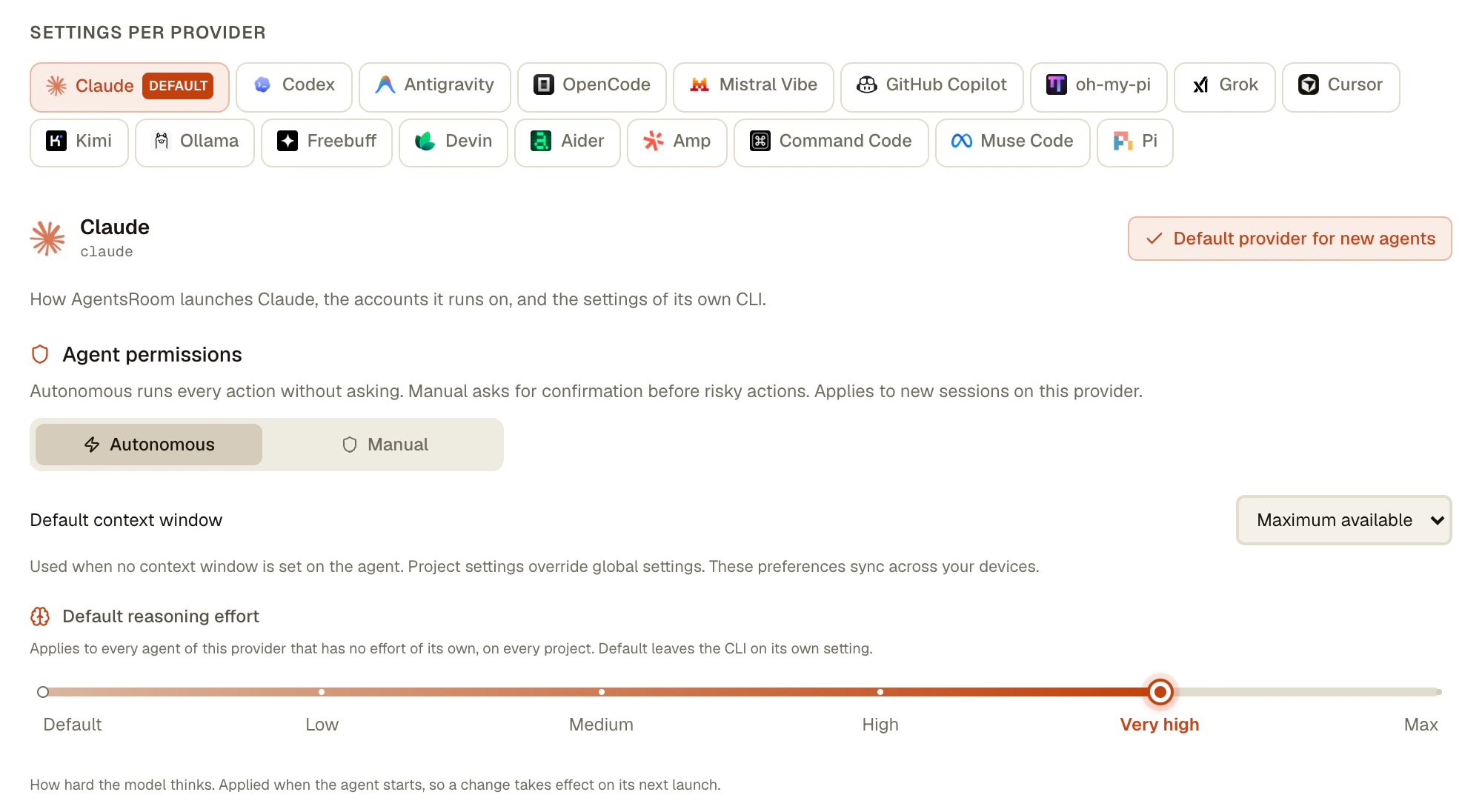
What the default effort does
One level per CLI
Settings > AI providers > the CLI's tab > Default reasoning effort. Claude Code, Codex and the others each keep their own default, because their levels and their costs differ.
A project can differ
Project settings > AI providers has one row per CLI with a lever. Default follows the global setting; a level picked there only applies to this project's agents.
Agents inherit, they store nothing
An agent with no effort of its own reads the default when it starts. The Add agent and Edit agent windows show the inherited level on their Default chip.
A pinned effort still wins
An agent's own effort, a backlog ticket, a team step, a scheduled task or a temporary launch override keeps its level. An --effort you typed in a CLI's own options also wins: AgentsRoom does not add a second one.
Clamped to the model
A level the launched model does not offer is not forced: the agent starts on the CLI's own default. Kimi Code's HighSpeed model has no effort lever at all.
Agents can set it too
The same defaults are readable and writable over MCP with settings_set and the reasoningEffortDefaults key, for every project or for one, so an assistant agent can tune them for you.
How to set a default reasoning effort
Four steps, the same on macOS, Windows and Linux.
- 1
Open Settings > AI providers
From the button next to the Settings gear in the footer, or from the Settings window. Pick the tab of the CLI, for example Claude Code or Codex.
- 2
Pick its Default reasoning effort
The field only lists the levels that CLI accepts: Low, Medium, High, Very high and Max for Claude Code, plus Ultra on the Codex models that offer it. Default leaves the CLI on its own setting.
- 3
Override it for one project if you need to
Project settings > AI providers has one row per CLI. Leave it on Default to follow the global setting, or pick a level for this project only.
- 4
Start or restart your agents
The effort is applied when an agent starts, so a running agent picks up the new level on its next launch. Agents started from the phone run on the computer and inherit the default as well.
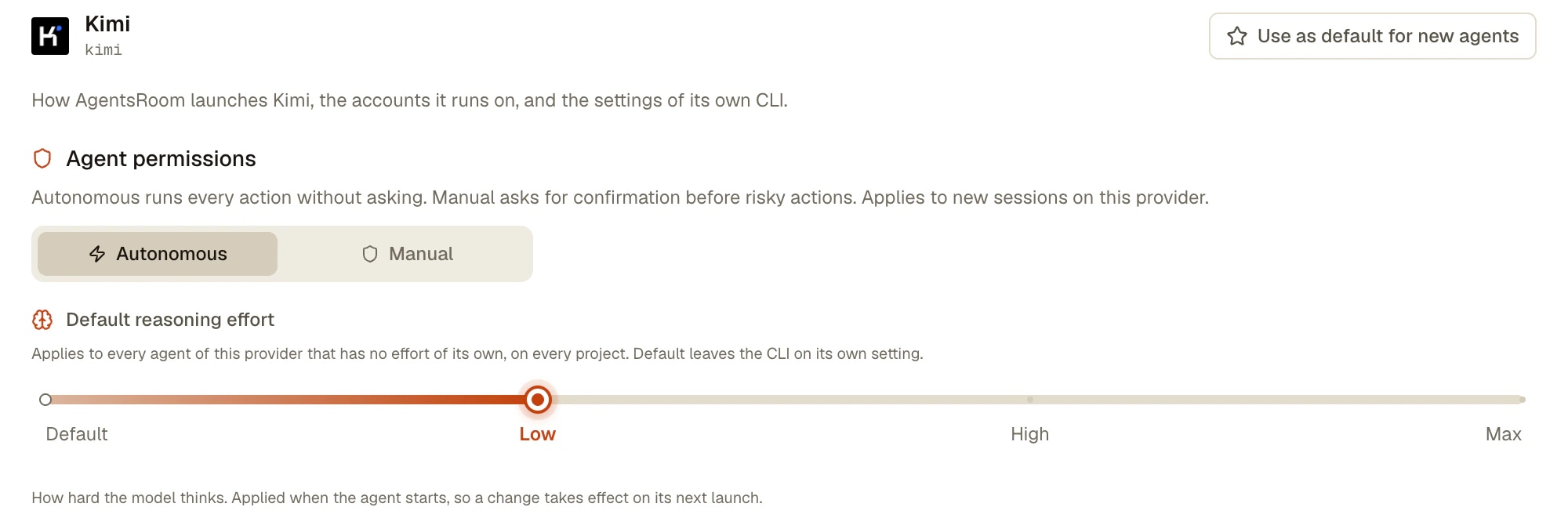
What AgentsRoom passes to each CLI
Read in the AgentsRoom code on 27 October 2026. The levels are the values each CLI accepts; the app shows them as Low, Medium, High, Very high, Max and Ultra.
| CLI | Levels | How the level reaches the CLI |
|---|---|---|
| Claude Code | low, medium, high, xhigh, max | claude --effort <level> |
| Codex | low, medium, high, xhigh, maxultra on the models that offer it | codex -c model_reasoning_effort=<level> |
| Grok Build | low, medium, high, xhigh, max | grok --reasoning-effort <level> |
| Antigravity CLI | low, medium, high, max | --effort <level> |
| Kimi Code | low, high, maxnone on the HighSpeed model | KIMI_MODEL_THINKING_EFFORT=<level> |
| Command Code | low, medium, high, xhigh, max | --effort <level> |
| Muse Code | low, medium, high, xhigh, max, ultra | muse --reasoning-effort <level> |
| oh-my-pi | low, medium, high, xhigh, max | --thinking <level> |
| Pi | low, medium, high, xhigh, max | --thinking <level> |
The other CLIs AgentsRoom runs (GitHub Copilot CLI, Cursor, OpenCode, Aider, Mistral Vibe, Amp, Freebuff and Devin) have no effort lever in AgentsRoom: they keep their own behaviour and the field does not show for them.
Limits
- The default is read when an agent starts. Changing it does not touch an agent that is already running: the new level applies on its next launch.
- Eight CLIs have no effort lever in AgentsRoom (GitHub Copilot CLI, Cursor, OpenCode, Aider, Mistral Vibe, Amp, Freebuff and Devin), so there is no default to set for them.
- The defaults are set on the computer: the phone has no AI providers settings screen. Agents started from the phone still inherit them, because they run on the computer.
- A level the model does not have is dropped, not moved to the nearest one: the agent runs on the CLI's own default.
- Effort is the CLI's own lever, not a token budget AgentsRoom enforces. What a level costs in time and quota depends on the CLI, the model and the task.
Questions
How do I set a default reasoning effort for Claude Code?
In AgentsRoom, open Settings > AI providers > Claude Code and pick a Default reasoning effort: every Claude Code agent that has no effort of its own then launches with claude --effort and that level (low, medium, high, xhigh or max). On its own, Claude Code takes --effort at launch and the /effort command inside a session; AgentsRoom uses the launch flag, so the level is the same on every agent it starts.
How do I set the reasoning effort for Codex?
Codex reads model_reasoning_effort from its configuration. AgentsRoom passes it at launch as -c model_reasoning_effort followed by the level (for example -c model_reasoning_effort=high), taken from the agent's own effort, the project default or the global default, in that order. The levels go from low to max, plus ultra on the Codex models that offer it; a level the model does not have is not sent.
Which comes first: the agent's effort, the project default or the global default?
The agent's own effort first (a backlog ticket, a team step, a scheduled task or a temporary launch override counts as one), then the project default, then the global default, then the CLI's own default. The first level found is the one used.
Does changing the default restart my running agents?
No. The effort is read when an agent starts. A running agent keeps its level until its next launch, and then picks up the new default if it has no effort of its own.
Which CLIs support a default reasoning effort?
Nine, the ones with an effort lever: Claude Code, Codex, Grok Build, Antigravity CLI, Kimi Code, Command Code, Muse Code, oh-my-pi and Pi. The field only shows for them, with the levels each one accepts: Kimi Code offers low, high and max, Antigravity CLI low, medium, high and max.
Can I see which effort levels other developers use?
Yes, on the public LLM usage page of agentsroom.dev: it breaks down the agents AgentsRoom users launch by CLI, model and reasoning effort, refreshed every ten minutes. Only users who keep Share usage data on are counted, and no prompt, project or file is recorded.
Does a lower effort save my Claude or Codex quota?
Usually, because the model writes fewer reasoning tokens per turn, but there is no fixed number: the saving depends on the CLI, the model and the task. The user who asked for this setting put all his Kimi agents on low for that reason. To see the effect on your own sessions, the token counter and the usage bars of AgentsRoom show what each one spends.
Goes well with
Adaptive Mode: a model for each message
Adaptive Mode reads your prompt and suggests the most cost-effective AI model for the task before you send it. Light models like Claude Haiku for quick edits and translations, flagship models like Claude Opus for big refactors and architecture. Spend less per task, run more tasks per day. Works with Claude, Codex and Antigravity.
Multi-Provider
AgentsRoom supports 17 AI coding providers: Claude, Codex, GitHub Copilot CLI, OpenCode, Antigravity CLI, Aider, Grok Build, Mistral Vibe, Kimi Code, Amp, oh-my-pi, Freebuff, Devin, Cursor, Command Code, Muse Code and Pi. Assign a different provider per agent, switch provider mid-conversation, and keep full context with automatic handoff. The best multi-provider AI coding tool.
Token usage : per session : live
Live token meter on every Claude Code session in AgentsRoom. Red overuse alert, cache hit rate, full input, output and cache breakdown. 100% local. Free to download on macOS, Windows and Linux.
Usage alerts
A desktop notification or a push on your phone when a Claude Code, Codex, Grok, GitHub Copilot CLI, Kimi, Cursor, Antigravity, OpenCode Go, Z.AI Coding Plan, Command Code or Muse Code quota bar crosses 50%, 75% then 90%, or the thresholds you pick per bar. One reminder per window, sent before the limit is reached.
Pick the effort once, every agent follows
Free on macOS, Windows and Linux.
Companion app: monitor your agents on the go
Bring your own: Claude, Codex, Antigravity CLI, or other AI provider.
Push bugs and requests straight to your public backlog.