One app, every AI provider
Claude · Codex · Copilot · Antigravity · OpenCode · Aider · Grok · Mistral Vibe · Kimi · Amp · oh-my-pi · Freebuff · Devin · Cursor · Command Code · Muse Code · Pi · MiniMax Code · ZCode · Hermes Agent · Goose · Qwen Code · Kiro · Rovo Dev
Stop choosing between Claude, Codex, GitHub Copilot CLI, Antigravity CLI, OpenCode, Aider, Grok Build, Mistral Vibe, Kimi Code, Amp, oh-my-pi, Freebuff, Devin, Cursor, Command Code, Muse Code, Pi, MiniMax Code, ZCode, Hermes Agent, Goose, Qwen Code, Kiro and Rovo Dev. Use them all in the same project, at the same time. Switch provider on any agent mid-conversation and keep your full context: no lost work, no copy-paste, no restart from scratch.
Screenshots
Real captures of the app, added as this feature evolves.
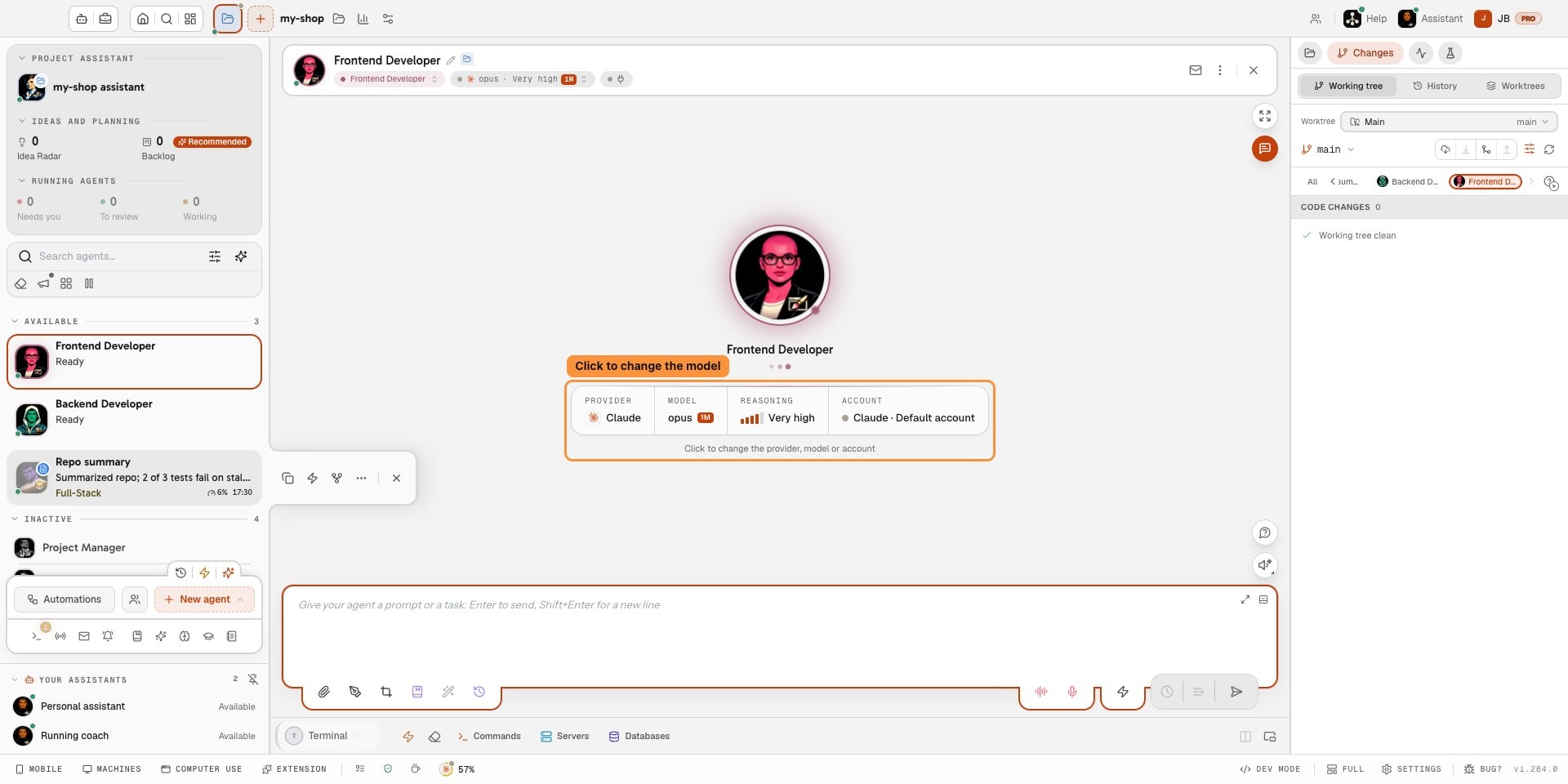
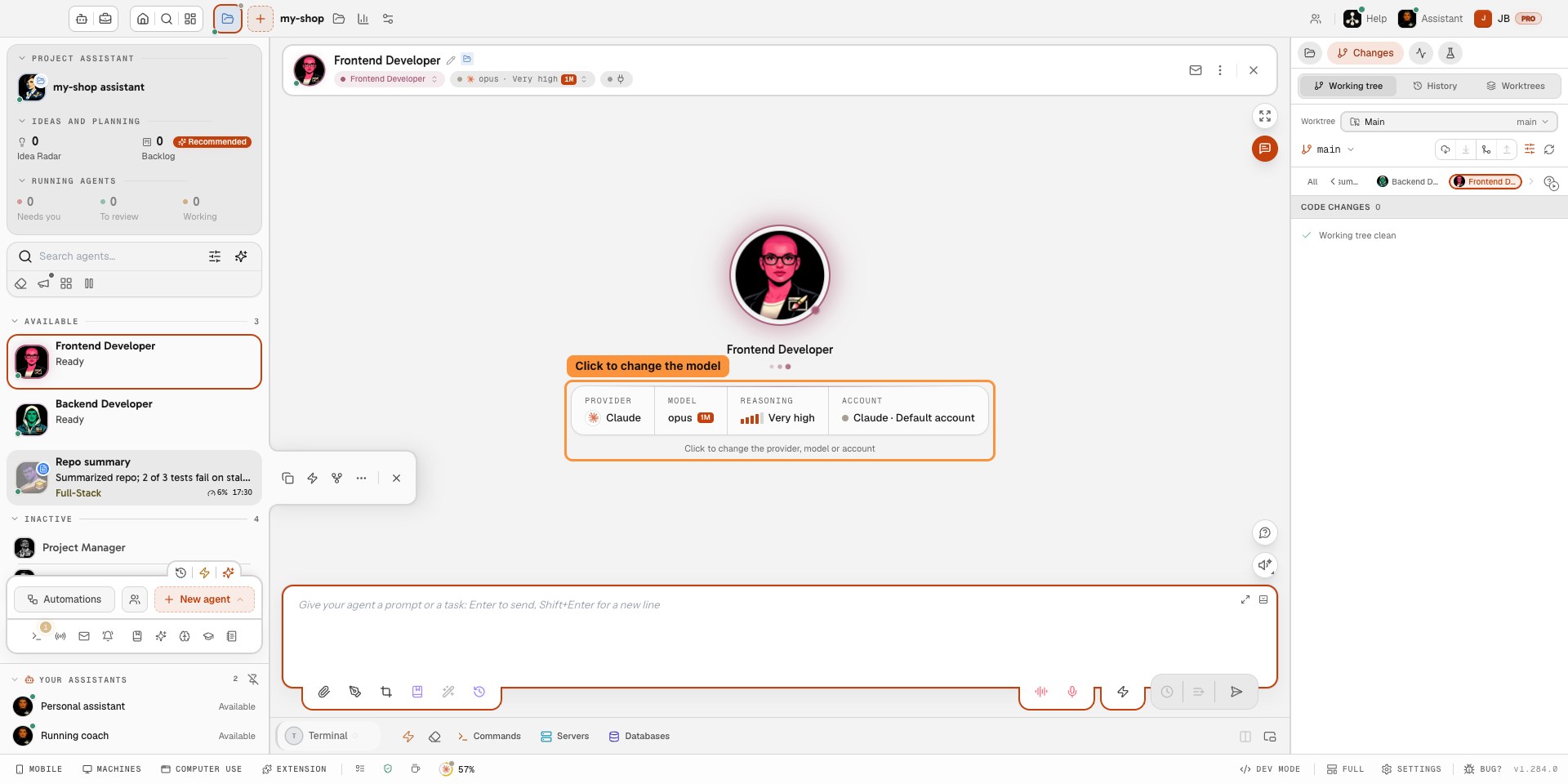
See which model and account an agent starts on. 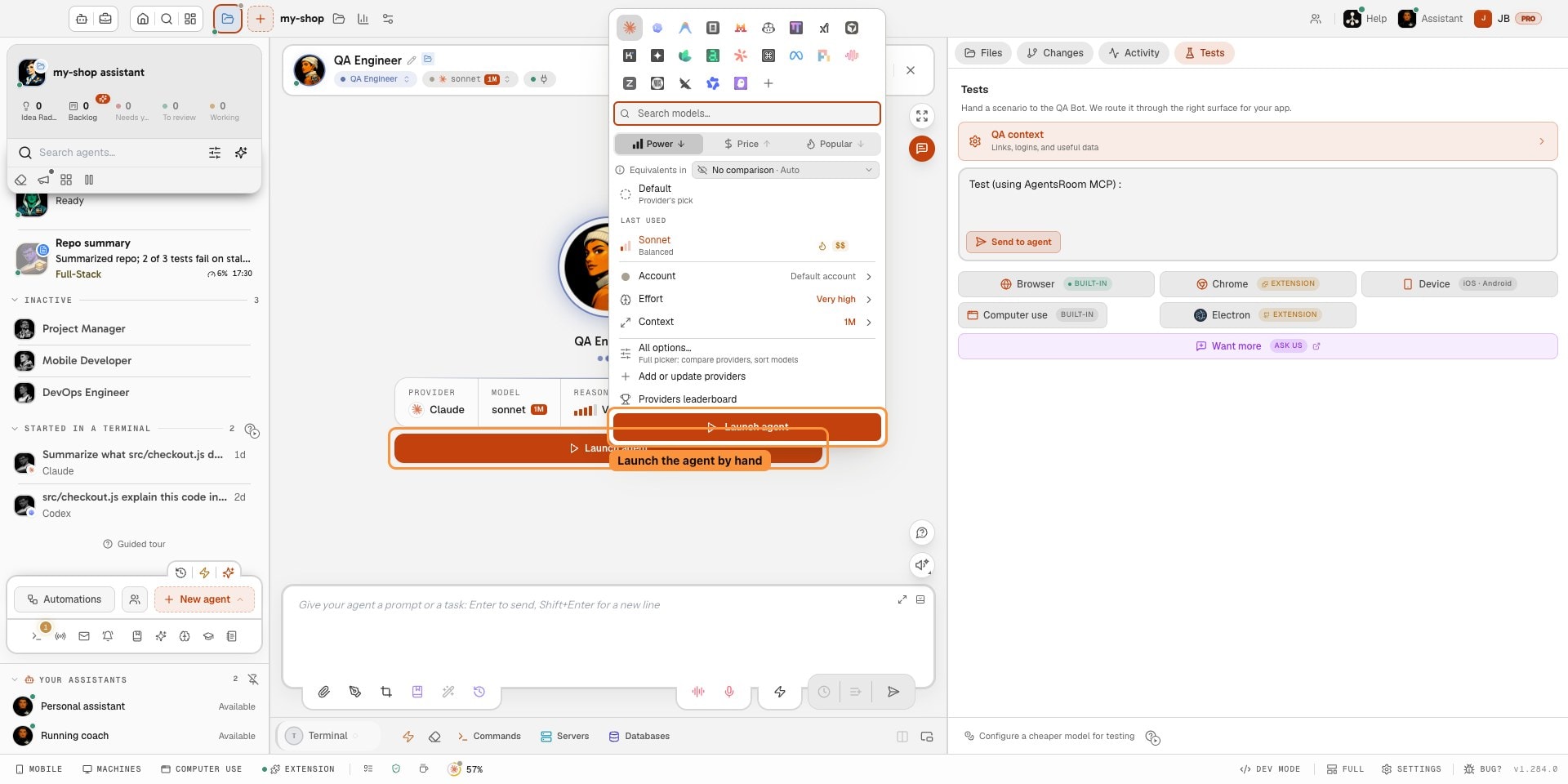
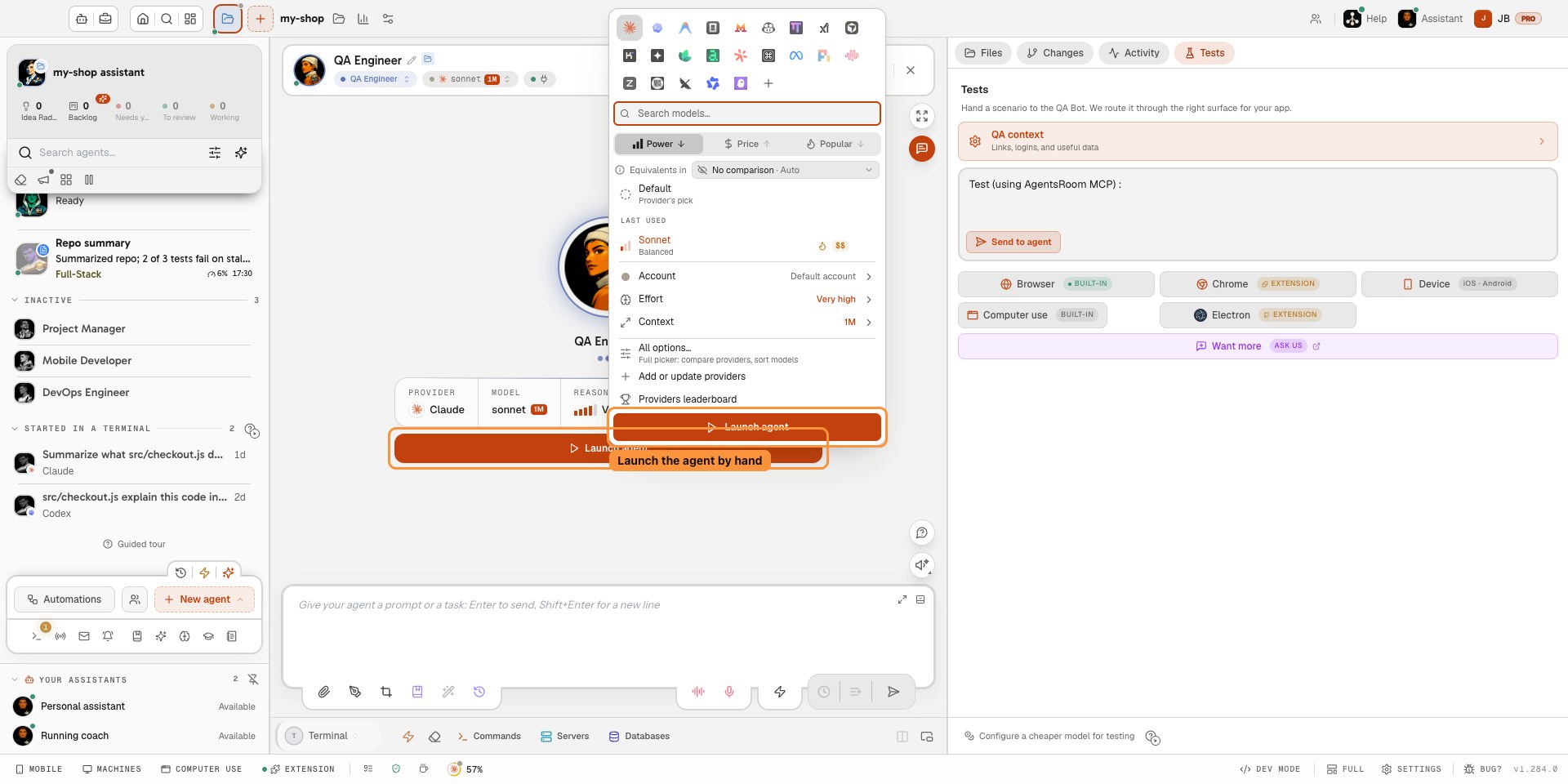
Change the model of an agent while it starts, then launch it. 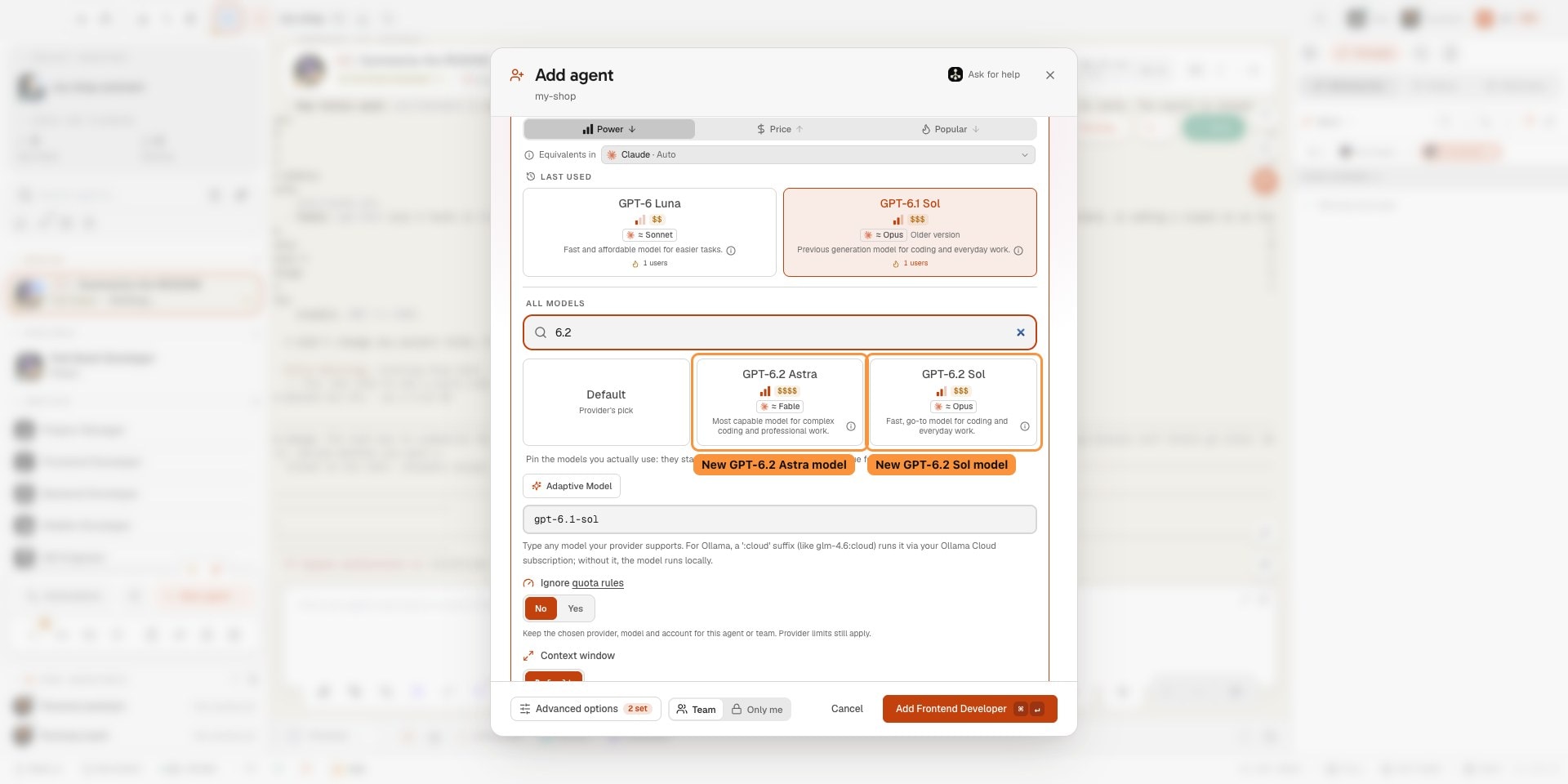
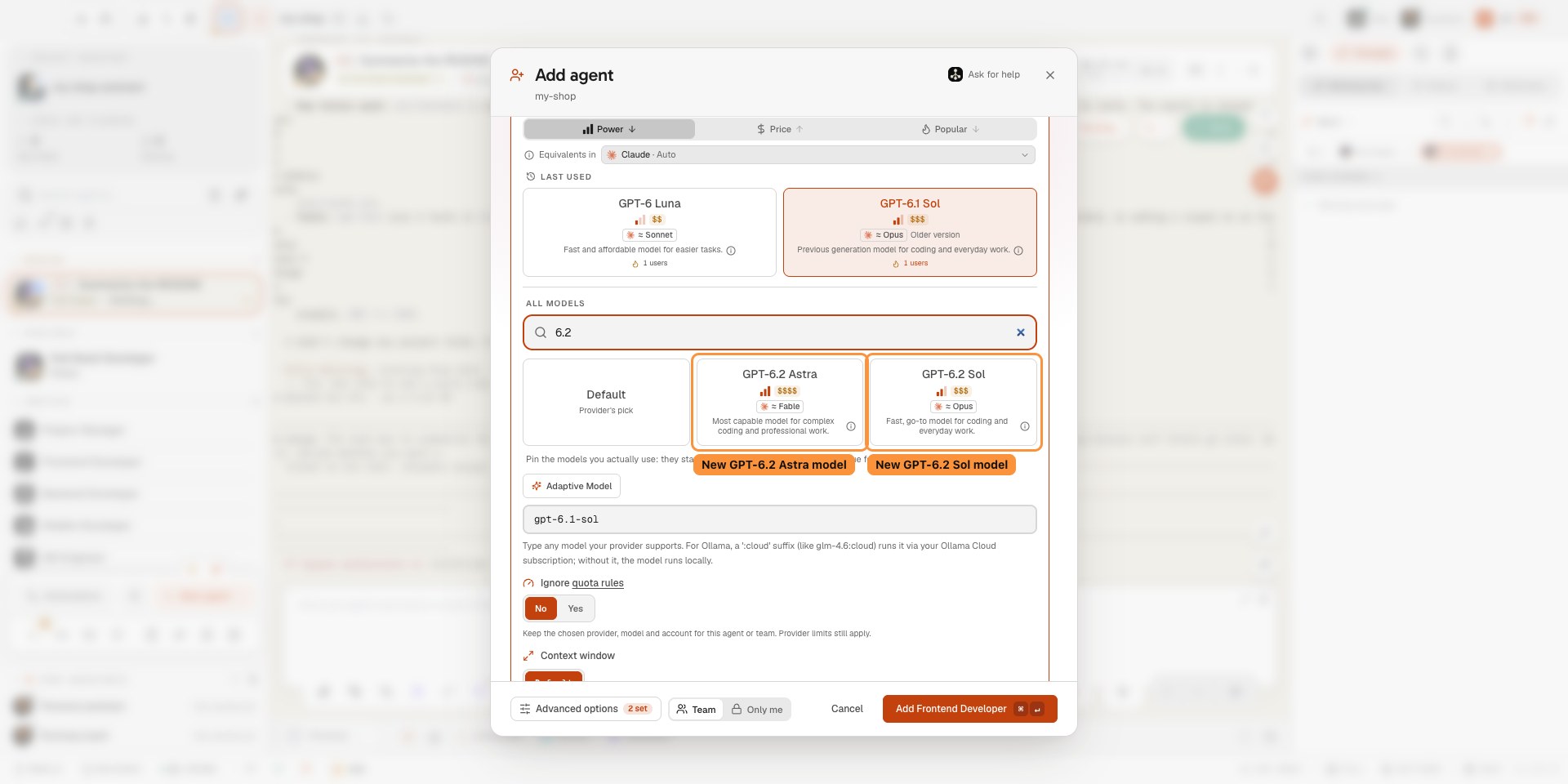
Pick the new GPT-6.2 Sol or GPT-6.2 Astra for any Codex agent. 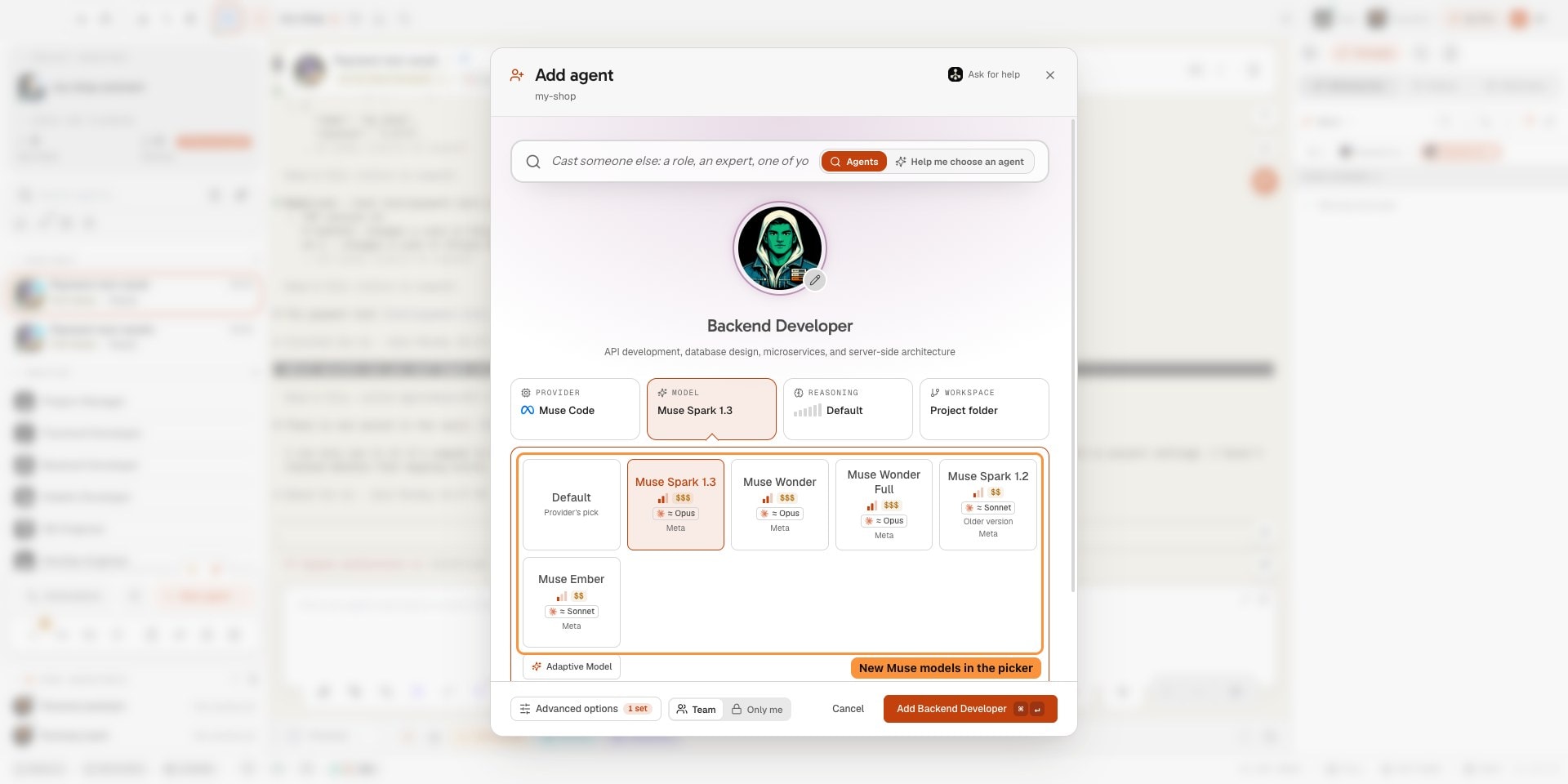
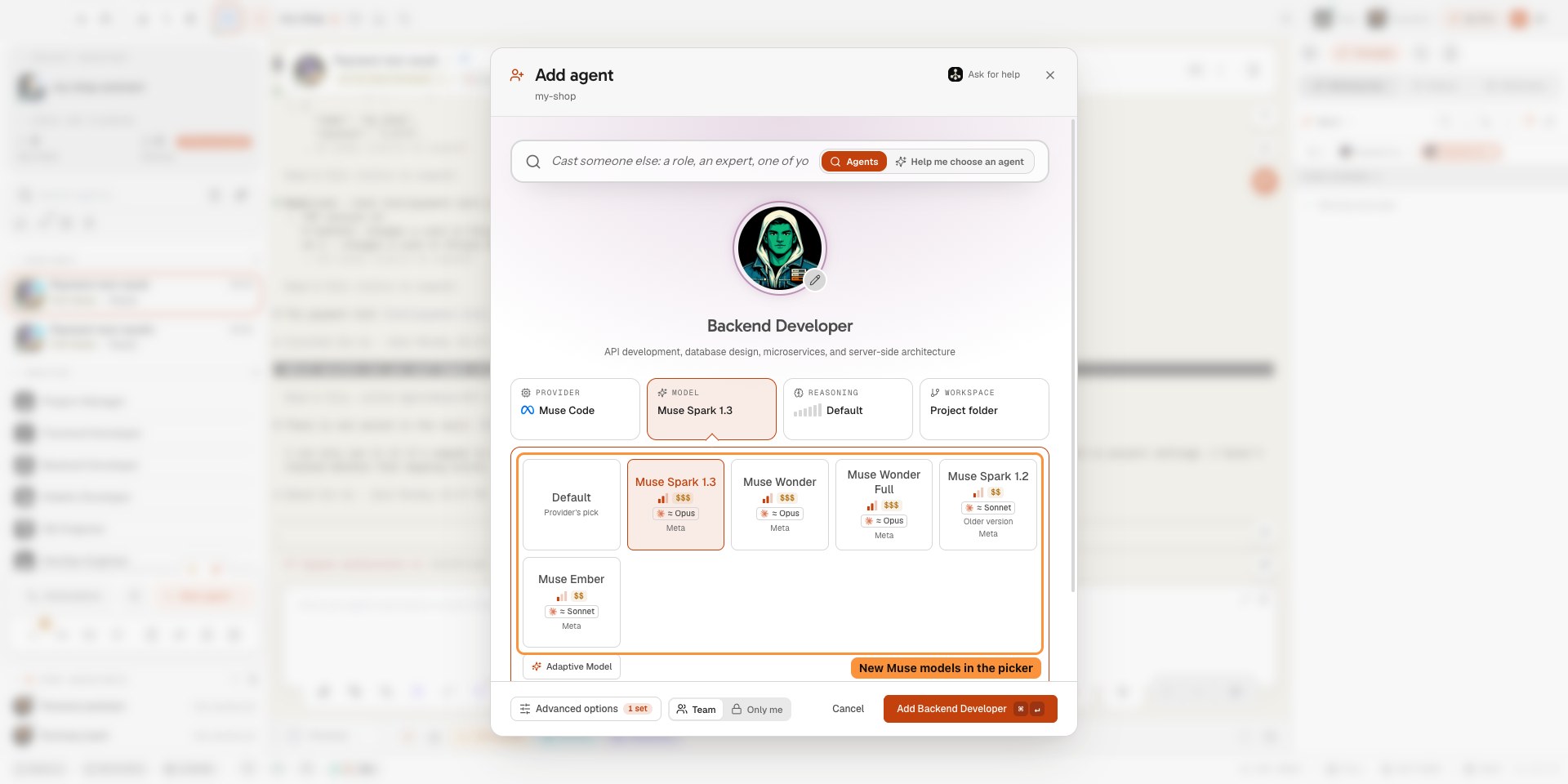
Pick any Muse Code model for each agent, including Muse Wonder and Muse Ember. 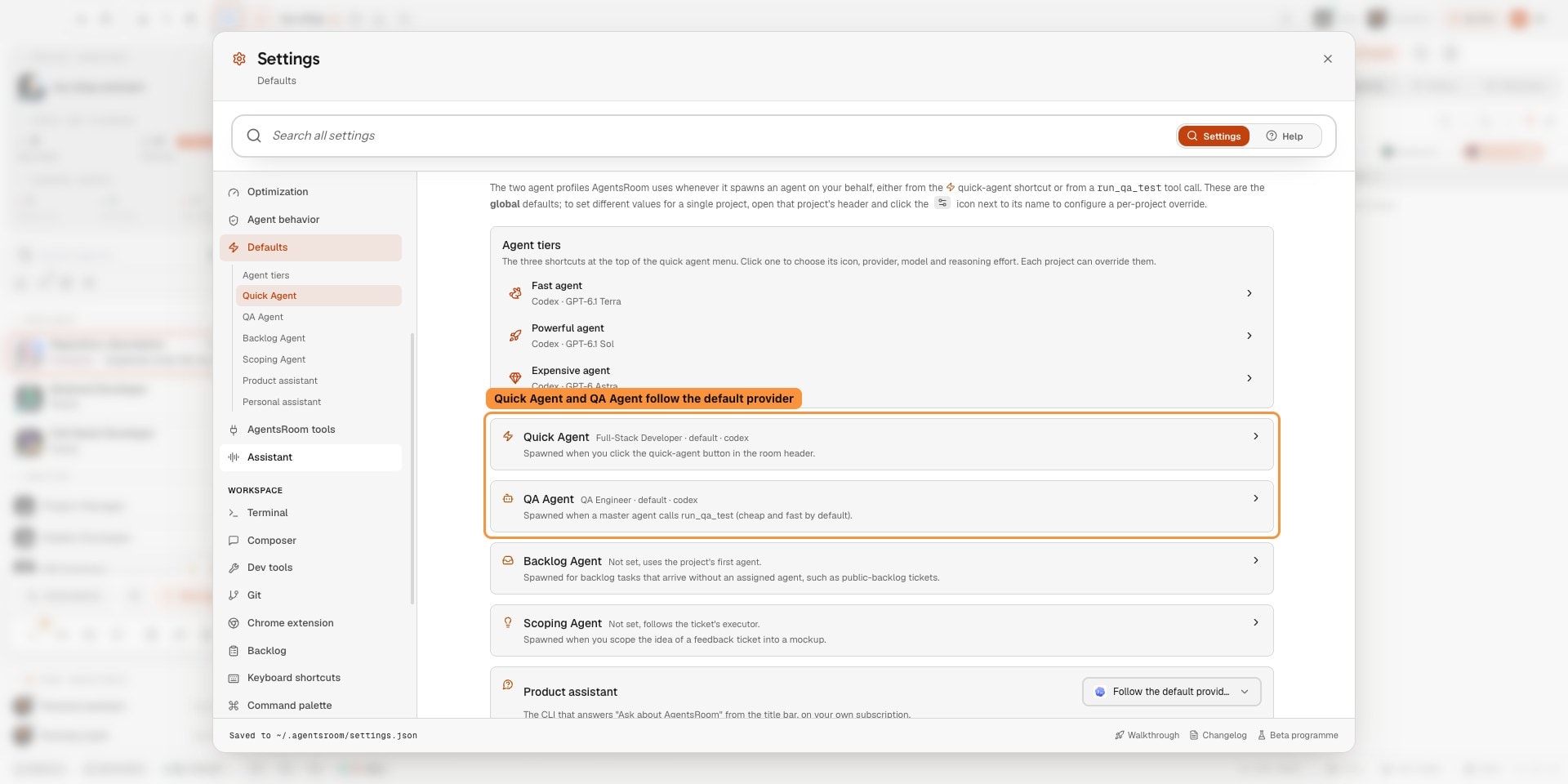
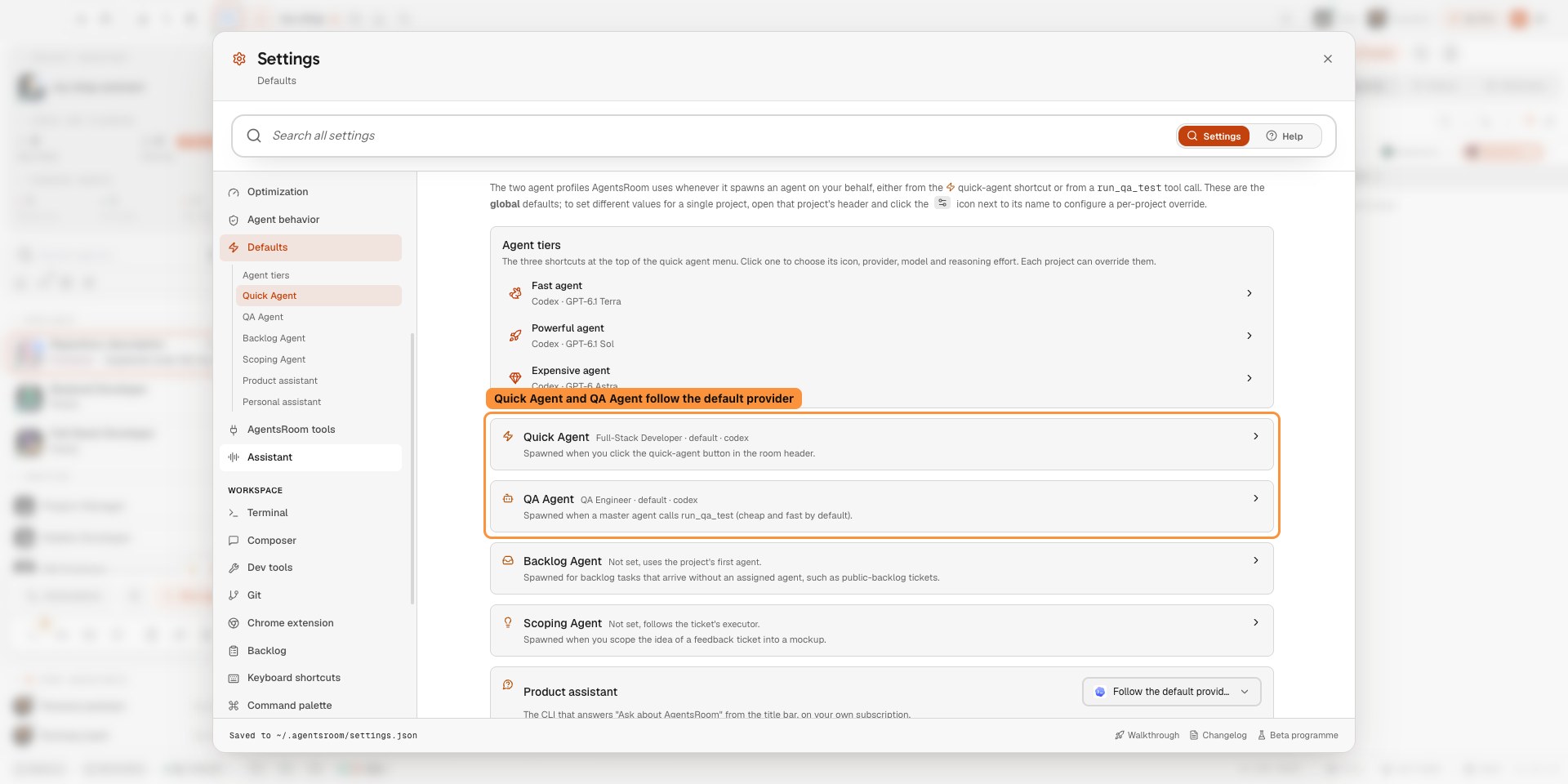
Agents AgentsRoom starts on its own follow the default provider you chose. 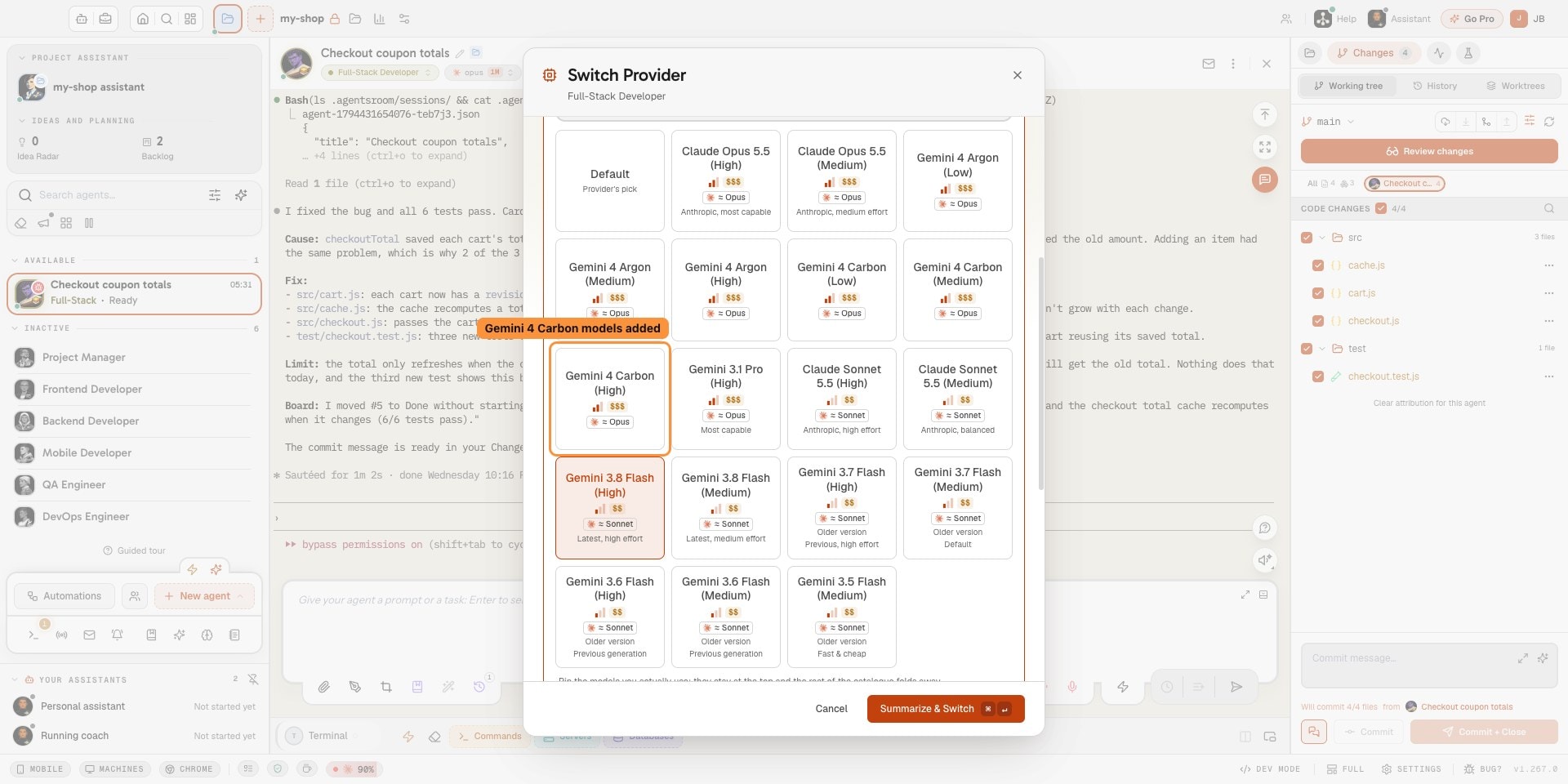
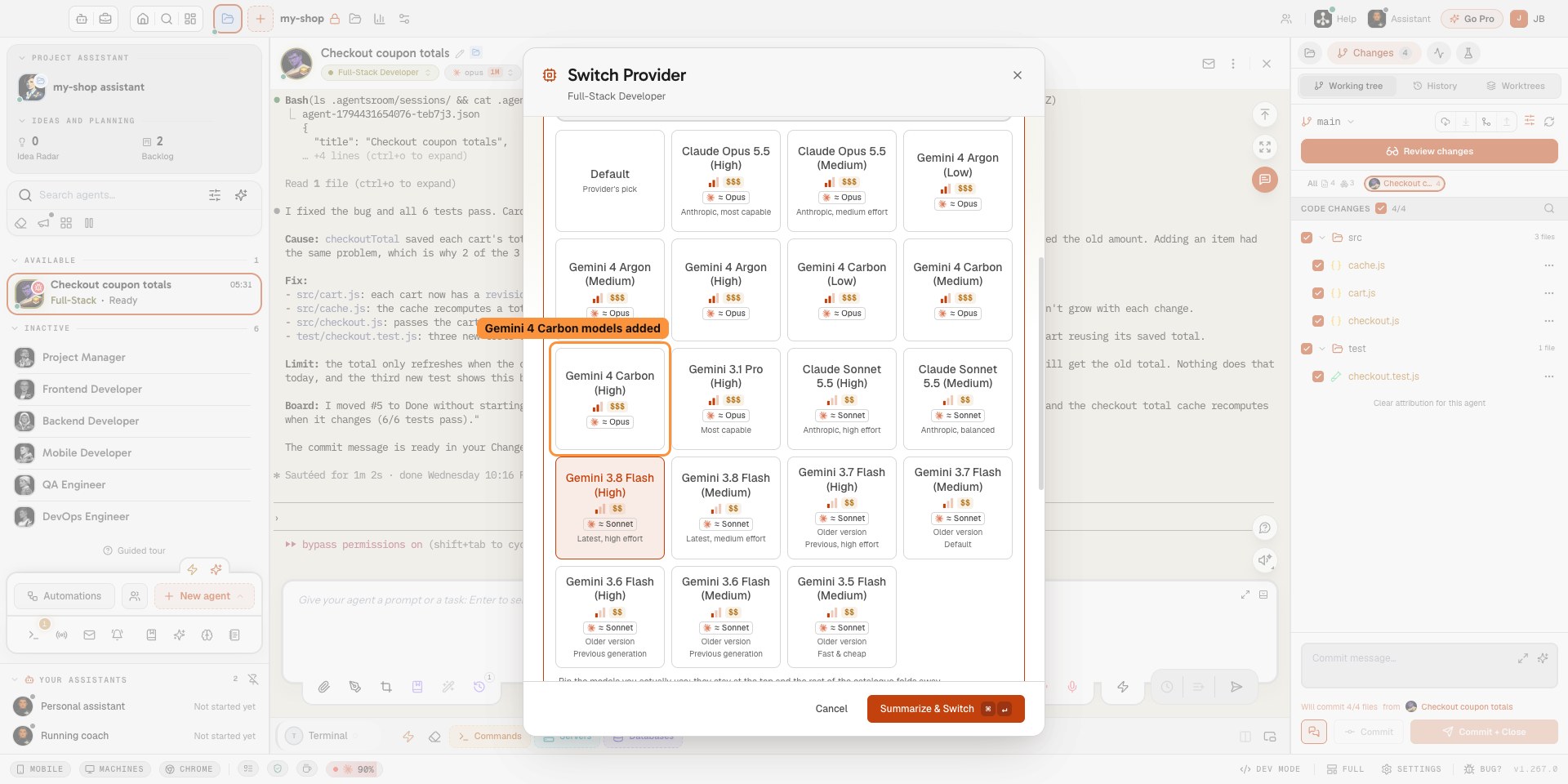
Pick Gemini 4 Carbon for an Antigravity agent.
Claude Code writes a small helper for a shop cart and stops before its test, as asked. A click on the agent's model opens the provider switch: Codex and a model are picked, with the agent summary kept. Claude writes a handoff of what it did and what is left, the same agent restarts on Codex with that summary as its first message, and Codex writes the test, which passes.
Multi-provider AI coding, unified
Every major AI coding CLI in one interface. Switch providers, keep context, configure per agent.
Switch provider anytime
Change from Claude to Codex, GitHub Copilot CLI, Antigravity CLI, OpenCode, Aider, Grok Build, Mistral Vibe, Kimi Code, Amp, oh-my-pi, Freebuff, Devin, Cursor, Command Code, Muse Code, Pi, MiniMax Code, ZCode, Hermes Agent, Goose, Qwen Code, Kiro or Rovo Dev mid-conversation. Your agent picks up where it left off with full handoff context.
Keep context on switch
When you switch provider, AgentsRoom builds a handoff summary: modified files, session activity, and last response. The new provider continues the work seamlessly.
24 AI providers supported
Claude (Anthropic), Codex (OpenAI), GitHub Copilot CLI (GitHub), OpenCode, Antigravity CLI (Google), Aider, Grok Build (xAI), Mistral Vibe (Mistral AI), Kimi Code (Moonshot AI), Amp (Sourcegraph), oh-my-pi, Freebuff, Devin (Cognition), Cursor (Anysphere), Command Code, Muse Code (Meta), Pi, MiniMax Code, ZCode, Hermes Agent, Goose, Qwen Code, Kiro and Rovo Dev. Each with its own models, CLI flags and capabilities.
Per-provider CLI settings
Configure CLI options per provider with quick toggles. Claude: skip permissions, verbose. Codex: full-auto, quiet. Antigravity: sandbox, debug. Aider: auto-commits.
A default reasoning effort per CLI
Claude Code on xhigh, Codex on high, Kimi Code on low: one level per CLI in Settings > AI providers, used by every agent that has no effort of its own, overridable per project.
Different provider per agent
One agent uses Claude Opus for complex architecture. Another uses Codex for auto-mode tasks. A third uses Antigravity for its free tier. Mix providers freely in the same project.
Per-agent CLI options
Give one agent its own launch flags, overriding the provider default. Pin a specific model or version the picker does not list with a flag like --model opus-4.8, or pass any other CLI option, for that agent only. When your flags already pin a model, AgentsRoom adds none of its own.
Environment variables, per project or per agent
Set a KEY=value block once for a whole project and every agent in it inherits it, whatever CLI it runs on, so a repository's own token or staging URL is never re-typed agent by agent. An agent can still carry its own block on top, and both layer over the provider-wide one from Settings. This is how you point a CLI at an OpenAI-compatible gateway or a company proxy, with OPENAI_BASE_URL or ANTHROPIC_BASE_URL, since no launch flag can do it. A value can reference a secret from the built-in Secret Manager instead of the token itself.
A network proxy per provider
Send each CLI out through its own address: Codex through your home connection, Claude through your company network, set once per provider, with a Test button that shows the exit IP.
Your own MCP servers, on every provider
Declare an MCP server once and AgentsRoom writes it into the config of whichever CLI the agent runs on, Claude Code, Codex, Grok, Cursor and the others, with OAuth servers like Notion or Linear connected once per computer.
Change model in one click, live
Click the model in an agent's header and a menu opens right under it: provider logos on top, then the models with search, pins, recent picks, popularity and cost. On Claude Code, GitHub Copilot CLI, Grok Build, Kimi Code, oh-my-pi and Devin, a model of the same CLI applies on the click, in the running session: no restart, the conversation stays. The same menu opens from an agent's startup screen: a card names the CLI, model, effort and full account it starts on, and a click anywhere on it lets you change them, then Launch agent shows the agent.
Switch from mobile
Long-press any agent on the mobile app to switch its provider. The command is sent to your desktop via encrypted relay. Switch providers from your phone, couch, or commute.
Handoff summary file
Before switching, the current agent can write a detailed handoff summary: work completed, remaining tasks, gotchas, key decisions. The new agent reads it and continues.
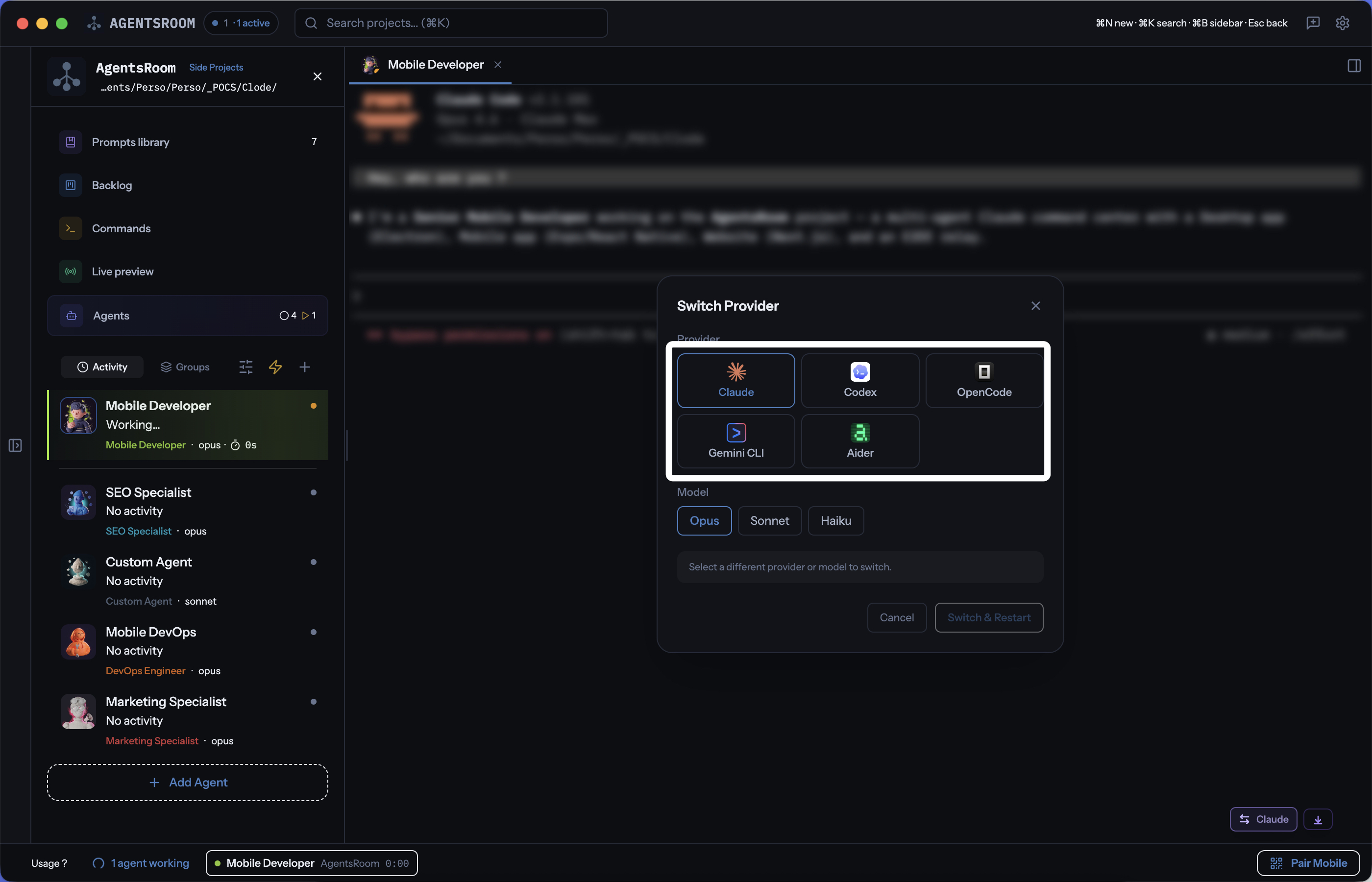
Switch between Claude, Codex, GitHub Copilot CLI, Antigravity CLI, OpenCode, Aider, Grok Build, Mistral Vibe, Kimi Code, Amp, oh-my-pi, Freebuff, Devin, Cursor, Command Code, Muse Code, Pi, MiniMax Code and ZCode with one click. Pick a model, switch, and keep coding.
24 AI coding providers, one unified interface
AgentsRoom supports Claude, Codex, GitHub Copilot CLI, OpenCode, Antigravity CLI, Aider, Grok Build, Mistral Vibe, Kimi Code, Amp, oh-my-pi, Freebuff, Devin, Cursor, Command Code, Muse Code, Pi, MiniMax Code, ZCode, Hermes Agent, Goose, Qwen Code, Kiro and Rovo Dev. Each agent can use a different provider. Switch anytime. Lists follow community launch popularity, refreshed at most daily, with Claude first and providers not yet ranked at the end. Desktop and mobile share this order. A CLI missing from this list still launches from its own command, as a custom CLI.
Your agent CLI is not in the list? Launch it from its command
Gemini CLI, Crush, Droid or a tool you wrote yourself: an agent that runs in a terminal can run in AgentsRoom even when it is not one of the 24 integrated CLIs. From the lightning button of a project, choose Custom CLI…, give it a name and the command you would type, and it joins every launch menu, after the integrated CLIs.
New custom CLI
- Name
- Gemini CLI
- Command
- gemini
- Model flag (optional)
- --model
- Resume argument (optional)
- --resume
What it gets, like an integrated CLI
- Its own terminal and its own agent card in the project
- A Working / Done status and notifications, on the desktop and on your phone
- A launch from the phone's lightning sheet, and a list saved on your account that every computer you sign in on gets too
What it does not get, shown before launch
- Status estimated from the terminal's activity: a long silence in the middle of a task can show Done too early
- No built-in model list: the model only reaches the CLI through the flag you give
- Resume only with the argument you give, when the agent is reopened
- No file attribution: the Changes tab does not link edits to this agent
How provider switching works
Pick your provider when creating an agent
When you add a new agent, choose between Claude, Codex, GitHub Copilot CLI, OpenCode, Antigravity CLI, Aider, Grok Build, Mistral Vibe, Kimi Code, Amp, oh-my-pi, Freebuff, Devin, Cursor, Command Code, Muse Code, Pi, MiniMax Code, ZCode, Hermes Agent, Goose, Qwen Code, Kiro or Rovo Dev. The model picker adapts dynamically: Opus/Sonnet/Haiku for Claude, the GPT-6 / GPT-5.6 family for Codex, Claude Sonnet 5/GPT-6 Astra for Copilot, Gemini 3.1 Pro/Flash for Antigravity, Grok 4.7 for Grok, Mistral Medium 3.5/Devstral for Mistral Vibe, mode-based routing for Amp, DeepSeek V4.1 Flash among the Command Code models, and Muse Spark 1.3 and 1.2, Muse Wonder, Wonder Full or Ember for Muse Code.
Work with your agent as usual
Send prompts, review output, iterate. Your agent runs as its provider's CLI in a terminal. AgentsRoom launches command-code for Command Code, muse for Muse Code, pi for Pi, mcode for MiniMax Code, zcode for ZCode, hermes chat for Hermes Agent, goose session for Goose, qwen for Qwen Code, kiro-cli chat for Kiro and acli rovodev run for Rovo Dev. Available models and capabilities follow the installed CLI.
Click the agent's model when you need a different AI
In the agent's header, click its model. A menu opens under it, with a row of provider logos at the top and the models of the current provider below. Pick a model of the same CLI and, on the CLIs that switch in session, it applies at once. To move to another provider, click its logo, pick a model, choose how the work is handed over under Context transfer (Agent summary is recommended), then confirm with the bar at the bottom of the menu. All options… opens the full Switch Provider window, with every provider side by side.
AgentsRoom builds the handoff context
The current agent optionally writes a detailed summary. AgentsRoom collects the list of modified files, session activity, and last response. All of this is packaged as a handoff prompt for the new provider.
New provider picks up where you left off
The previous session is closed. A new CLI process starts with the selected provider. The handoff context is injected as the first prompt. The new agent reads what was done and continues the work: no lost progress, no repeated work.
Smart context handoff
When you switch from one AI provider to another, AgentsRoom doesn't just kill the old session. It assembles a structured handoff that tells the new provider exactly where you left off, so the new agent can continue without redoing any work.
Handoff context includes
- • Previous provider and model name
- • List of all modified files (tracked per agent)
- • Session activity summary (tools used, commands run)
- • Detailed agent-written summary (optional, with work done, remaining tasks, gotchas)
Model equivalents, right in every model list
You know your Claude models by heart, then you open the Codex list and none of the names tell you which one plays the role of Opus. Every model list in AgentsRoom answers in the terms you already know: under each model, a small tag names its counterpart of the same tier in your reference provider. It works in every direction, for every CLI that has a model catalog.
- GPT-6 Astra≈ Fable
- GPT-6.1 Sol≈ Opus
- GPT-6 SolOlder version≈ Opus
- GPT-6 Luna≈ Sonnet
- Codex Spark≈ Haiku
Same tier, or the closest one
≈ means same tier: ≈ Opus is a model of Opus level. When the reference has nothing at that level, the tag names its closest model with a direction: > for a model stronger than its strongest, < for one lighter than its lightest. Routers such as Auto, and model families AgentsRoom does not know yet, get no tag at all rather than a wrong one.
Your reference provider
On Auto, the list of your default provider shows no tags at all, since its models are already your yardstick, and every other list is read in the terms of the provider most of your agents run on. You can pick a reference yourself instead, any CLI installed on your machine, which then applies to every list, default provider included, or choose No comparison. The choice is saved to your account, so your other computers and the mobile app show the same tags.
Older versions flagged, never hidden
When a newer generation of the same model line sits in the list, the older one is marked Older version. It stays a full choice, because some agents are pinned to a version on purpose.
Sort by power, price or popularity
Every model list sorts by Power (most capable first), Price (cheapest first) or Popular (most launched by the AgentsRoom community over the last 30 days). Click the active order again to reverse it. The three most launched models of each provider carry a flame. Power and price use one scale across providers, so the same model gets the same $ badge on Claude, GitHub Copilot CLI or OpenCode.
On Claude sessions: live Claude Code token usage tracking
Multi-provider gives you the choice of model. For Claude sessions specifically, AgentsRoom adds a per-session Claude Code token usage meter on every agent terminal: input, output, cache reads, cache writes, cache hit rate, plus a red warning when consumption gets heavy.
About the Claude Code token usage trackerWhich AI providers does AgentsRoom support?
Can I switch AI provider mid-conversation without losing context?
Can different agents use different providers in the same project?
Can I switch provider from my phone?
Can I change an agent's model, from Opus to Sonnet for example, without restarting it?
Can I use a model or version that isn't in the picker?
Can I run agents on a cheap flat-rate plan like OpenCode Go?
Can I set a default reasoning effort for a CLI, for all my agents at once?
Does AgentsRoom show which model of another CLI matches mine?
Can I run an agent CLI AgentsRoom does not integrate, like Gemini CLI, Crush or Droid?
Further reading
Claude Code vs Codex CLI: which one to pick in 2026 (and why not both)
An honest comparison of Claude Code and Codex CLI: pricing, speed, MCP, control. And why, after a few weeks, I stopped choosing between them.
Codex, Claude Code, Cursor or Copilot: choosing by how you actually work
Codex, Claude Code, Cursor, GitHub Copilot and AgentsRoom compared by working style rather than by feature list: coding alone, running several agents, or shipping with a team.
How to Communicate With Your AI Agents: Claude, Codex, Antigravity, Grok Build
Code is no longer the bottleneck, communication is. Here is how to talk to your AI agents Claude, Codex, Antigravity and Grok Build to ship faster, more precisely and with fewer tokens.


























Use every AI provider from one app
Claude, Codex, GitHub Copilot CLI, OpenCode, Antigravity CLI, Aider, Grok Build, Mistral Vibe, Kimi Code, Amp, oh-my-pi, Freebuff, Devin, Cursor, Command Code, Muse Code, Pi, MiniMax Code, ZCode, Hermes Agent, Goose, Qwen Code, Kiro, Rovo Dev: all in AgentsRoom. Switch mid-conversation, keep context, ship faster.
Companion app: monitor your agents on the go
Bring your own: Claude, Codex, Antigravity CLI, or other AI provider.
Push bugs and requests straight to your public backlog.