Mermaid diagrams from your agents,
drawn, not printed as code
Ask Claude Code or Codex for a diagram and it writes Mermaid: a block of text that a terminal can only print. AgentsRoom draws it wherever you read what an agent wrote, and keeps the code one click away.
The conversation view, Markdown files, plans in Plan Review, notes, project memory and backlog tickets: every mermaid code block becomes its diagram, in the light or dark theme of the app, on macOS, Windows and Linux. Nothing to install, no skill, no MCP server.
```mermaid
flowchart LR
  A[Login] --> B{Token valid?}
  B -->|yes| C[Dashboard]
  B -->|no| A
```The same mermaid block, as a terminal prints it and as AgentsRoom draws it.
Ask Claude Code how a request travels through your app, or Codex to sketch the tables of a migration, and you often get a fenced block that starts with mermaid: a flowchart, a sequence diagram or an entity-relationship diagram, written as text. A terminal can only print it, so you read arrows made of dashes and draw the boxes in your head.
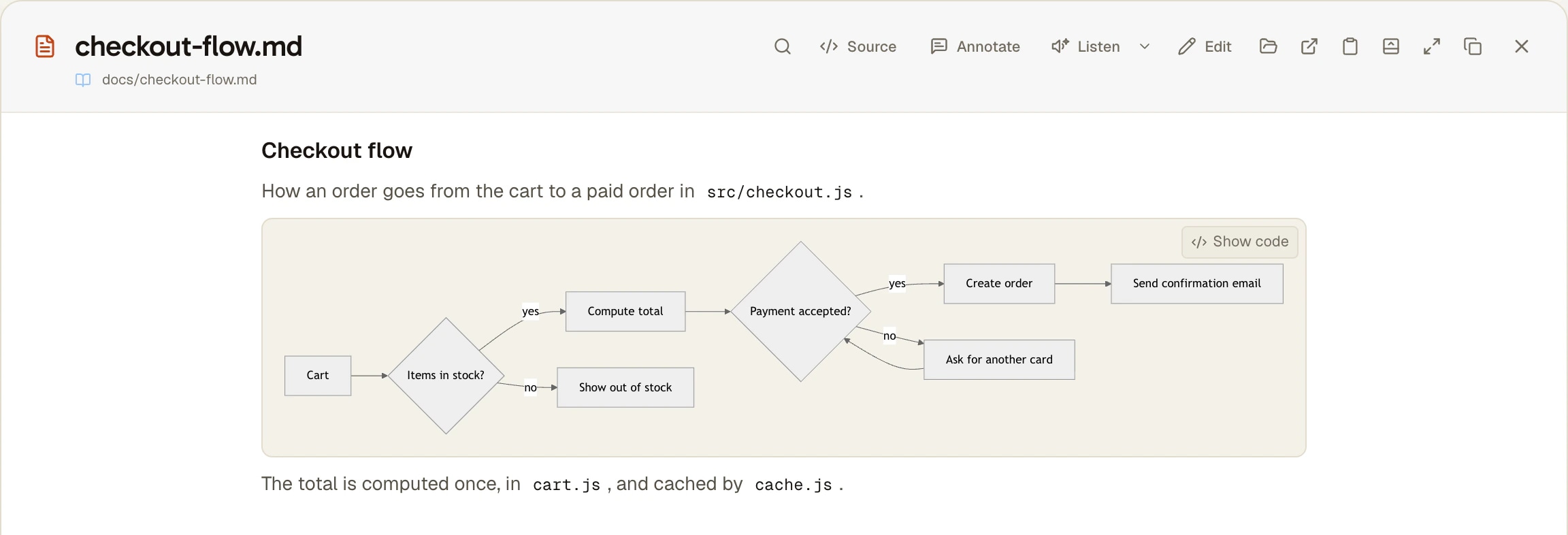
AgentsRoom reads the same Markdown and draws it. The block turns into its diagram as it scrolls into view, a Show code button on hover brings the source back, and Show diagram returns to the drawing. If the agent made a syntax error, the code stays on screen with one line saying the diagram could not be drawn, so you never lose what it wrote.
The drawing does not depend on the CLI: it is done by the app's Markdown reader, from the text. A diagram in a README written by Codex, in a plan written by Claude Code or in a ticket written by any other agent is drawn the same way.
What changes when you read an agent
One rule everywhere the app shows Markdown: a mermaid block is shown as its diagram.
Wherever you read an agent
The conversation view, Markdown files in the file preview and in file tabs, plans in Plan Review, notes, project memory notes, backlog tickets and their comments, and the answers of Ask on the side.
Drawn while the agent writes
An agent writes a diagram line by line. AgentsRoom waits for the text to hold still for a moment before drawing, and keeps the last valid diagram on screen meanwhile, so the block does not flicker between code and drawing.
The source one click away
Hover a diagram and press Show code to read the Mermaid text it comes from, then Show diagram to go back. The source is never replaced, only shown differently.
A broken diagram stays readable
When Mermaid cannot parse the block, the code stays on screen with one line under it: This diagram could not be drawn: its code is shown instead. You can hand it back to the agent as it is.
Every Mermaid 11 diagram
Flowcharts, sequence, class, state and entity-relationship diagrams, Gantt charts, mind maps, git graphs: whatever Mermaid 11 can draw, AgentsRoom draws.
Nothing drawn off screen
A diagram is laid out only when it comes near the screen, one at a time, and the result is kept. A long conversation full of diagrams costs nothing for the ones you have not scrolled to yet.
How to use it
Nothing to turn on. Four steps from the question to the diagram.
- 1
Ask for a diagram
In any agent, ask in plain words: draw the login flow as a Mermaid flowchart, or show this API call as a sequence diagram. Saying Mermaid is usually enough for the agent to answer with a mermaid block.
- 2
Read it in the conversation view
Switch the agent's pane to the conversation view: the block appears as a diagram inside the agent's answer. The terminal underneath does not change and still shows the text.
- 3
Or open the file it wrote
When the agent puts the diagram in a Markdown file (a README, an architecture note, a plan), open it from the file link in its answer, from the Files tab of the right panel or with File > Open File (Cmd O on macOS, Ctrl O on Windows and Linux): the preview and the file tab draw every diagram in it.
- 4
Check the source
Hover the diagram and press Show code to read or copy the Mermaid text, then Show diagram to return to the drawing.
What a terminal, GitHub and Mermaid skills already do
Claude Code and Codex CLI run in a terminal, and a terminal prints characters, not drawings: a mermaid block shows as its source. That is not a missing setting in the CLI, it is what a terminal is.
That is why people look for a Claude Code Mermaid skill, plugin or MCP server. Those help the agent write a valid diagram or export it to an image file. To read the diagram you still paste its code somewhere that draws it: GitHub draws mermaid blocks in Markdown files and comments, mermaid.live draws anything you paste, and an editor's Markdown preview does it with a Mermaid extension.
AgentsRoom does not replace those tools. It removes the copy and paste when you are reading the agent anyway: the diagram is drawn in the conversation, the plan or the file you already have open next to the agent.
Limits
- The raw terminal of an agent still shows the source: the drawing happens in the conversation view and in the Markdown readers, not inside the terminal grid.
- The conversation view exists for the CLIs whose transcript AgentsRoom can read: Claude Code, Codex, Grok Build, Mistral Vibe, oh-my-pi, Pi and Antigravity CLI. With the others, open the Markdown file the agent wrote.
- Diagrams use Mermaid's dark and neutral themes, matched to the light or dark theme of the app. They do not take your accent color.
- A link inside a diagram opens only an http or https address, like a Markdown link. A link to a local file does nothing.
- Labels are plain text: HTML and scripts inside a diagram are removed, and a configuration line written in the diagram cannot change that.
- There is no export button: to keep a diagram as a PNG or SVG file, ask the agent to export it with Mermaid's command line tool.
Frequently asked questions
Can Claude Code render Mermaid diagrams?
Not in the terminal. Claude Code writes a Mermaid diagram as a fenced code block, and a terminal can only print it as text. Run the same agent in AgentsRoom and switch its pane to the conversation view: the block is drawn as a diagram inside the answer, and a Show code button brings the source back.
How do I preview a Mermaid diagram that an agent wrote in a Markdown file?
Open the file in AgentsRoom: click the file link in the agent's answer, pick it in the Files tab of the right panel, or use File > Open File (Cmd O on macOS, Ctrl O on Windows and Linux). The Markdown preview, and the file tab if you open it as a tab, draw every mermaid block of the file.
Does it work with Codex and other agent CLIs?
Yes. The diagram is drawn by the app's Markdown reader from the text, whatever CLI wrote it, so a diagram from Codex, Claude Code or any other agent is drawn the same way in files, plans, notes and tickets. The conversation view, where answers are drawn as they arrive, covers Claude Code, Codex, Grok Build, Mistral Vibe, oh-my-pi, Pi and Antigravity CLI.
Do I need a Mermaid skill or an MCP server?
Not to read the diagrams. A skill or an MCP server can help an agent write valid Mermaid or export it to an image. AgentsRoom only draws what is already written, so the two work together: the skill improves the diagram, AgentsRoom shows it.
Which diagram types are drawn, and what if the syntax is wrong?
Everything Mermaid 11 draws: flowcharts, sequence, class, state and entity-relationship diagrams, Gantt charts, mind maps, git graphs and the rest of its catalog. A block Mermaid cannot parse stays as code, with one line under it saying the diagram could not be drawn. Ask the agent to fix it: its corrected block is drawn.
You may also like
Conversation view
A chat view for Claude Code, Codex and five more agent CLIs: the session read from the CLI's own transcript, tool calls folded, answers live, on desktop and phone.
Plan review
Your agent proposes a plan: read it as a document, comment on, replace or delete any passage, then approve it or send it back in one message. Every version kept.
Project Memory
Give your AI coding agents a long-term memory. Decisions, architecture and pitfalls persist across sessions and are shared with everyone on the project. Free, unlimited.
Ask on the side
Ask a busy AI coding agent a question without interrupting it. A read-only copy of its conversation answers in a bubble with tabs while its terminal keeps working. Claude Code, Codex, Grok, GitHub Copilot CLI, OpenCode, Mistral Vibe, Antigravity CLI and Kimi Code, from the desktop or your phone.
Read your agents' diagrams as diagrams
Download AgentsRoom for macOS, Windows or Linux, ask an agent for a Mermaid diagram and switch its pane to the conversation view.
Companion app: monitor your agents on the go
Bring your own: Claude, Codex, Antigravity CLI, or other AI provider.
Push bugs and requests straight to your public backlog.