Looking for an alternative to Conductor? Meet AgentsRoom.
Conductor announced on 4 November 2026 that it is joining Meta. New users can no longer sign up or download the app, Conductor Cloud closes on 20 November, and the Mac app gets new models and critical fixes until early 2027. AgentsRoom is a visual command center for all your projects, on macOS, Windows and Linux, and it is open to new users.
Both tools run several coding agents in parallel, each with its own terminal or workspace. The difference is in scope: Conductor focused on task orchestration and code review within a repository, while AgentsRoom gives you a multi-project IDE with 14 specialized roles, desktop notifications, drag & drop organization and iOS and Android apps.
Free · Set up in 30 seconds
What is happening to Conductor
Checked on 7 November 2026 against Conductor's announcement and its changelog (version 0.93.0).
Closed to new users since 4 November
New users can no longer sign up or download the app, and its home page no longer has a download button. Free users cannot upgrade. Pro users keep the Pro features for free.
Conductor Cloud closes on 20 November
Cloud workspaces go read-only on 13 November: you can read old chats and export, but not send new messages. On 20 November the service shuts down and the deletion of user data begins. Active subscribers get a refund.
The Mac app runs until early 2027
Local Conductor keeps working and gets new models and critical bug fixes until early 2027, when it starts winding down. Conductor says it hopes to have something new by then.
What to do before 20 November
To bring a cloud workspace and its chats to your Mac, right-click it and choose Transfer to local. To download all your data, go to Settings, Account, Export data.
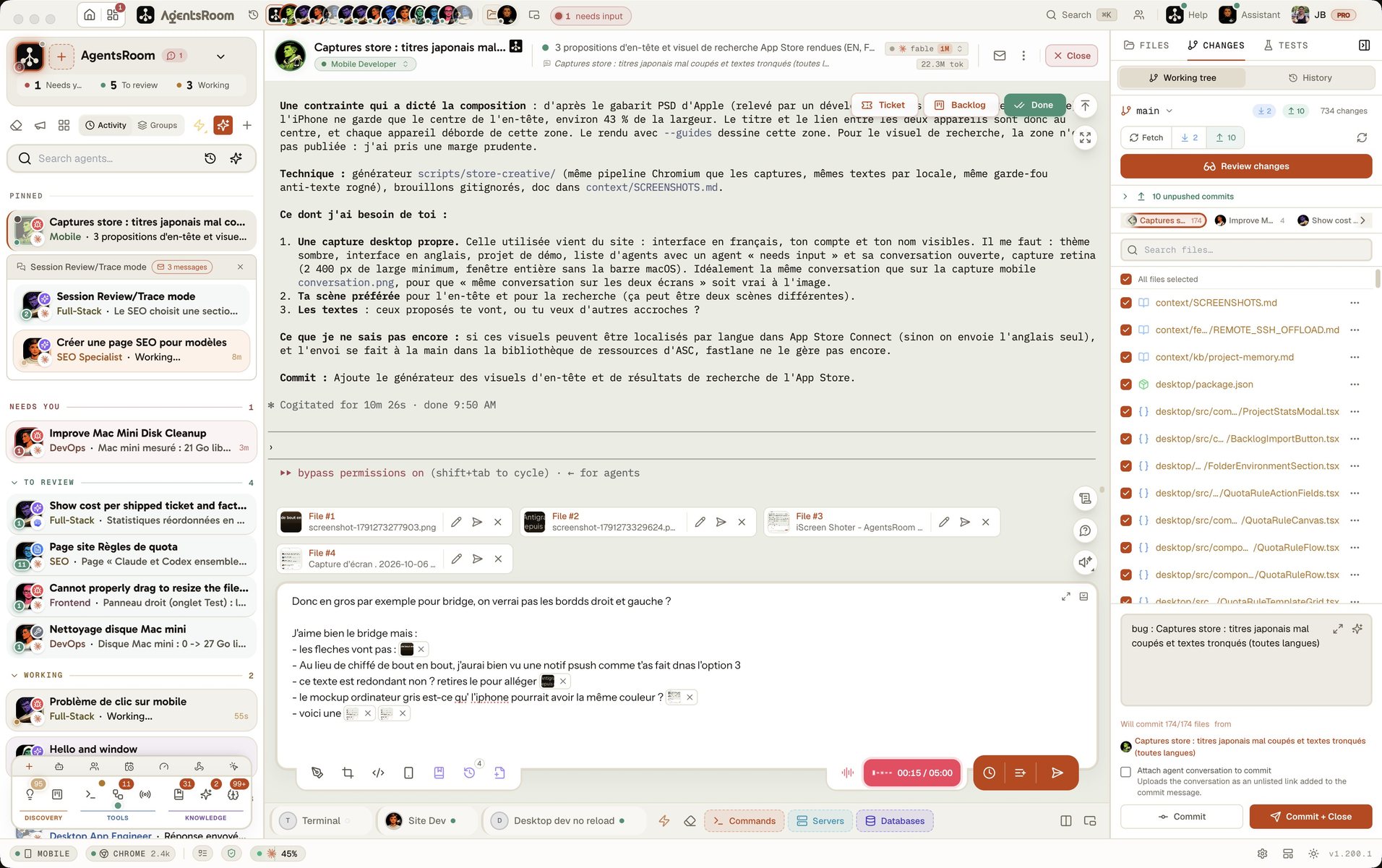
The difference at a glance
With Conductor
- -Focused on parallel task execution: assign tasks to agents and review their output
- -Git worktree isolation: each agent works in a separate branch copy
- -Single-project workflow: orchestrate agents within one repository
- -Notifications and a dashboard to follow your agents
- -No agent roles: all agents have the same capabilities
- -An iOS app to chat with agents and merge PRs from your phone, with no Android app announced
With AgentsRoom
- +Full visual IDE: see all agents across all projects at a glance
- +Built-in terminal per agent with real-time status tracking
- +Multi-project management: switch between projects in one click
- +Desktop notifications: get alerted when agents finish or need input
- +14 specialized roles: DevOps, Frontend, Backend, QA, Architect, and more
- +Mobile companion app (iOS/Android) with E2EE relay for remote monitoring
Feature-by-feature comparison
AgentsRoom as it ships today, Conductor as of 7 November 2026, for those who already have it: new users can no longer install it.
| Feature | AgentsRoom | Conductor |
|---|---|---|
| Visual GUI | ✓ | ✓ |
| Agent status (working/done/needs input) | ✓ | ✓ |
| Desktop notifications | ✓ | ✓ |
| Multi-project management | ✓ | ✗ |
| Built-in terminal per agent | ✓ | ✓ |
| Edit CLAUDE.md from UI | ✓ | ✗ |
| Drag & drop organization | ✓ | ✗ |
| Specialized agent roles (14) | ✓ | ✗ |
| Model per agent (Opus/Sonnet/Haiku) | ✓ | ✓ |
| Git worktree isolation | ✓ (optional) | ✓ |
| Providers supported | All 19 agent CLIs (Claude, Codex, GitHub Copilot CLI, Cursor and 15 more) | Claude Code, Codex, Cursor, OpenCode |
| Mobile companion app | ✓ | iOS |
| Setup time | 30 sec | Closed to new users |
See AgentsRoom in action
Watch how AgentsRoom manages multiple Claude agents across projects with a full visual interface.
The desktop app, in Simple mode
On a phone the demo runs the real desktop app in its Simple interface mode: one project, its agents, one prompt. The full cockpit is on your computer.
When staying on Conductor makes sense
If you already have Conductor, these are good reasons to keep it for now: the Mac app keeps working until early 2027. New users can no longer choose it.
You need a worktree for every workspace by default
Conductor's core design revolves around git worktrees: every workspace is an isolated branch copy, automatically. AgentsRoom supports worktree isolation too, as an option per task or per agent, but Conductor makes it the default for everything.
You want checkpoints and rollback
Conductor takes automatic snapshots of each workspace so you can roll an agent's changes back to an earlier point. If checkpoint-based rollback is central to how you review agent work, Conductor ships it natively.
You want built-in code review
Conductor includes a code review interface to review and merge agent changes. If your workflow centers on reviewing AI-generated code before merging, this is a useful built-in feature.
Moving from Conductor takes minutes
AgentsRoom works with your existing repositories. Bring any cloud workspace to your Mac before 13 November, then open the same folders here.
Download AgentsRoom
Download the desktop app for macOS, Windows or Linux from agentsroom.dev and open it. That is the install.
Add your projects
Drag your project folders into AgentsRoom. Your existing CLAUDE.md files are detected automatically.
Launch your agents
Create agents with specialized roles, assign models, and start coding. All with visual status tracking.
Frequently asked questions
Ask us something elseIs Conductor shutting down?
What can replace Conductor Cloud?
What is Conductor?
How does AgentsRoom differ from Conductor?
Does AgentsRoom support git worktree isolation like Conductor?
Can I keep Conductor and try AgentsRoom?
Is AgentsRoom free?
What are the best Conductor alternatives and competitors?
Conductor vs Orca: how do they compare?
Is there a Conductor alternative for Windows or Linux?
Conductor vs Herdr: what is the difference?
































Try AgentsRoom today
Download and manage all your AI agents in 30 seconds. Free for 2 projects.
Companion app: monitor your agents on the go
Bring your own: Claude, Codex, Antigravity CLI, or other AI provider.
Push bugs and requests straight to your public backlog.
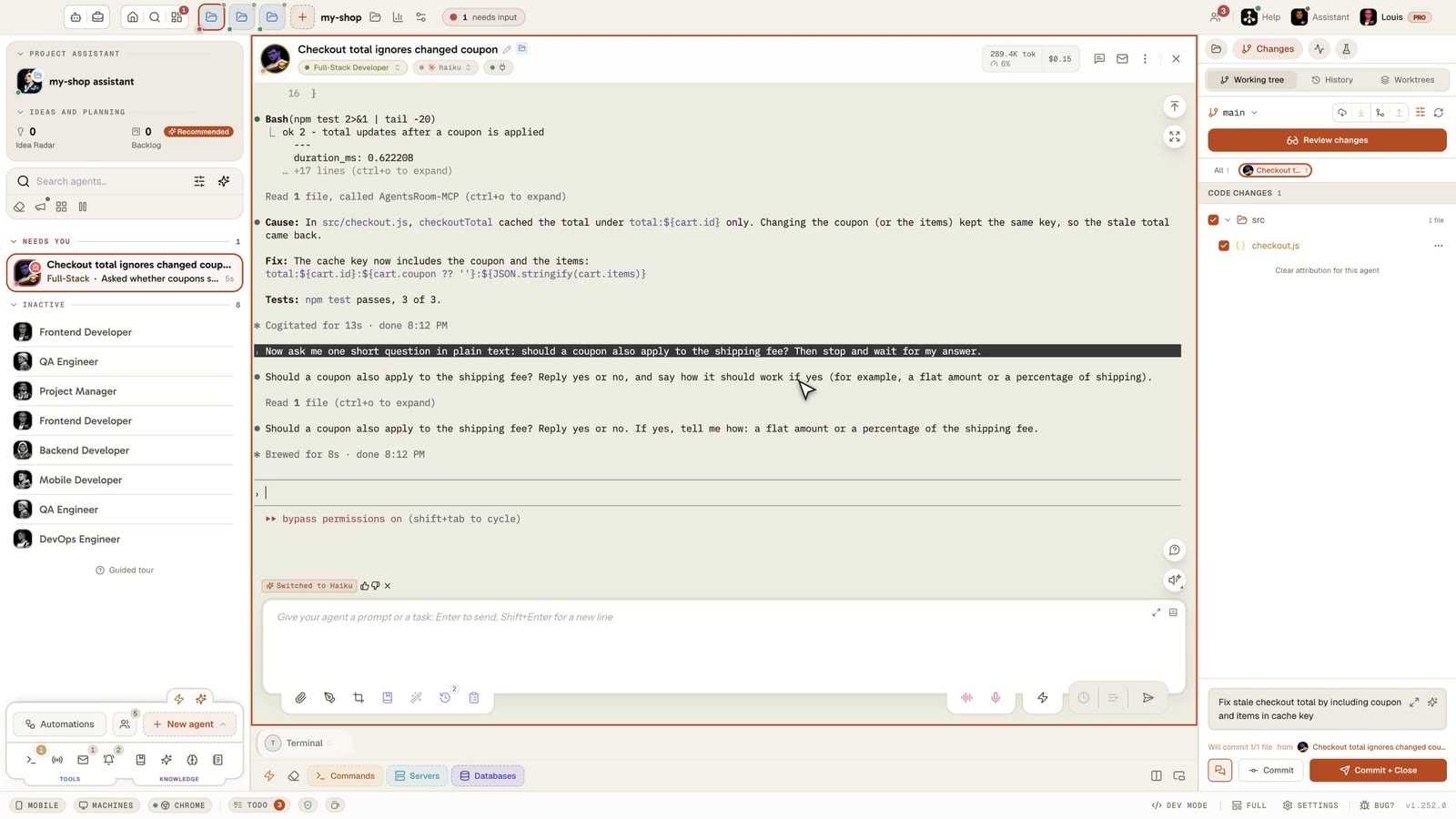
Agents you read like a conversation
Each agent has a role, a face, and a thread you read like a messaging app.
Other comparisons
See how AgentsRoom stacks up against other agent managers.