You write the rough version.
Enhance writes the prompt.
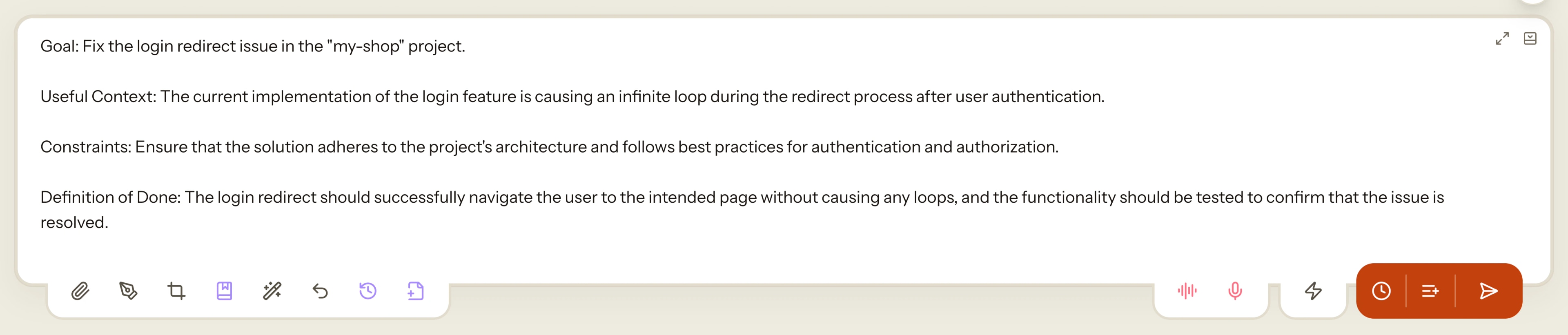
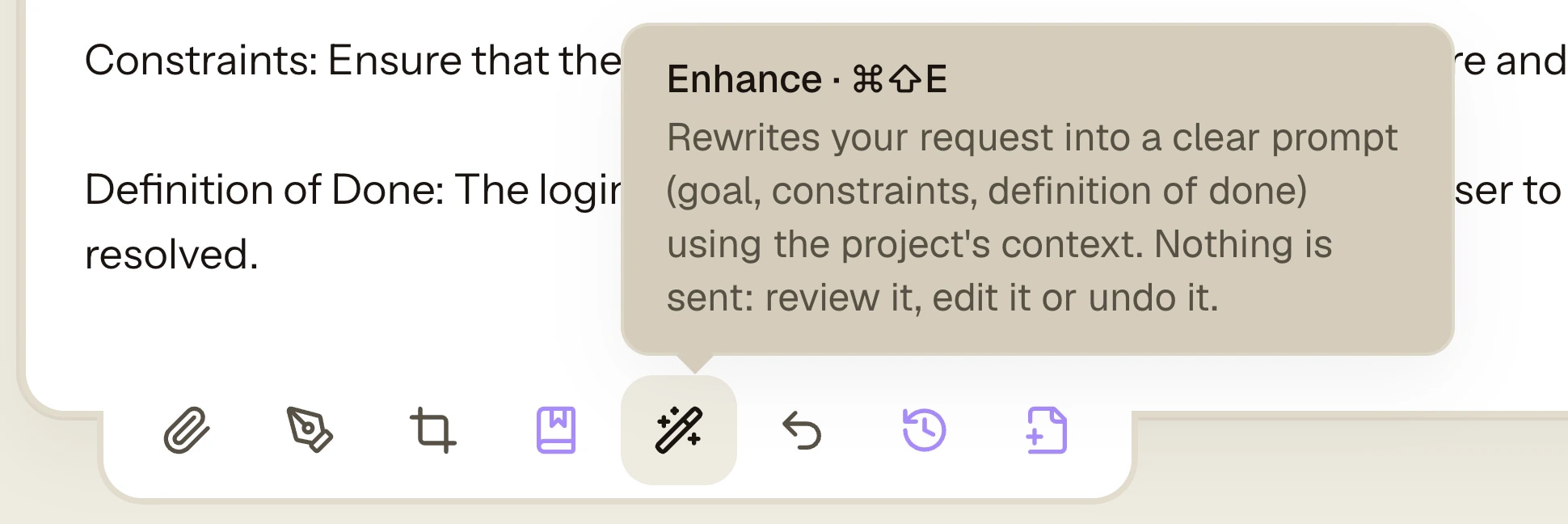
Type or dictate what you want in six words, press Enhance, and the box fills with a real prompt: the goal, the context the agent needs, the constraints, and how you will know it is done. Your text is replaced in place, with an Undo.
It is not a generic rewriter. It already knows which project you are in, which agent you are talking to, and which of your project memory notes match what you just wrote.
fix the login redirect, it loops
Goal Stop the redirect loop on sign-in and land the user on the page they asked for.
Context Next.js app router, auth in middleware.ts, the loop appears after a session expires.
Constraints Do not change the session duration. Keep the existing redirect parameter.
Done when A signed-out visit to a private page signs in and comes back to that page, once.
The rewrite happens in your box. Nothing is sent to the agent until you press send.
The gap between a good prompt and a bad one is not vocabulary, it is what you left out. An agent that loops, asks three clarifying questions or rewrites a file you never mentioned is almost always an agent that was given a goal without constraints, or a symptom without context.
Everyone knows this. Nobody writes the long version at four in the afternoon, and nobody writes it at all when they dictate from a phone. So the prompt stays at six words and the agent fills the blanks by guessing.
Enhance closes that gap at the one moment it costs nothing: before you press send. It rewrites what is already in your box into the version you would have written if you had the time, and it does it in the box, so you read it, edit it, or undo it.
What the rewrite actually adds
Goal, context, constraints, done
The four parts an agent needs and a short request never has. The goal says what success is, the constraints say what must not move, and the definition of done is what stops the agent from stopping too early.
It knows where you are
The rewrite is sent with the project's name, the role and persona of the agent you are writing to, and nothing else about your code. A prompt to a QA agent and the same words to a DevOps agent do not come back the same.
Your project memory, as cues
Up to fifteen project memory notes whose name and description share words with your draft are offered as cues, so the prompt can point the agent at the note that already documents the module. Only the name and the one-line description travel, never a note's content.
An Undo that puts your words back
The rewrite replaces your text. One click, or the same shortcut, puts back exactly what you had. The Undo disappears once the box is emptied, because by then the message is gone.
Three places, one button
The agent composer, the backlog ticket editor and the Prompt Library editor. A library prompt is rewritten with no project context on purpose: it is meant to be reused in projects it has never seen.
The same button on the phone
The mobile app shows Enhance in the composer and in the ticket form, and the rewrite runs through your desktop, with the same context and the same limits. Dictating is where it earns its place: you speak six words and send a real prompt.
How to use it
Four steps, and the fourth is the one people skip.
- 1
Write the rough version
Type it, paste it, or dictate it. Six words is enough, and a half-finished sentence is fine. The shortest drafts are the ones the rewrite helps most, because they are the ones missing the context.
- 2
Press Enhance
The button sits in the composer dock, next to the other composer actions, and the shortcut is Cmd Shift E on macOS, Ctrl Shift E on Windows and Linux. The shortcut only fires for the box your cursor is in, so two composers side by side never answer at once.
- 3
Read it before you send it
The rewritten prompt lands in your box, not in the agent. This is the point of doing it in place: a rewrite that invents a constraint you do not want is one keystroke away from being fixed, and Undo puts your own words back.
- 4
Edit the constraints, then send
The part worth your attention is the constraints and the definition of done. The rewrite proposes what it can infer; you know what must not move in this repository. Thirty seconds there saves the round trip where the agent touches a file you never meant to open.
What it does not do
It does not talk to your agent. Enhance rewrites the text in your box and stops there, so a rewrite you dislike costs nothing: no turn is consumed, no tokens of your Claude or Codex plan are spent, and the agent never sees the draft.
It does not read your repository. The rewrite is sent with the project name, the agent's role and persona excerpt, and the names and one-line descriptions of matching project memory notes. No file, no diff, no terminal output, no note content.
It does not store anything. The request text and its context are not kept after the answer is written back into your box. The only trace is the usage count that tells us the feature is being used, with no text attached.
The limits, written down
- You need to be signed in to your AgentsRoom account. The rewrite runs on our servers, not on your Claude or Codex plan, which is also why it does not consume your agent's quota.
- Six rewrites a minute per account. It is a writing aid, not a batch tool.
- A very long draft is refused rather than truncated. Enhance is for the six-word request, not for reshaping a thousand-line specification.
- If you keep typing while the rewrite is running, the result is dropped and your text is left exactly as it is. Losing keystrokes to a background answer is worse than losing the rewrite.
- The shortcut is fixed. The button can be hidden from the composer in the settings, with the other composer actions, and the shortcut still works.
- In the Prompt Library the rewrite gets no project context, so a prompt written for one specific repository comes back more generic than you may expect. Write the repository's constraints in by hand there.
Questions people actually ask
What does a prompt enhancer actually change in my request?
It turns a request into the four parts an agent needs: the goal (what success looks like), the context (where in the project, what you already know about the problem), the constraints (what must not change) and the definition of done (how the agent knows it can stop). Those four are what a six-word request leaves out, and what makes an agent guess.
Does Enhance send my prompt to the agent?
No. It rewrites the text in your box and stops. You read the result, edit it, undo it or send it yourself. No agent turn is consumed and no tokens of your Claude or Codex plan are spent on the rewrite.
What does it send, and is my code in it?
Your draft, the project's name, the role and persona excerpt of the agent you are writing to, and the names and one-line descriptions of up to fifteen project memory notes that share words with your draft. No file content, no diff, no terminal output, no note body. Nothing is stored after the answer comes back.
What is the keyboard shortcut?
Cmd Shift E on macOS, Ctrl Shift E on Windows and Linux. It is armed only for the box your cursor is in, so several composers open side by side never fire together. The shortcut is fixed and keeps working even if you hide the button from the composer.
Can I undo the rewrite?
Yes, with the Undo that appears next to the button, or the same shortcut. It puts back exactly the text you had before. The Undo is forgotten once the box is emptied, which is what happens when you send the message.
Does it work in backlog tickets and in the Prompt Library?
Yes, in both, with the same button. A ticket is rewritten with the project's name and the agent assigned to it, so the ticket reads like a brief for that agent. A Prompt Library entry is rewritten with no project context on purpose, because a library prompt is meant to be reused in projects it has never seen.
Is it available on the phone?
Yes, in the mobile composer and in the ticket form of the mobile app. The phone asks your desktop, which runs the same path as the desktop button, so the context and the limits are identical. Pair it with dictation: say the rough version, press Enhance, read, send.
You may also like
Prompt editor
A prompt editor built into the AgentsRoom agent composer. Write long, structured prompts for your AI coding agents in a real text area, keep a draft per agent between sessions, and send the whole block to that agent in one keystroke. The alternative to keeping Notes, Obsidian or VS Code open just to write a prompt.
Prompt Library
Link any prompt to another in AgentsRoom's Prompt Library. When you copy or send a linked prompt, every attached prompt is appended automatically with its title and content. Prompt chaining, inheritance, and composition built into your library.
Project Memory
Give your AI coding agents a long-term memory. Decisions, architecture and pitfalls persist across sessions and are shared with everyone on the project. Free, unlimited.
Structured questions
Your AI coding agent asks in a card with clickable options, right above its input box, and waits for your answer. Codex, Claude Code, Cursor, Copilot CLI.
Stop sending six-word prompts
AgentsRoom runs Claude Code, Codex and 15 other agent CLIs side by side, with the prompt enhancer built into every composer.
Companion app: monitor your agents on the go
Bring your own: Claude, Codex, Antigravity CLI, or other AI provider.
Push bugs and requests straight to your public backlog.