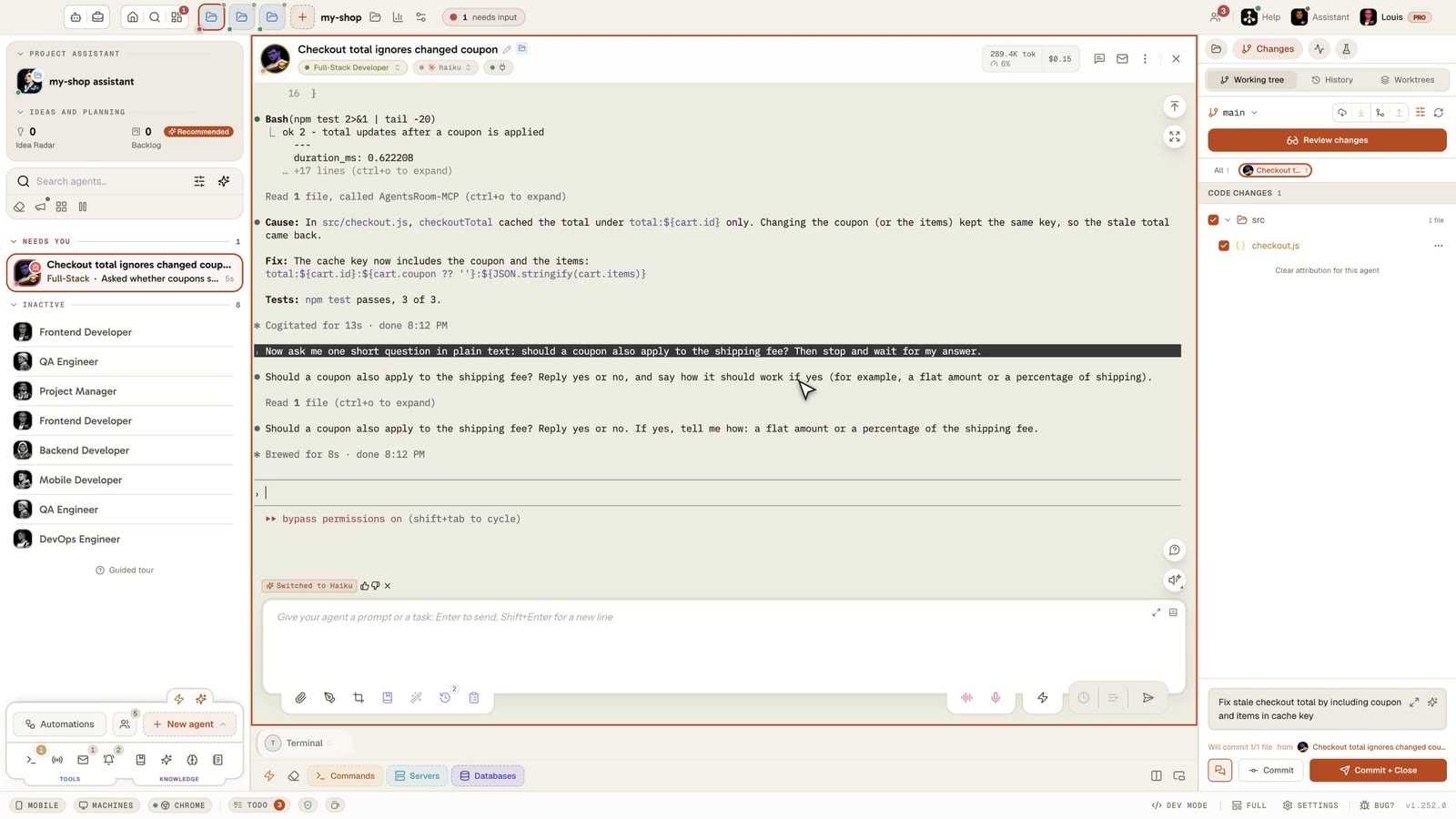
Your Claude 5-hour limit starts with your first message.
Choose when that is.
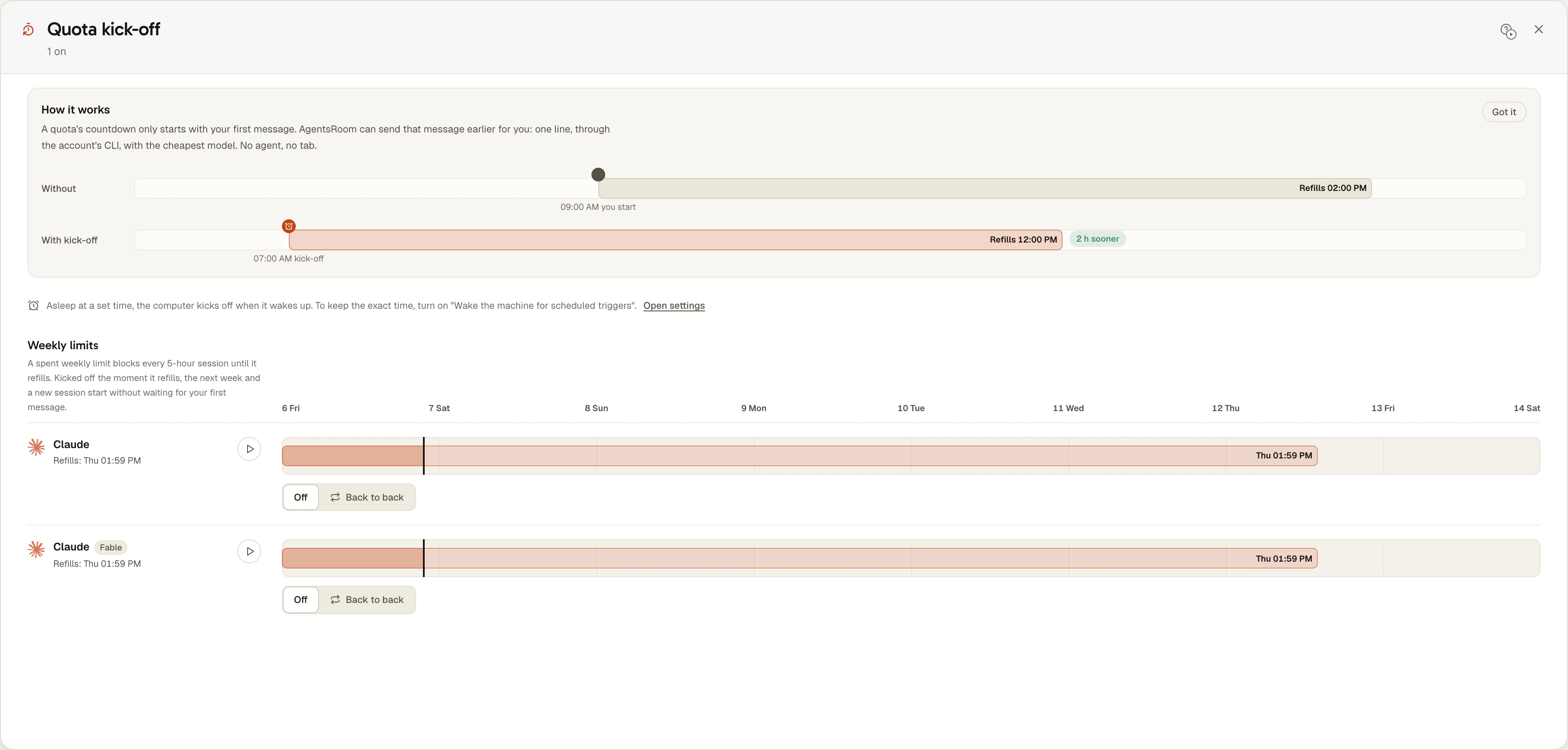
The limit does not follow the clock. It starts when you send your first message and resets in full five hours later. Sit down at 09:00 and it resets at 14:00, in the middle of your afternoon. Quota kick-off sends that first message for you at 07:00, so it resets at 12:00.

How the 5-hour limit works
What Anthropic documents, read on 6 November 2026 in its help center and in the Claude Code docs.
It starts with your first message
Not at a fixed hour, not at midnight. In Anthropic's words: "The period starts when you send your first message, and your limit resets in full five hours later." A first message at 09:12 means a reset at 14:12.
Every Claude surface draws from it
claude.ai, Claude Code and Claude Desktop count toward the same limit, so a long chat in the browser spends what your agents were going to need.
Switching model does not bring you back
The session limit is shared across all models, so /model will not help once you hit it. It only helps after a limit on one model family, such as "You've hit your Opus limit".
Where to read the reset time
The limit message says when the window resets. In Claude Code, /usage shows your plan usage bars. On claude.ai, Settings > Usage shows the current session and the time left.
No command resets it
Anthropic documents no way to reset the window early. You wait, you upgrade, or you turn on usage credits to keep working past the limit.
The weekly limit is another matter
It resets at a fixed time each week assigned to your account, and a message cannot move that time. Verified Ultra accounts have no five-hour limit.
Quota kick-off: the countdown starts before you do
A 5-hour session only starts counting with your first message, and refills a fixed time after it. The Quota kick-off card, in the Usage panel, sends that one message for you, earlier. Kicked off at 07:00, a session you start at 09:00 refills at 12:00 instead of 14:00.
Filmed in the real app: the Quota kick-off card of the Usage panel, set to At set times on the Claude session, weekdays at 07:00. The timetable shows the kick-off pin and the refill it brings at 12:00 instead of 14:00. Kick off now sends one line to Haiku through your own CLI and answers Kicked off a few seconds later, with no agent and no tab.
Without a kick-off
You sit down at 09:00 and send your first prompt. The 5-hour countdown starts now.
Refills at 14:00
With a kick-off at 07:00
AgentsRoom sends one short message at 07:00. The countdown has been running for two hours when you sit down.
Refills at 12:00 · 2 hours sooner
One setting per quota
Every quota picks Off, or one of two modes. A 5-hour session takes either; a weekly limit takes Back to back, since its next week simply follows the last one.
The quota restarts the moment it refills, with no idle gap. A weekly limit on Back to back gets one message right after its refill, which starts a fresh 5-hour session, and starts the next week too on the CLIs where it waits for a first message.
Days and times you pick, 07:00 on weekdays for example. A kick-off leaves at each time, unless the quota is already running, in which case nothing is sent. On a session lane you can also click the timetable to drop a kick-off at that hour.
A single short line, sent to the cheapest model that draws from that quota, Haiku for a Claude session, through the account's own CLI, in the background. No agent, no tab, no terminal.
The 5-hour sessions and the weekly limits of Claude, Codex and Antigravity. A weekly limit set to Back to back is kicked off the moment it refills, so a fresh session starts without you, and the next week too where it waits for a first message; while a weekly limit is spent, session kick-offs wait for its refill instead of failing. Providers whose period is fixed or rolling are not listed: a message would start nothing there.
A kick-off fires while AgentsRoom is open. One missed while the computer was asleep leaves when it wakes up, and the wake setting used by scheduled tasks, Wake the machine for scheduled triggers, also wakes the machine to hold the exact time.
Each account's quotas have their own setting, and the message goes through that account's own CLI, so a kick-off never debits the wrong subscription.
What it changes in a working day
The same day, 09:00 to 18:00, with the first message sent at 09:00 or kicked off at 07:00.
| Case | First message at 09:00 | Kick-off at 07:00 |
|---|---|---|
| Windows | 09:00 to 14:00, 14:00 to 19:00 | 07:00 to 12:00, 12:00 to 17:00, 17:00 to 22:00 |
| Fresh limits during the day | One, at 14:00 | Two, at 12:00 and 17:00 |
| Quota used up at 11:00 | Three hours of waiting | One hour of waiting |
Each window holds the same amount as before, and the weekly limit still caps the total. What moves is where the resets fall.
Set it up in the Usage panel
On macOS, Windows and Linux, on every AgentsRoom plan.
Open the panel
Click the usage badge in the footer, then Set up on the Quota kick-off card.
Pick a mode under a quota
Off, Back to back or At set times. A timetable shows each quota's window, the kick-offs to come and the refills they bring.
Adjust the times
At set times starts on weekdays at 07:00 with the cheapest model. Tick other days, add up to six times, or click the timeline of a session to drop a kick-off there.
Read the result
Under each quota, the status says what happened: "Kicked off: 07:00", or "07:00: already running, nothing sent". The play button, Kick off now, sends one right away.
Codex, Antigravity and the others
Codex
OpenAI publishes five-hour estimates for Plus and Standard Business, says weekly limits may also apply, and states that Pro plans currently have no five-hour limit (pricing page read on 6 November 2026). During a session, /status shows what remains. A kick-off covers the Codex quotas your account shows.
Antigravity
Its quotas are per model group, and the app reads a 5-hour countdown that starts at the first message. Each group has its own line, with the CLI's own Gemini Flash as the cheapest model of the Gemini pool.
Not listed
Grok, Kimi, Cursor, GitHub Copilot, OpenCode Go and Z.AI. Their periods are fixed or rolling, so a message would start nothing. Their bars remain in the Usage panel.
The same thing by hand, without AgentsRoom
This feature came from a user who typed a short hello every morning to start his quotas. You can do that with cron and nothing else, on a machine that is awake at that hour:
0 7 * * 1-5 claude -p "Reply with the single word: ok" --model haikuYou lose what the panel adds: no check that the quota is already running, no retry after a failure, no view of the windows, and one account unless you repeat the line with another CLAUDE_CONFIG_DIR. In cron, also check that claude is on the PATH.
What it does not do
- It adds no quota. A window holds what it held, and the weekly limit is untouched.
- It sends only while AgentsRoom is open on this computer. A kick-off missed while the machine was asleep or the app closed leaves at the next opening if it is less than 6 hours late.
- Each kick-off is one real request, so it costs a tiny share of the quota: on Haiku, one line and a one-word answer.
- It cannot restart a window that is already running. Kick off now still sends its line, and the reset time does not move.
- The same setting on two computers signed in to one account may send twice. The second one usually finds the quota already running.
- It is set on the desktop. The phone shows the gauges, not this panel.
One question per page
The same quota raises different questions.
Am I about to run out?
A notification at 50%, 75% or the threshold you pick, before the limit.
Usage alertsI am blocked now, what do I do?
A quota rule moves running agents to another signed-in account, and the conversation continues.
Account auto-switchHow much do I have left?
Where to read it in Claude Code, on claude.ai and in the desktop app.
How many tokens are left in ClaudeQuestions about the 5-hour limit
When does the Claude 5-hour limit reset?
In full, five hours after the first message of the period. It does not follow the clock or midnight: a first message at 09:12 means a reset at 14:12. The limit message gives the time, and Settings > Usage on claude.ai shows the time left.
Is there a command to reset the 5-hour limit?
No. As of 6 November 2026, Anthropic documents no way to reset it early. You can wait, upgrade your plan, or turn on usage credits to keep working past it. In Claude Code, /usage shows your bars, it does not reset them.
Can I bypass the 5-hour limit?
Not with a kick-off, and we know of no documented way. A kick-off moves the start of the window and adds nothing to it. To keep working once you are blocked, the documented options are usage credits or a higher plan. A second account you pay for also has its own limits, and AgentsRoom can move agents to it.
Does a kick-off give me more usage?
Not per window, and not per week. It can put more resets inside your working day: kicked off at 07:00, a 09:00 to 18:00 day sees fresh limits at 12:00 and 17:00 rather than at 14:00 alone. If you rarely reach the limit, it changes nothing for you.
Does a kick-off open an agent, and does it spend quota?
It opens neither an agent nor a tab: the account's own CLI runs in the background with one short message, then exits, and Claude and Codex keep no conversation of it. It is still one real request, sent to the cheapest model that draws from the quota (Haiku for a Claude session), so it costs a tiny share of that quota.
Does it change the Claude weekly limit?
No. Anthropic resets weekly limits at a fixed time assigned to your account, and a message cannot move it. Back to back on a weekly limit sends one message right after that refill, which starts a fresh 5-hour session. Session kick-offs wait while a weekly limit is used up, instead of failing.
What happens if my computer is asleep at 07:00?
The kick-off leaves when the machine wakes up, if it is less than 6 hours late. To hold the exact time, turn on Wake the machine for scheduled triggers in Settings > Terminal. If AgentsRoom is closed, nothing leaves until you open it.
Does it work with several Claude accounts?
Yes. Each account's quotas have their own line, and the message goes through that account's own CLI home, so a kick-off never debits the wrong subscription.
Does it work for Codex and Antigravity?
Yes, for the 5-hour sessions and weekly limits they publish. OpenAI states that Pro plans currently have no five-hour limit, so a Pro account has no session to kick off. Grok, Kimi, Cursor, GitHub Copilot, OpenCode Go and Z.AI are not listed, because their periods are fixed or rolling.
You may also like
Further reading
How Many Tokens Do I Have Left in Claude? The Two Screens to Check.
Your Claude plan is not denominated in tokens, so no screen shows a token balance. What it actually meters, the two screens that do show it, why it drains while you are not typing, and what the September 2026 weekly-window change does to your week.
How to check Claude Code token usage: 4 ways to see what your agents spend
Four ways to check Claude Code token usage: the /cost command, the session transcripts, the ccusage CLI, and a live per-session meter. See exactly what each agent spends.
What Are Tokens in Claude and How Do They Work? We Counted 3.8 Billion
A token is a piece of a word, and Claude counts four kinds of them: input, cache writes, cache reads and output. We counted 30 days of our own Claude Code sessions, 3.8 billion tokens: 98% were the conversation being re-read from the cache, 0.3% were what Claude wrote. What each kind costs, why a session gets heavier with every turn, and what the 5-hour window measures.
Make the reset land while you work
Set one kick-off and see the timetable move.
Companion app: monitor your agents on the go
Bring your own: Claude, Codex, Antigravity CLI, or other AI provider.
Push bugs and requests straight to your public backlog.
Agents you read like a conversation
Each agent has a role, a face, and a thread you read like a messaging app.