Looking for an alternative to JC? Meet AgentsRoom.
JC is an open-source macOS app built in Rust with GPUI (Zed's framework) that orchestrates multiple Claude Code sessions with 6 specialized views, an annotation workflow, and problem-based navigation. AgentsRoom takes a different approach: a visual command center with specialized roles, mobile companion, and full agent lifecycle management.
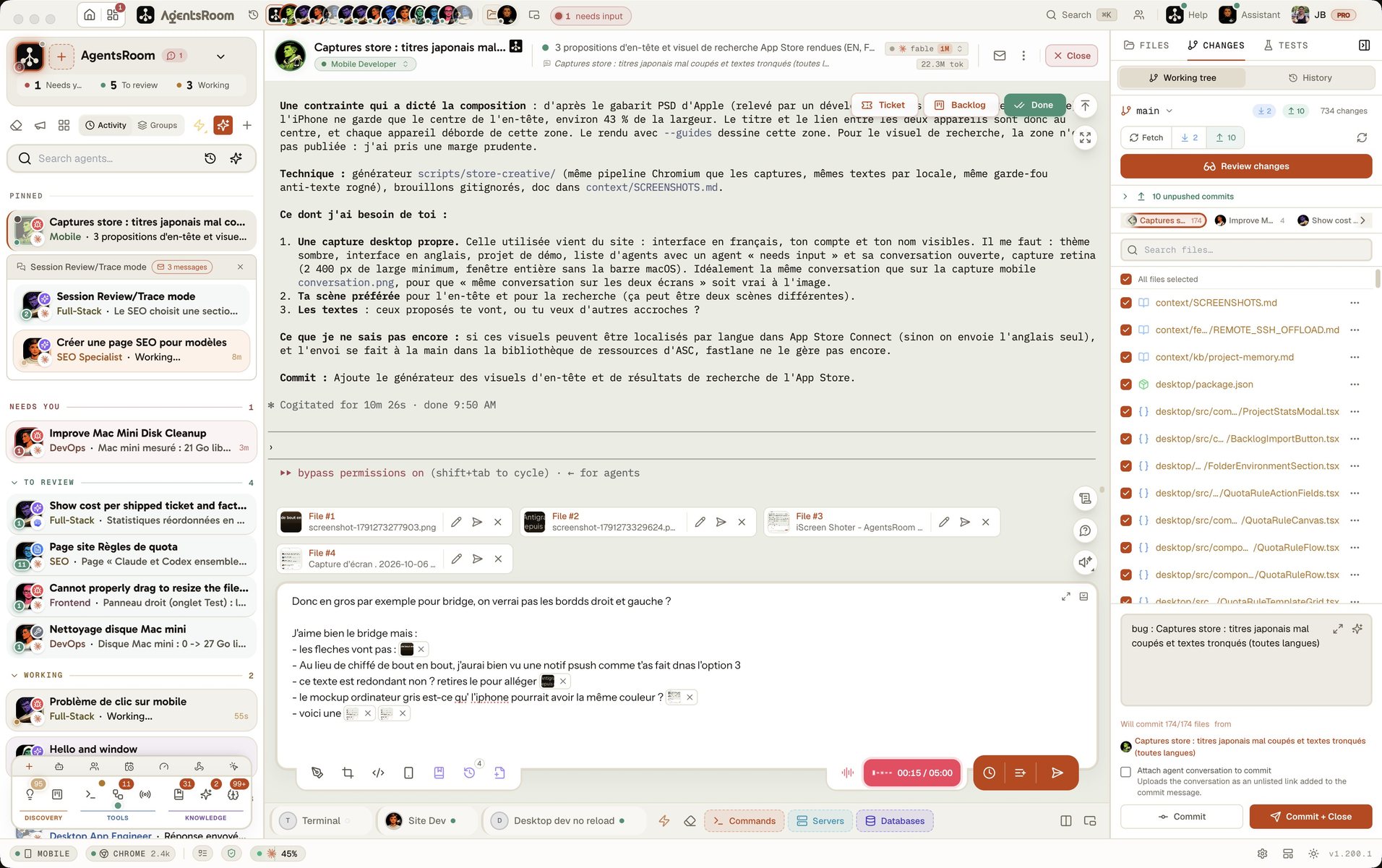
Both tools let you manage multiple Claude Code agents on macOS. The difference is in approach: JC focuses on session-level control with TODO.md-based annotations, git diff review, and priority-based problem navigation. AgentsRoom gives you a complete visual IDE with 14 specialized roles, desktop notifications, drag & drop organization, and a mobile companion app.
The difference at a glance
With JC
- •Open-source (MIT license): fully free, built with Rust and GPUI (Zed's UI framework)
- •6 specialized views: Claude Terminal, General Terminal, TODO Editor, Git Diff, Code Viewer, Global TODO
- •Problem-based navigation: sessions ranked by priority (L0 urgent → L3 idle) for efficient triage
- •Annotation workflow: Cmd-K captures code/diff selections, Cmd-Enter sends accumulated notes as instructions
- •Built-in git diff viewer with per-file review tracking and syntax-highlighted code browser
- •Requires Rust toolchain to build from source on macOS
With AgentsRoom
- +Full visual command center: see all agents across all projects at a glance
- +Built-in terminal per agent with real-time status tracking (thinking, done, needs input)
- +Desktop notifications: get alerted when agents finish or need input
- +14 specialized roles: DevOps, Frontend, Backend, QA, Architect, and more
- +Mobile companion app (iOS/Android) with E2EE relay for remote monitoring
- +30-second setup: download one file, no dependencies required
Feature-by-feature comparison
How AgentsRoom and JC stack up on the features that matter for managing AI coding agents.
| Feature | AgentsRoom | JC |
|---|---|---|
| Visual GUI | ✓ | ✓ |
| Agent status tracking | ✓ | ✓ |
| Desktop notifications | ✓ | ✗ |
| Multi-project management | ✓ | ✓ |
| Built-in terminal per agent | ✓ | ✓ |
| Edit CLAUDE.md from UI | ✓ | ✗ |
| Drag & drop organization | ✓ | ✗ |
| Specialized agent roles (14) | ✓ | ✗ |
| Model per agent (Opus/Sonnet/Haiku) | ✓ | ✗ |
| Mobile companion app | ✓ | ✗ |
| Open source | ✗ | ✓ |
| Built-in git diff viewer | ✗ | ✓ |
| Annotation workflow (Cmd-K) | ✗ | ✓ |
| Problem-based navigation (L0–L3) | ✗ | ✓ |
| Setup time | 30 sec | Build |
See AgentsRoom in action
Watch how AgentsRoom manages multiple Claude agents across projects with a full visual interface.
The desktop app, in Simple mode
On a phone the demo runs the real desktop app in its Simple interface mode: one project, its agents, one prompt. The full cockpit is on your computer.
When JC might be the better choice
We believe in honest comparisons. Here are scenarios where JC could be a better fit.
You review diffs constantly
JC has a built-in git diff viewer with per-file review tracking. If your workflow revolves around reviewing Claude's code changes file by file, JC's integrated diff view and annotation system streamlines that loop.
You want annotations captured straight from the diff
JC ties the keyboard to the review itself: Cmd-K captures a code or diff selection, Cmd-Enter sends the accumulated notes as instructions, and Cmd-; jumps to the most urgent session. AgentsRoom has its own command palette for reaching agents, tickets, commands and files without the mouse, but nothing that captures an annotation on a diff line, and no priority ranking that decides which session needs you next.
You want a fully open-source, native Rust app
JC is MIT-licensed and built with Rust + GPUI (Zed's framework). If you value native performance, open-source code, and want to contribute or customize the tool, JC is fully open.
Getting started takes 30 seconds
AgentsRoom works with your existing projects. No migration needed.
Download AgentsRoom
Download the desktop app for macOS, Windows or Linux from agentsroom.dev and open it. That is the install.
Add your projects
Drag your project folders into AgentsRoom. Your existing CLAUDE.md files are detected automatically.
Launch your agents
Create agents with specialized roles, assign models, and start coding. All with visual status tracking.
Frequently asked questions
Ask us something elseWhat is JC?
How does AgentsRoom differ from JC?
What tech stack does JC use?
Is JC free?
Can I use both AgentsRoom and JC?
































Try AgentsRoom today
Download and manage all your Claude agents in 30 seconds. Free for 2 projects.
Companion app: monitor your agents on the go
Bring your own: Claude, Codex, Antigravity CLI, or other AI provider.
Push bugs and requests straight to your public backlog.