Looking for an OpenAI Codex app alternative?
Codex is OpenAI's coding agent: in the ChatGPT desktop app, in your terminal and in the cloud. AgentsRoom does not replace it, it runs the official Codex CLI in its own terminal, next to the other agents you use:  Claude,
 Codex,
 GitHub Copilot CLI,
 Cursor and 15 other agent CLIs.
AgentsRoom runs onmacOSWindowsLinuxiOSAndroid
Below: what Codex does best, checked on OpenAI's documentation and its GitHub repository on 11 November 2026, where each tool is ahead, and how to use the two together.
The short answer
Keep the Codex app if you work with OpenAI models only and want everything in one place: chats, cloud tasks, pull request reviews and your ChatGPT plan. Add AgentsRoom when Codex is one agent among several, and you need to run it next to Claude Code or other CLIs, plan their work and follow it from your phone.
Keep the Codex app if
- You use OpenAI models only and your ChatGPT plan covers your usage.
- You want cloud tasks that keep working while your computer sleeps.
- You want Codex to review your pull requests on GitHub.
- You work inside VS Code, Cursor or Windsurf with the Codex extension.
Add AgentsRoom if
Codex, plus the others- You run Codex next to Claude Code, GitHub Copilot CLI or other agent CLIs.
- You use several Codex accounts, or want another CLI to take over near a limit.
- You plan the work on a Kanban backlog whose tickets start agents, with roles.
- You want native iOS and Android apps to follow and answer every agent.
We make AgentsRoom, so read this page with that in mind. Every Codex fact below is dated and its sources are linked.
Try the real interface
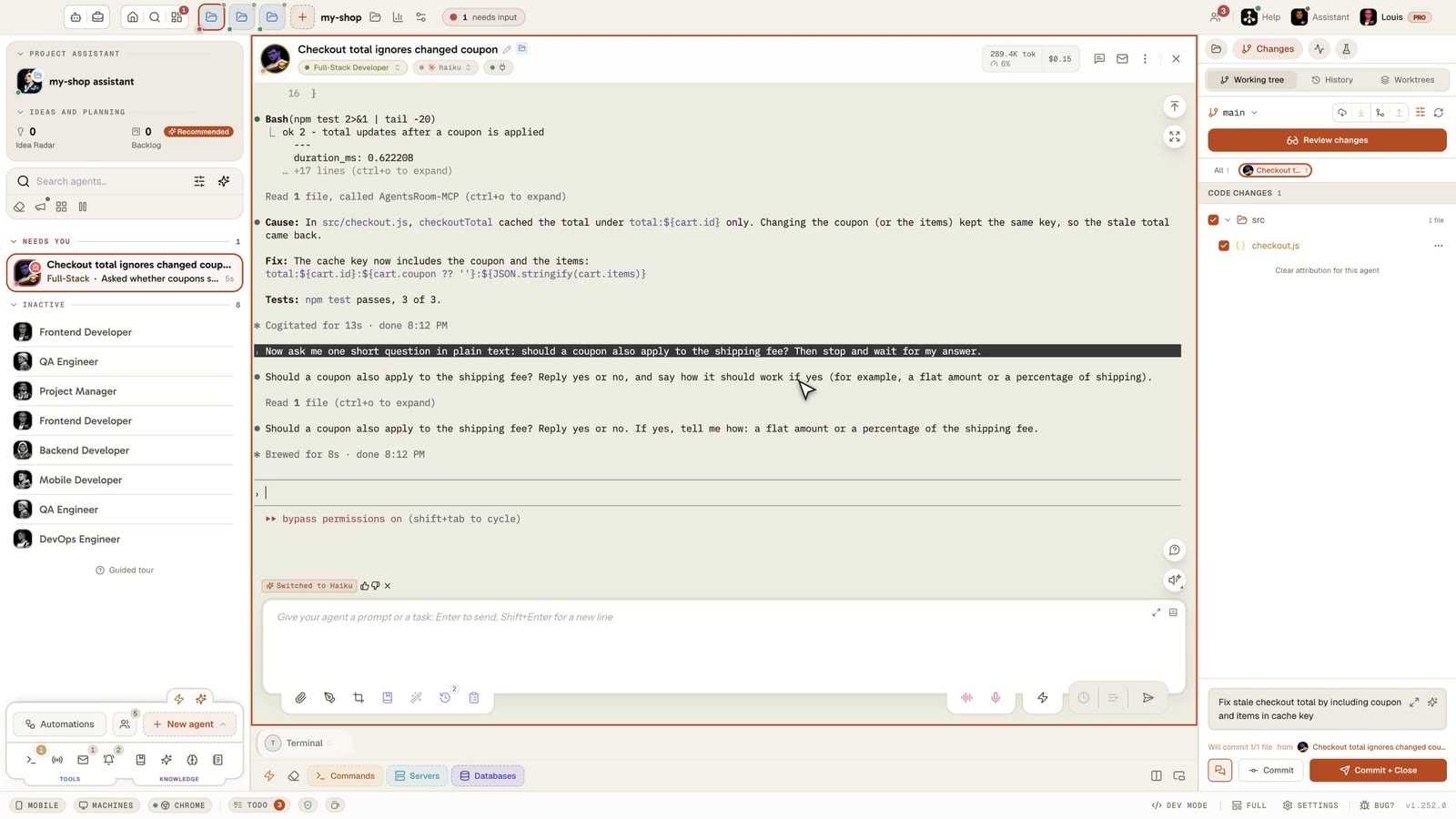
This is not a video: it is AgentsRoom running in your browser, with several coding agents in one window, each with its terminal, its status and its input box.
The desktop app, in Simple mode
On a phone the demo runs the real desktop app in its Simple interface mode: one project, its agents, one prompt. The full cockpit is on your computer.
What Codex does best
Checked on 11 November 2026 on learn.chatgpt.com and on GitHub. Codex is made by OpenAI.
An open-source CLI
The Codex CLI is public under the Apache-2.0 license, at github.com/openai/codex, with about 135,000 stars. It runs in your terminal and is the agent AgentsRoom launches.
One app for everything
Since 9 July 2026 the Codex app is part of the ChatGPT desktop app, on macOS, Windows and Linux (in preview). Parallel chats get their own git worktrees, managed by the app.
Cloud tasks
A cloud task gets its own workspace and keeps working while your computer is asleep. Local messages and cloud tasks share the usage of your ChatGPT plan.
Reviews on GitHub
Mention @codex review on a pull request, or turn on automatic reviews: Codex flags only P0 and P1 issues. It also takes work from Linear issues and Slack.
Automations
Schedule recurring tasks that run in the background. On the web and on mobile, they can also start from a Gmail, Slack or GitHub event.
An agent command center
Codex CLI 0.167.0, released on 6 November 2026, adds codex agents: one view of the CLI's tasks, grouped by status, with unread results marked.
Sources:Codex in the ChatGPT appChangelogPricingGitHub repository
Feature-by-feature comparison
Codex as described on OpenAI's documentation and GitHub on 11 November 2026, AgentsRoom as it ships today. "Not found" means absent from what we read, not proof that it does not exist. The first rows are where Codex is ahead, then what both do, then where AgentsRoom is ahead.
| Feature | AgentsRoom | Codex |
|---|---|---|
| Source code | AgentsRoomDesktop source not published | CodexCLI public, Apache-2.0Ahead |
| Price | AgentsRoomFree for 2 projects, 6 agents in parallel | CodexIncluded in ChatGPT plans, Free includedAhead |
| Pull request review | AgentsRoomReview each agent's diff before commit | Codex@codex review on GitHub, automatic reviewsAhead |
| Control of other apps | AgentsRoomBrowser control | CodexComputer Use on macOS and WindowsAhead |
| Inside your code editor | AgentsRoomStandalone desktop app | CodexVS Code, Cursor and Windsurf extensionAhead |
| macOS, Windows and Linux | AgentsRoom✓ | CodexLinux app in preview |
| Agents in parallel | AgentsRoom✓ | Codex✓ |
| Git worktree per agent | AgentsRoomOptional, per agent | CodexManaged by the app |
| One view of every agent | AgentsRoomEvery agent of every project, with its status | Codexcodex agents in the CLI, Codex tasks only |
| Hosted cloud runs | AgentsRoomClaude Code and Codex (Plus and Pro plans) | CodexCodex cloud, in your ChatGPT plan |
| Scheduled agent runs | AgentsRoomClock, quota window or on demand | CodexRecurring, or on Gmail, Slack and GitHub events |
| MCP servers | AgentsRoom✓ | Codex✓ |
| Skills | AgentsRoom✓ | Codex✓ |
| Agents supported | AgentsRoom19 agent CLIs, Codex includedAhead | CodexCodex, with OpenAI or local models |
| Phone app | AgentsRoomNative iOS and Android appsAhead | CodexChatGPT app on iPhone, Android not documented |
| Same task on two vendors, side by side | AgentsRoom✓Ahead | CodexOpenAI agent only |
| Another CLI takes over near a limit | AgentsRoom✓Ahead | CodexOpenAI agent only |
| Several accounts per CLI | AgentsRoom✓Ahead | CodexNot found |
| Kanban backlog that starts agents | AgentsRoom✓Ahead | CodexNot found |
| Built-in agent roles and team workflows | AgentsRoom✓Ahead | CodexNot found |
| Databases and Kubernetes in the app | AgentsRoom✓Ahead | CodexNot found |
Codex inside AgentsRoom
Most AgentsRoom users who run Codex keep their ChatGPT plan. This is what running the Codex CLI from AgentsRoom adds.
You already pay for ChatGPT
AgentsRoom starts the official Codex CLI in a real terminal, signed in with your own ChatGPT account or API key. Your prompts go from the CLI to OpenAI, never through us.
One Codex account is not enough
Sign in several Codex accounts, pin one per project or per agent, and see each account's usage in the footer of the app.
Codex runs low before the week ends
A quota rule sends new launches to Claude Code or another CLI when Codex reaches the threshold you chose. Or give the same task to Codex and Claude Code, and keep the better result.
Codex waits for you while you are away
When Codex shows a plan or asks a question, the card opens in its pane and on the iOS and Android apps, and your answer is typed into its terminal.
When the Codex app is the better choice
An honest comparison says when to stay. These are the cases where the Codex app alone is the right tool.
You only use OpenAI models
If every agent you run is Codex, the ChatGPT app gives you chats, worktrees, cloud tasks and reviews in one place. AgentsRoom pays off when you mix several CLIs.
You live in pull requests
Codex reviews pull requests directly on GitHub, on demand or automatically. AgentsRoom reviews each agent's diff on your computer, before the commit.
Your computer is often off
Codex cloud tasks keep working while your machine sleeps, inside your ChatGPT plan. AgentsRoom cloud runs exist on its Plus and Pro plans.
You want one subscription
Codex comes with every ChatGPT plan, Free included. AgentsRoom is free for 2 projects, with paid plans above that, on top of your AI plans.
You never leave your editor
The Codex extension works inside VS Code, Cursor and Windsurf. AgentsRoom is a separate window built around the agents, not around the file you edit.
You need Computer Use
Codex can operate other apps on macOS and Windows. AgentsRoom agents control a browser, not your whole desktop.
Adding AgentsRoom to Codex
Nothing to move: your ChatGPT plan, your Codex login and your repositories stay as they are.
Install AgentsRoom
Download it for macOS, Windows or Linux. It finds the Codex CLI if it is already installed, and its guided installer adds it if it is not.
Open your repositories
Add the same project folders. Branches and worktrees created by Codex are ordinary git, so they stay where they are.
Create a Codex agent
Pick Codex as the CLI, a role and a model, then add a Claude Code agent next to it if you want. Chats from the ChatGPT app stay in the ChatGPT app.
Questions
Short answers about price, platforms, phones and how Codex works inside AgentsRoom.
Ask us something elseWhat is the best OpenAI Codex app alternative?
Codex vs AgentsRoom: what is the difference?
Can I use Codex inside AgentsRoom?
Is Codex free?
Is Codex open source?
Does the Codex app work on Windows and Linux?
What is the codex agents command center?
Can Codex run Claude Code or other agents?
Does Codex have a phone app?
Can I use several Codex accounts?
Other comparisons
See how AgentsRoom compares with the agent managers and terminals developers also look at.
































Run Codex next to your other agents
Download AgentsRoom and start your first Codex and Claude Code agents on the plans you already have. Free for 2 projects.
Companion app: monitor your agents on the go
Bring your own: Claude, Codex, Antigravity CLI, or other AI provider.
Push bugs and requests straight to your public backlog.
Agents you read like a conversation
Each agent has a role, a face, and a thread you read like a messaging app.