Looking for a VS Code agents alternative? Meet AgentsRoom.
The Agents window of Visual Studio Code runs Copilot, Claude and Codex sessions across your workspaces, inside an editor most developers already have. AgentsRoom takes another route: it is a separate app that runs each vendor's own CLI, 17 of them, in its own terminal, on the plans you already pay for, and organizes the work around them with a backlog, roles and agent teams.
This page compares the Agents window, not the editor: keep VS Code for reading and writing code. It is not about extensions such as Cline either. Facts read on Microsoft's own pages on 5 November 2026, for VS Code 1.145. VS Code ships every week and several of these features are in preview, so check its release notes before deciding.
The difference at a glance
With the VS Code Agents window
- Built into VS Code, with your extensions and your keybindings one click away
- Three agent harnesses: Copilot by default, Claude and Codex, plus a cloud target on GitHub
- Nested chats: one session groups several chats, and each one can use its own harness, model and permissions
- Billed through Copilot, a Claude API key or a ChatGPT account, depending on the harness
- Local automations with cron, and cloud automations that run on GitHub with your computer off
- Remote hosts over SSH and dev tunnels, with a built-in browser that can open a dev server running on the host
With AgentsRoom
- A separate desktop app for macOS, Windows and Linux, next to the editor you keep
- Claude, Codex, GitHub Copilot CLI, Cursor and 15 other agent CLIs, each in its own terminal, exactly as its vendor ships it
- Agent teams on a visual canvas, where Dev hands over to QA, and agents that message each other across CLIs
- Your own plans and several accounts per provider, with quota rules that decide where the next agent starts
- A Kanban backlog that starts agents, and triggers on a schedule, a quota, a webhook or a delivered ticket
- Native iOS and Android apps over an end-to-end encrypted relay: a push when an agent is blocked, and you answer it
Agents in your editor, or a room for your agents
This is the choice behind everything else: what sits at the center of your screen.
VS Code keeps the editor close
The Agents window stays in sync with the editor on the same live session. You read a diff, jump to a file and use your extensions without leaving the app, and an Agent Host process keeps Copilot sessions running after you close the window. That is hard to beat when your day is one or two agents on the code you have open.
AgentsRoom starts from the fleet
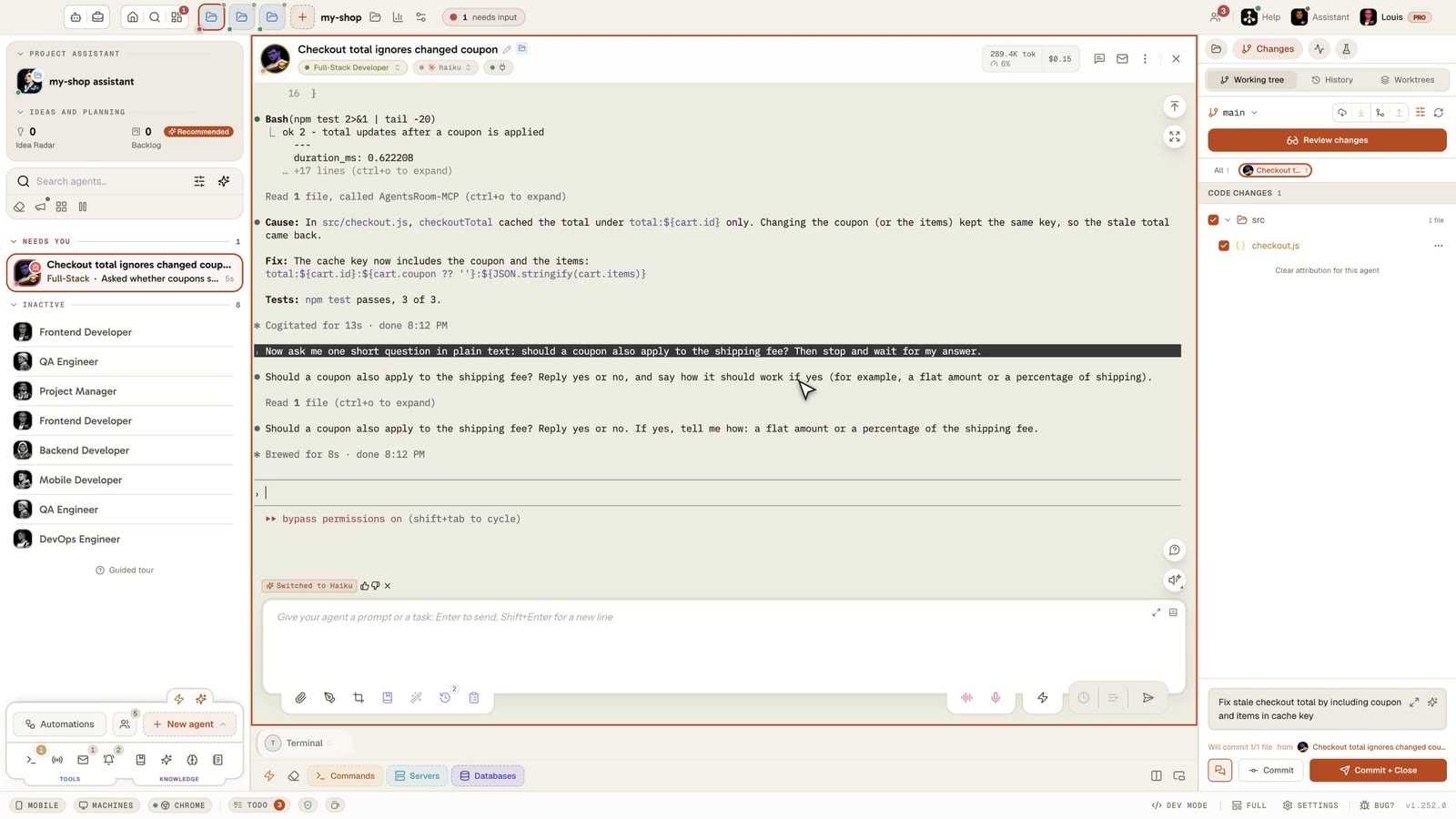
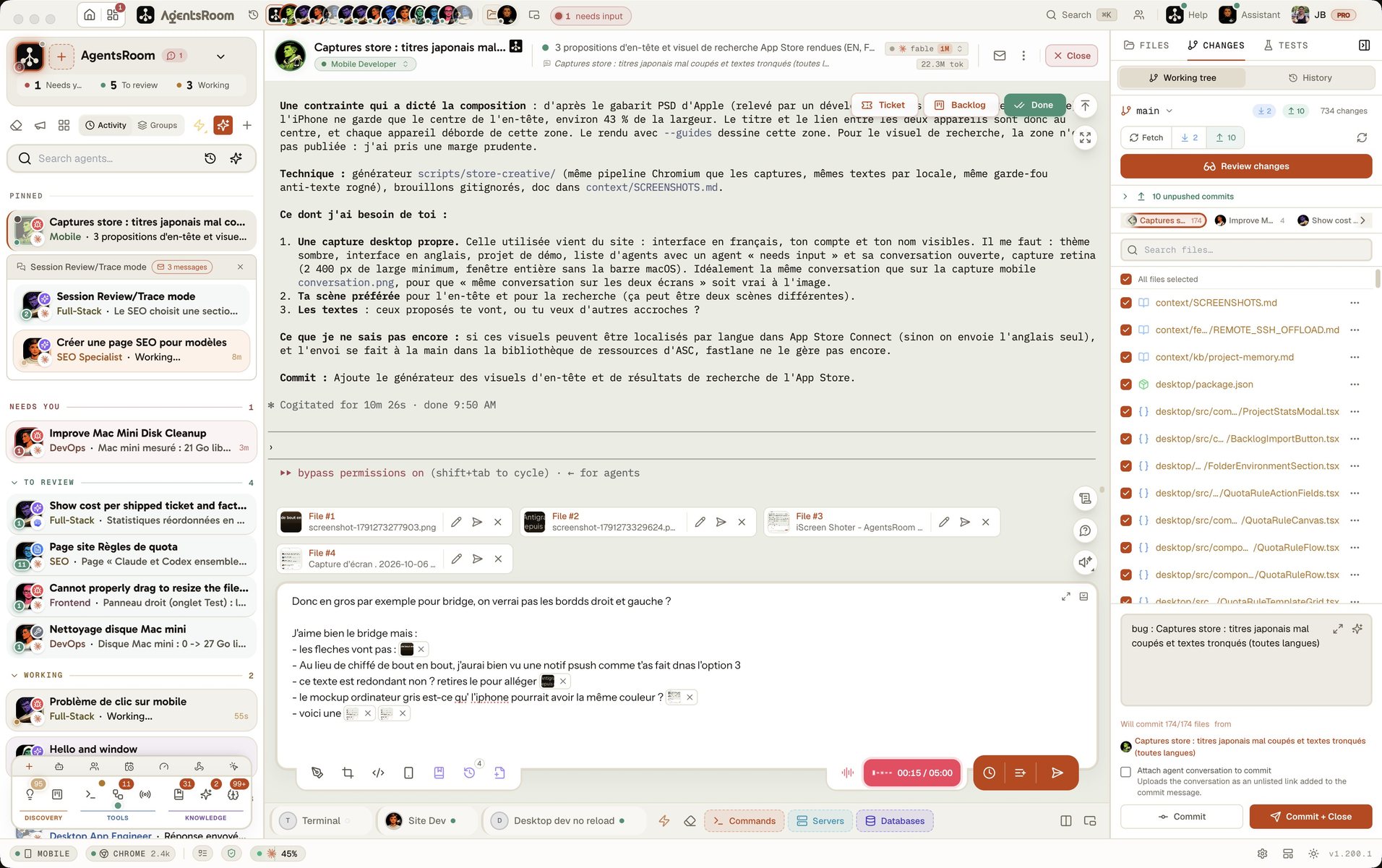
AgentsRoom starts the CLI you already have, in a real terminal, and adds a live status on top: working, waiting for you, done. Nothing sits between you and the agent, so a new CLI feature works the day its vendor ships it. It is built for the day you run a dozen agents across several projects and vendors: who is blocked, who changed this file, who is next. To edit by hand, you open the file in VS Code.
Each question has its own page
Feature-by-feature comparison
An honest comparison starts with what VS Code does better. The first rows are its own, the middle ones are shared, and the last ones are where AgentsRoom goes further. VS Code statuses as of version 1.145.
| Feature | AgentsRoom | VS Code |
|---|---|---|
| Full code editor, with extensions | AgentsRoomFile preview and edits | VS Code✓Ahead |
| Sessions keep running after you close the app | AgentsRoomResume at next launch | VS CodeCopilot harnessAhead |
| Runs on a schedule with your computer off | AgentsRoomOn your own server | VS CodePreview, GitHub repositoriesAhead |
| Cron expressions | AgentsRoomSchedule presets | VS CodeLocal runsAhead |
| Interactive canvases shared with the agent | AgentsRoomHTML views | VS CodePreviewAhead |
| Agent controls desktop apps | AgentsRoomBrowser only | VS CodeExperimentalAhead |
| Admin policies for an organization | AgentsRoom✗ | VS Code✓Ahead |
| Sessions reachable from a web browser | AgentsRoom✗ | VS CodeThrough dev tunnelsAhead |
| Visual interface | AgentsRoom✓ | VS Code✓ |
| Same task on several models, results side by side | AgentsRoom✓ | VS CodePreview |
| Agent status (working, waiting, done) | AgentsRoom✓ | VS Code✓ |
| Notifications when an agent needs you | AgentsRoom✓ | VS Code✓ |
| Multi-project management | AgentsRoom✓ | VS Code✓ |
| Model per agent | AgentsRoom✓ | VS Code✓ |
| Git worktree per task | AgentsRoomOptional | VS CodeOptional |
| Built-in diff review | AgentsRoom✓ | VS Code✓ |
| Scheduled runs on your machine | AgentsRoom✓ | VS Code✓ |
| Agents on remote machines over SSH | AgentsRoom✓ | VS Code✓ |
| Built-in browser opens a dev server on the remote machine | AgentsRoom✓ | VS CodePreview |
| Memory across sessions | AgentsRoomShared across CLIs | VS CodeCopilot harness |
| Voice | AgentsRoom✓ | VS CodeExperimental |
| Agent CLIs or harnesses | AgentsRoom17Ahead | VS Code3 harnesses |
| The vendor's CLI in its own terminal | AgentsRoom✓Ahead | VS CodeThrough SDKs and extensions |
| Claude and ChatGPT plans you already pay for | AgentsRoom✓Ahead | VS CodeChatGPT yes, Claude not documented |
| Another account takes over at a usage limit | AgentsRoom✓Ahead | VS CodeNot documented |
| Task board that starts agents | AgentsRoom✓Ahead | VS CodeA canvas you build |
| Agent teams on a visual canvas | AgentsRoom✓Ahead | VS CodeNested chats |
| Agents message each other across CLIs | AgentsRoom✓Ahead | VS CodeThrough session tools |
| Starts on a quota window, a webhook or a delivered ticket | AgentsRoom✓Ahead | VS CodeRepository events, cloud only |
| Diff review split by agent on one checkout | AgentsRoom✓Ahead | VS CodePer session |
| Specialized agent roles (14) | AgentsRoom✓Ahead | VS CodeCustom agents you define |
| Native iOS and Android apps | AgentsRoom✓Ahead | VS CodeThrough GitHub Mobile |
| End-to-end encrypted link to the phone | AgentsRoom✓Ahead | VS CodeNo, per its documentation |
What AgentsRoom adds around the agents
The Agents window is a strong default for a few sessions next to your code. AgentsRoom is built for the moment you have a dozen agents from several vendors and need to know who does what, with what, and why.
The plans you already pay for
A Claude plan, a ChatGPT plan, a Cursor account: AgentsRoom starts each vendor's CLI, and each one bills as it normally does, with several accounts per provider if you have them. VS Code documents Copilot or a Claude API key for its Claude harness, and Copilot Pro+ or a ChatGPT account for Codex. Its page does not mention Claude plans.
19 agent CLIs, not three
Copilot, Claude and Codex are the harnesses VS Code documents, and it describes no way to add another one. AgentsRoom also runs Cursor, OpenCode, Antigravity CLI, Grok Build, Kimi Code, Aider and the others, each with its own status, role and model.
Teams with a real handoff
A nested chat starts without the history of the other chats, and the VS Code documentation warns that separate conversations do not isolate file changes. AgentsRoom draws the flow on a canvas, where Dev hands over to QA with a report, flags route the next step and checks must pass, whatever CLI each step runs.
A backlog that starts the work
Write a ticket, pick the role and the model, and an agent takes it. You can open the board to clients and users, who report and vote on it. In VS Code, the closest thing is a task board you build yourself as a canvas.
Triggers beyond the clock
VS Code schedules local automations with presets or cron, and its cloud automations react to issues and pull requests. AgentsRoom also starts an agent or a whole team on a quota window, a webhook or a delivered ticket, and it can wake the machine and catch up on a missed run.
Phone apps with end-to-end encryption
The AgentsRoom iOS and Android apps show every agent and its status, push a notification when one is blocked, and let you answer. The relay cannot read what passes through it. VS Code sessions can be continued from GitHub Mobile, and its documentation says that, for shared environments, session actions are mirrored to GitHub and conversation content is not end-to-end encrypted.
See AgentsRoom in action
Watch how AgentsRoom drives several coding agents from a single window, with a backlog, specialized roles and one terminal per agent.
The desktop app, in Simple mode
On a phone the demo runs the real desktop app in its Simple interface mode: one project, its agents, one prompt. The full cockpit is on your computer.
When VS Code might be the better choice
We believe in honest comparisons, and an alternative to VS Code agents is not always what you need. Here are the cases where the Agents window is the right tool and AgentsRoom is not.
You run one or two agents next to your code
The Agents window is already in the editor you use, with your extensions, your keybindings and your diffs one click away. If that is your day, a second app is overhead.
Your company already standardized on Copilot
Copilot, Claude and Codex under one subscription and one set of policies is a real advantage: an organization can require sandboxing, restrict MCP servers and require plugins through managed settings. AgentsRoom does not offer those managed policies today.
You want scheduled runs in the cloud
Cloud automations run on GitHub's infrastructure on a daily or weekly schedule, or on an issue or a pull request, with your computer off. AgentsRoom's Cloud Agents are one-shot jobs you start yourself, and its triggers fire from a computer that is on, or from your own Linux machine with agentsroom --server.
You want your sessions in a web browser
VS Code sessions can be reached from a web browser, through dev tunnels. AgentsRoom is a desktop app with native iOS and Android apps: it has no browser client.
Keep VS Code, add AgentsRoom
Nothing to migrate: the same folders, the same CLIs, the same subscriptions. VS Code stays your editor.
Download AgentsRoom
Download the desktop app for macOS, Windows or Linux from agentsroom.dev and open it. That is the install.
Add your projects
Drag the folders you already open in VS Code into AgentsRoom. Your existing CLAUDE.md and AGENTS.md files are detected automatically.
Launch your agents
Pick a CLI you are already signed in to, give each agent a role, and start working. When you want to edit by hand, open the file in VS Code.
Frequently asked questions
Ask us something elseWhat are VS Code agents?
What is the best alternative to VS Code agents?
VS Code agents vs Claude Code: what is the difference?
VS Code agents vs Codex: what is the difference?
VS Code agents vs Cursor: what is the difference?
Does AgentsRoom replace VS Code?
Can I use my Claude subscription with VS Code agents?
Can VS Code run Claude and Codex in the same session?
Can AgentsRoom run GitHub Copilot?
Is AgentsRoom free like VS Code?
Does VS Code have an inbox for the sessions waiting for you?
Other comparisons
See how AgentsRoom compares with the agent managers and terminals developers also look at.
































Try AgentsRoom today
Download and manage all your coding agents in 30 seconds. Free for 2 projects.
Companion app: monitor your agents on the go
Bring your own: Claude, Codex, Antigravity CLI, or other AI provider.
Push bugs and requests straight to your public backlog.
Agents you read like a conversation
Each agent has a role, a face, and a thread you read like a messaging app.