Looking for a Happy Coder alternative?
Happy, from happy.engineering, puts Claude, Codex, Grok and Gemini in one open-source app and on your phone. AgentsRoom runs each official CLI in its own terminal, with the tools to organize a team around them:  Claude,
 Codex,
 GitHub Copilot CLI,
 Cursor and 15 other agent CLIs.
AgentsRoom runs onmacOSWindowsLinuxiOSAndroid
Below: what Happy does best, checked on happy.engineering and in its GitHub repositories on 7 November 2026, where each tool is ahead, and when you should keep Happy.
The short answer
Keep Happy if you want free, open-source software, one harness for several models, and sessions you share live with a colleague. Choose AgentsRoom if you want each official CLI as its authors built it, and a backlog, roles and agent teams to organize the work.
Keep Happy if
- You want every feature free except voice, with the code public under the MIT license.
- You change model in the middle of a conversation and want to keep the same transcript.
- You want one permission model and one OS sandbox for every agent.
- You want to watch and steer the same session with a colleague, on a server you host.
Choose AgentsRoom if
Real CLIs, organized- You want the official CLI in a terminal you can type into, not a harness around the models.
- You use more than Claude, Codex and Grok: 19 agent CLIs are supported directly.
- You plan on a Kanban backlog, with roles and team workflows that hand work from agent to agent.
- You want to send jobs to a cloud machine, and to keep SSH, databases and Kubernetes next to your agents.
We make AgentsRoom, so read this page with that in mind. Every Happy fact below is dated and its sources are linked.
Try the real interface
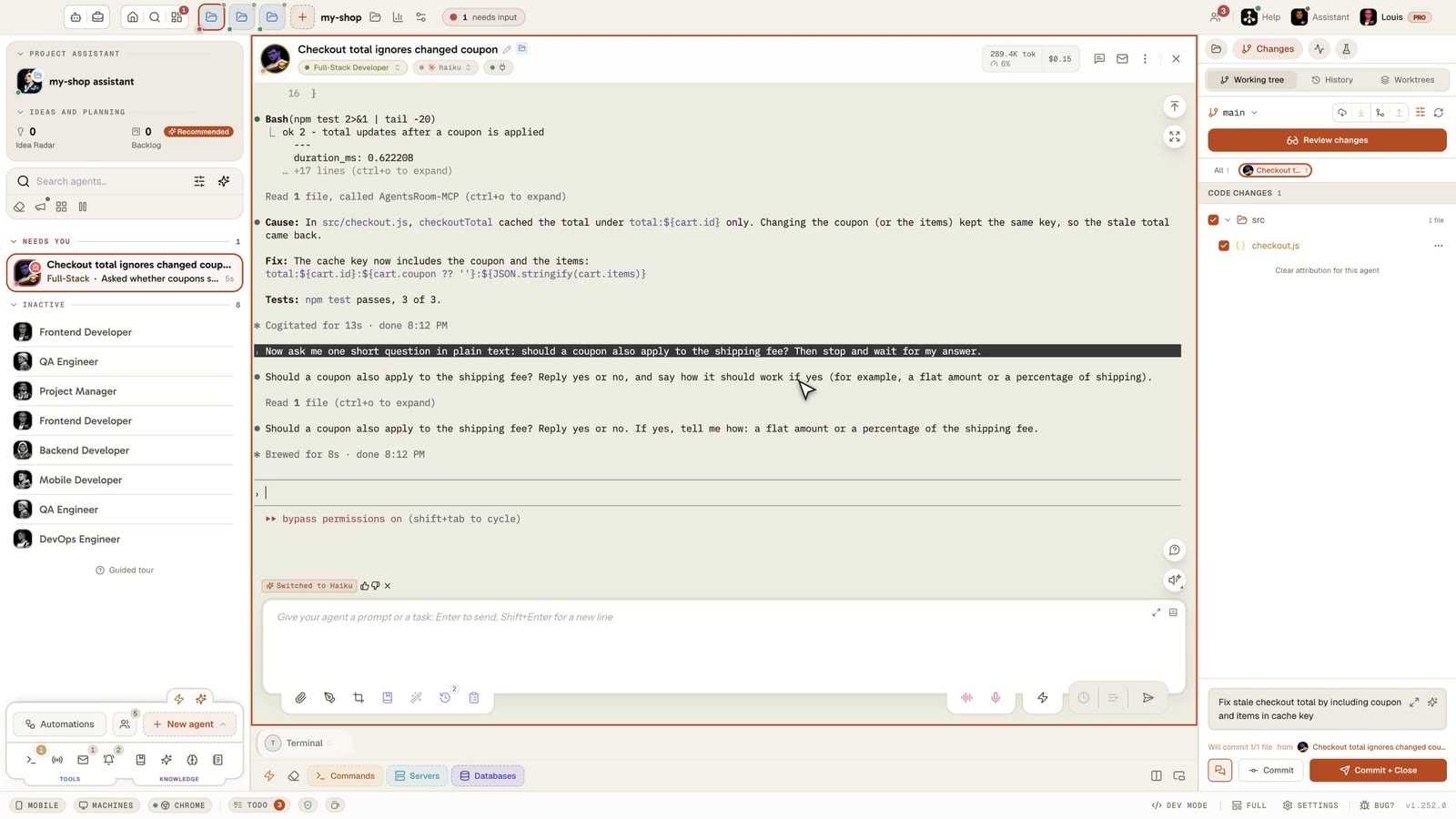
This is not a video: it is AgentsRoom running in your browser, with several coding agents in one window, each with its terminal, its status and its input box.
The desktop app, in Simple mode
On a phone the demo runs the real desktop app in its Simple interface mode: one project, its agents, one prompt. The full cockpit is on your computer.
What Happy does best
Checked on 7 November 2026 on happy.engineering and on GitHub. The slopus/happy repository, which holds the phone apps and the original CLI, has about 24,500 stars. The newer happy-desktop repository has about 100.
A phone app people love
Happy shows 4.9 on the App Store from more than 1,000 ratings and 5.0 on Google Play from more than 3,200 reviews. It began as a way to use Claude Code from a phone, and that care shows.
Encryption you can check
Everything between your devices is end-to-end encrypted. The phone holds the key, and the relay stores and forwards opaque data: it sees that sessions exist and when they were active, not what is in them. The code is public.
One conversation across models
Change between Claude, GPT and Grok in the middle of a session and the transcript stays. Subagents can each pick their own model, so one task can plan on one provider and review on another.
One permission model
Every agent shares the same file boundary and the same OS sandbox. In Auto, the default, an action that would cross the boundary is reviewed by a separate agent instead of asking you.
Multiplayer and team servers
Invite someone into a session: you both watch the agent and either of you can steer it. Happy Agent also runs as a team server on a machine you control, with a sign-in for each member. Happy says team setup is still multi-step.
Free, with one exception
The desktop and phone apps are free and MIT-licensed, with no Happy plan for model access. Voice is the one paid part: 20 free minutes every 30 days, then a subscription or your own ElevenLabs agent.
Sources:happy.engineeringDesktop appMobile accessGitHub repository
Feature-by-feature comparison
Happy as described on its website and repositories on 7 November 2026, AgentsRoom as it ships today. "Not found" means absent from what we read, not proof that it does not exist. The first rows are where Happy is ahead, then what both do, then where AgentsRoom is ahead.
| Feature | AgentsRoom | Happy |
|---|---|---|
| Source code | AgentsRoomDesktop source not published | HappyPublic, MITAhead |
| Free plan | AgentsRoom2 projects, 6 agents in parallel | HappyNo caps, voice is paid after 20 minutesAhead |
| Change model in a conversation | AgentsRoomNew CLI reads a handoff, in a new conversation | HappySame transcript across Claude, GPT and GrokAhead |
| Permissions and sandbox | AgentsRoomEach CLI's own rules | HappyOne OS sandbox, automatic reviewAhead |
| Sessions after you quit the app | AgentsRoomKeep them on a machine you link | HappyKeep running in a background runtimeAhead |
| Working with a colleague | AgentsRoomShared projects, agents that write to a teammate's agents | HappySame live session, team server you hostAhead |
| macOS, Windows and Linux | AgentsRoom✓ | Happy✓ |
| iOS and Android apps | AgentsRoom✓ | Happy✓ |
| End-to-end encrypted phone link | AgentsRoom✓ | Happy✓ |
| Uses your own AI plans | AgentsRoom✓ | Happy✓ |
| Git worktrees | AgentsRoom✓ | Happy✓ |
| Talk to your agents | AgentsRoom✓ | HappyOn the phone, paid after 20 minutes |
| Run on another machine | AgentsRoomKeep them on a machine you link | HappyHappy Agent on your server |
| How the agent runs | AgentsRoomThe official CLI in a terminalAhead | HappyHappy's own loop by default, official CLI in beta |
| Agents supported directly | AgentsRoom19 agent CLIsAhead | HappyClaude, Codex, Grok, others over ACP |
| Kanban backlog that starts agents | AgentsRoom✓Ahead | HappyNot found |
| Agent team workflows | AgentsRoom✓Ahead | HappyNot found |
| Built-in agent roles | AgentsRoom✓Ahead | HappyNot found |
| Commit and push from the app | AgentsRoom✓Ahead | HappyNot found |
| Hosted cloud runs | AgentsRoomClaude Code and Codex (Plus and Pro plans)Ahead | HappyNo hosted cloud found |
| Databases and Kubernetes in the app | AgentsRoom✓Ahead | HappyNot found |
When Happy is the better choice
An honest comparison says when to stay. These are the cases where Happy is the right tool and AgentsRoom is not.
You mostly want your agents on your phone
If the phone is the point and your agents are Claude Code or Codex, the original Happy CLI gets you there with one npm install, and the apps are free and well rated.
You want no caps and open code
Happy is free apart from voice, and you can read, fork and ship your own build. AgentsRoom Free has caps and its desktop source is not published.
You switch models all day
Happy keeps one transcript across Claude, GPT and Grok. AgentsRoom moves the work to another CLI with a handoff, in a new conversation.
You want one sandbox for everything
With Happy, all agents share one permission model and one OS sandbox. In AgentsRoom each CLI keeps its own rules.
Sessions must survive the app
A background runtime holds each session in a database on your machine: quit the app and it keeps running. AgentsRoom keeps agents running on another machine you link.
You pair on the same session
Two people can watch and steer one agent live. AgentsRoom shares projects and shows who works on what, but not one live session for two.
Trying AgentsRoom after Happy
Your AI plans stay yours, and you can run both apps side by side while you decide.
Install AgentsRoom
Download it for macOS, Windows or Linux. It finds the CLIs already on your computer, and its guided installer adds the ones that are missing.
Open your project folders
Happy keeps projects as ordinary folders, so you can add the same ones here. Your AGENTS.md files are read by the agents as usual.
Pair your phone and create agents
Sign in on the iOS or Android app and link it from the Mobile button, then pick a role and a CLI for each agent. There is no automatic import of Happy sessions.
What is the best Happy Coder alternative?
Happy vs AgentsRoom: what is the difference?
Does Happy work on Windows and Linux?
Is Happy free?
Is the phone link end-to-end encrypted in both?
Which agents does Happy support compared with AgentsRoom?
Does Happy run the real Claude Code?
Does Happy have a board or team workflows?
Can I use Happy and AgentsRoom together?
Other comparisons
See how AgentsRoom compares with the agent managers and terminals developers also look at.
































Meet your agents in real terminals
Download AgentsRoom and run your first agents on the plans you already have. Free for 2 projects.
Companion app: monitor your agents on the go
Bring your own: Claude, Codex, Antigravity CLI, or other AI provider.
Push bugs and requests straight to your public backlog.
Agents you read like a conversation
Each agent has a role, a face, and a thread you read like a messaging app.