Looking for a Cloudroom alternative?
Cloudroom runs each agent on its own cloud computer, and it is open source. AgentsRoom keeps your agents around your own machines and repositories:  Claude,
 Codex,
 GitHub Copilot CLI,
 Cursor and 15 other agent CLIs, each in a terminal you can type into.
AgentsRoom runs onmacOSWindowsLinuxiOSAndroid
Below: what Cloudroom does best, checked on cloudroom.dev and in its GitHub repository on 7 November 2026, where each tool is ahead, and when you should keep Cloudroom.
The short answer
Keep Cloudroom if your agents should keep working with your laptop closed, each on its own machine, on open-source software. Choose AgentsRoom if your work happens on your own computers and you want the tools around the agents: a backlog, roles, agent teams, and your dev tools in one window.
Keep Cloudroom if
- You want agents that keep running while your laptop sleeps, each in its own sandbox.
- You want cloud time on the free plan, with 10 agents to choose from in the cloud.
- You want to move a running session between your Mac and the cloud.
- You want to read the code or host the core on your own server.
Choose AgentsRoom if
Built around your machines- You want 19 agent CLIs supported directly, on the computer in front of you.
- You plan work on a Kanban backlog, with roles and teams of agents.
- You review changes per agent, even when several share one checkout.
- You also need SSH, databases, Kubernetes and tunnels next to your agents.
We make AgentsRoom, so read this page with that in mind. Every Cloudroom fact below is dated and its sources are linked.
Try the real interface
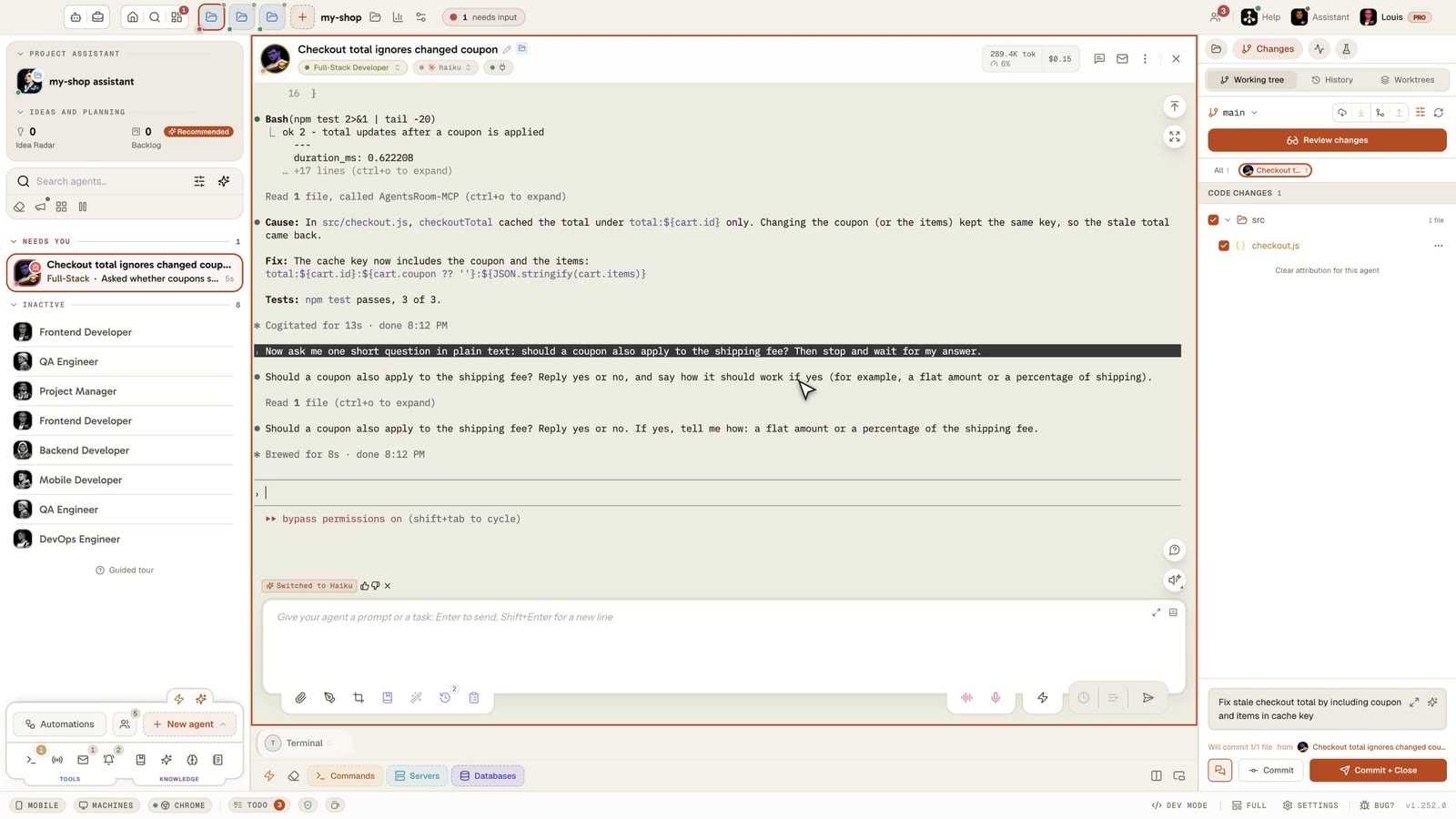
This is not a video: it is AgentsRoom running in your browser, with several coding agents in one window, each with its terminal, its status and its input box.
The desktop app, in Simple mode
On a phone the demo runs the real desktop app in its Simple interface mode: one project, its agents, one prompt. The full cockpit is on your computer.
What Cloudroom does best
Checked on 7 November 2026 on cloudroom.dev, in its changelog and in the davidondrej/cloudroom repository on GitHub, which has about 1,500 stars. It has no link with AgentsRoom, despite the similar name.
Agents that outlive your laptop
Once a task reaches the cloud, the agent keeps working and its history is saved. Local threads stop when the Mac sleeps, which is exactly the problem Cloudroom sets out to remove.
One computer per agent
Every Cloud thread gets its own isolated sandbox and its own Git branch, with full admin rights inside and no access to other sandboxes. Agents do not fight over one CPU, one mouse or one screen.
Teleport
A running session can move between your Mac and the cloud and keep the same chat, model and effort. That is rarer than running in the cloud: the work does not have to restart.
Cloud time on the free plan
The free plan includes 3,000 Cloud Credits every 30 days, and Cloudroom counts about 100 credits for a typical hour of agent work. Local agents are unlimited. Pro costs $50 a month, Super $150 and Ultra $500.
Open source, core included
The repository is public under Apache 2.0. The Rust core installs on your own Ubuntu 24.04 server with one command and needs no database, so the cloud part can be yours too.
Many agents, your own plans
Cloud threads run 10 agents, including Claude Code, Codex, Cursor, OpenCode, Pi and Devin. Your Claude, ChatGPT, Cursor, Copilot and Devin plans or API keys keep working, with no markup on model calls.
Feature-by-feature comparison
Cloudroom as described on its website, changelog and repository on 7 November 2026, AgentsRoom as it ships today. "Not found" means absent from what we read, not proof that it does not exist. The first rows are where Cloudroom is ahead, then what both do, then where AgentsRoom is ahead.
| Feature | AgentsRoom | Cloudroom |
|---|---|---|
| Source code | AgentsRoomDesktop source not published | CloudroomPublic, Apache 2.0Ahead |
| Agents that run in the cloud | AgentsRoomClaude Code and Codex | Cloudroom10 agentsAhead |
| Cloud on the free plan | AgentsRoomPlus and Pro plans | Cloudroom3,000 credits every 30 daysAhead |
| Move a running session | AgentsRoomBetween your computers | CloudroomBetween Mac and cloud, both waysAhead |
| Host the agent service yourself | AgentsRoomYour own computers, linked | CloudroomRust core on Ubuntu 24.04Ahead |
| Local agents on the free plan | AgentsRoom2 projects, 6 in parallel | CloudroomUnlimitedAhead |
| Uses your own AI plans | AgentsRoom✓ | Cloudroom✓ |
| Terminal in the app | AgentsRoom✓ | Cloudroom✓ |
| Diff view | AgentsRoom✓ | Cloudroom✓ |
| Built-in browser | AgentsRoom✓ | Cloudroom✓ |
| Scheduled agents | AgentsRoom✓ | CloudroomYes, called Loops |
| Voice input | AgentsRoom✓ | Cloudroom✓ |
| Phone | AgentsRoomiOS and Android apps | CloudroomPhone app, set up from cloudroom.dev/m |
| Where agents run | AgentsRoomYour machines, or a temporary cloud run | CloudroomTheir sandboxes, or your Mac |
| Agent CLIs on your computer | AgentsRoom19 supportedAhead | CloudroomClaude Code, Codex, Pi, others over ACP |
| Desktop systems | AgentsRoommacOS, Windows, LinuxAhead | CloudroomApple silicon, Linux x64, Windows 11 in beta |
| Kanban backlog that starts agents | AgentsRoom✓Ahead | CloudroomNot found |
| Built-in agent roles | AgentsRoom✓Ahead | CloudroomNot found |
| Agent team workflows | AgentsRoom✓Ahead | CloudroomNot found |
| Diff filtered by agent in one checkout | AgentsRoom✓Ahead | CloudroomNot found |
| Databases and Kubernetes in the app | AgentsRoom✓Ahead | CloudroomNot found |
When Cloudroom is the better choice
An honest comparison says when to stay. These are the cases where Cloudroom is the right tool and AgentsRoom is not.
You start work and close the lid
Long runs that continue overnight are the point of Cloudroom. AgentsRoom can send a job to a cloud machine, but it does not make the cloud its home.
You want many agents in the cloud
Cloudroom runs 10 agents in its cloud. AgentsRoom cloud runs cover Claude Code and Codex.
You want the session itself to travel
Teleport moves a live session and its history. An AgentsRoom cloud run brings back a branch and a written report, not the conversation.
You want to own the agent service
The core is open source and installs on your own server. AgentsRoom relies on your linked computers and on its own cloud service for cloud runs.
You run more than the free caps locally
Cloudroom keeps local agents unlimited on its free plan. AgentsRoom Free stops at 2 projects and 6 agents in parallel.
Trying AgentsRoom after Cloudroom
Your AI plans stay yours, and you can run both apps side by side while you decide.
Install AgentsRoom
Download it for macOS, Windows or Linux. It finds the CLIs already on your computer, and its guided installer adds the ones that are missing.
Open your repositories
Add your project folders. Cloud work comes back as ordinary Git branches, so a branch made in Cloudroom can be pulled and continued here.
Create your first agents
Pick a role and a CLI for each agent, or start them from backlog tickets. There is no automatic import of Cloudroom threads.
What is the best Cloudroom alternative?
Cloudroom vs AgentsRoom: what is the difference?
Are Cloudroom and AgentsRoom related?
Does Cloudroom run on Windows and Linux?
Do I need an account to use Cloudroom?
How much does Cloudroom cost?
Can AgentsRoom run agents in the cloud?
Does Cloudroom have a phone app?
Can I use Cloudroom and AgentsRoom together?
Other comparisons
See how AgentsRoom compares with the agent managers and terminals developers also look at.
































Run your agents where your projects live
Download AgentsRoom and run your first agents on the plans you already have. Free for 2 projects.
Companion app: monitor your agents on the go
Bring your own: Claude, Codex, Antigravity CLI, or other AI provider.
Push bugs and requests straight to your public backlog.
Agents you read like a conversation
Each agent has a role, a face, and a thread you read like a messaging app.