Looking for an alternative to Paseo? Meet AgentsRoom.
Paseo is a free, open-source (Apache-2.0) agentic development environment: agents, a code editor, terminals, diffs and a browser in one workspace, on desktop, mobile, web and CLI. AgentsRoom takes a different route: each agent runs in its real CLI terminal, and the work is organized around the agents with a backlog, specialized roles and a live preview tunnel.
Both tools run the agent CLIs you already pay for, several at once, each in its own git worktree if you want, and both let you follow them from a phone. The difference is in what you look at and how the work is organized. Paseo shows each agent as a chat inside a workspace that can replace your IDE. AgentsRoom keeps the real CLI on screen, supports Claude, Codex, GitHub Copilot CLI, Cursor and 15 other agent CLIs, and adds the layer above the agents: tickets they pick up, roles, teams and a shared project memory.
The difference at a glance
With Paseo
- -Free and open source under Apache-2.0, with no Paseo account and no telemetry
- -One workspace per task: agent chat, code editor, terminals, diffs, pull requests and, on desktop, a browser the agents can drive
- -Agents run through an adapter per CLI (the Claude Agent SDK for Claude Code) or the Agent Client Protocol, and appear as a chat
- -Six native CLIs (Claude Code, Codex, OpenCode, Pi, Antigravity, Muse Code), plus GitHub Copilot, Cursor, Gemini CLI and dozens more from its ACP catalog
- -Built-in orchestration: agents create worktrees, launch and message other agents, with schedules, heartbeats and GitHub, Slack and Discord triggers
- -Native iOS and Android app, web app, CLI, TypeScript SDK and plugins that add screens and providers
With AgentsRoom
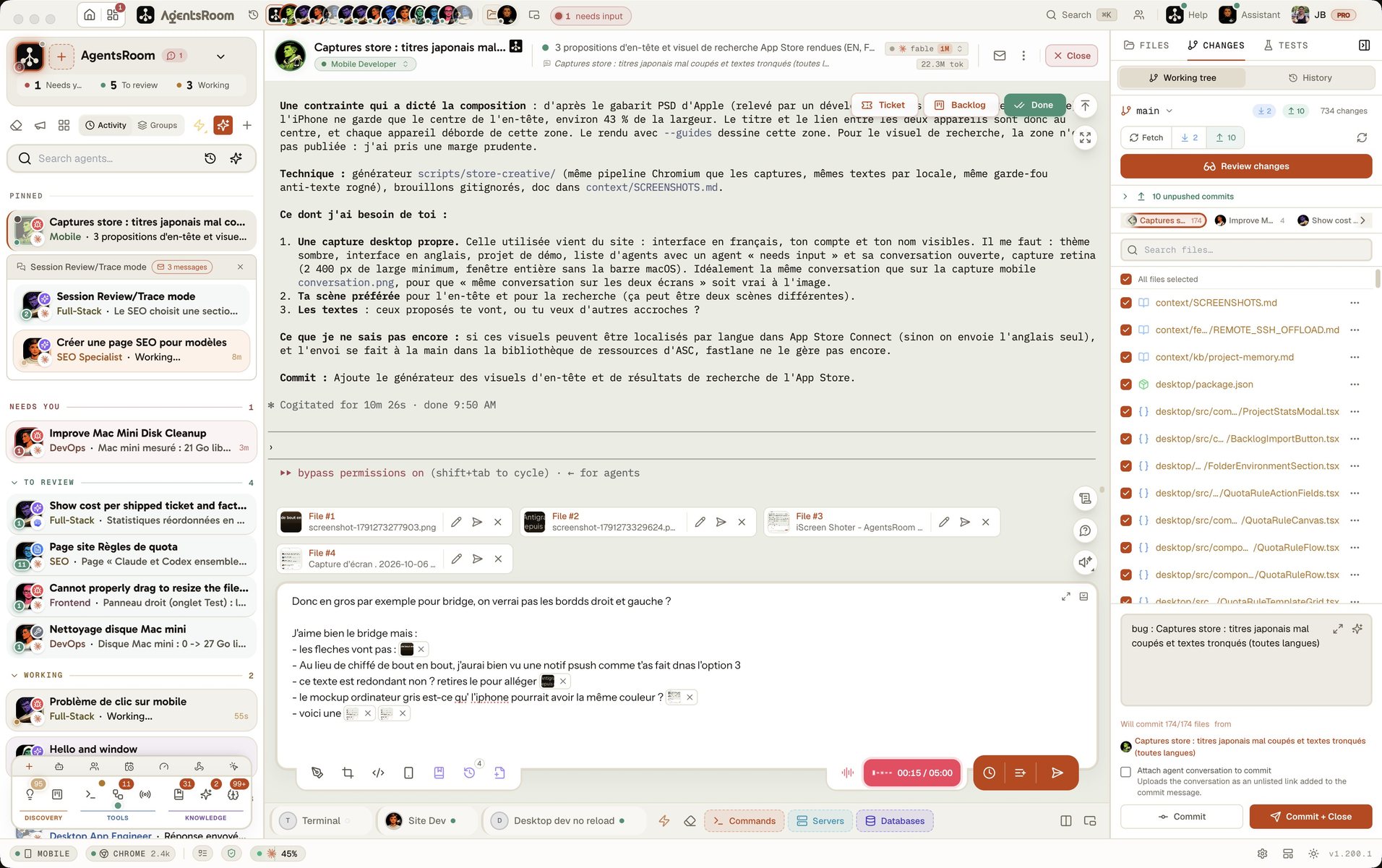
- +Each agent runs in its real CLI terminal: the vendor's own interface, slash commands and prompts, with a live status (working, done, needs input)
- +Claude, Codex, GitHub Copilot CLI, Cursor and 15 other agent CLIs, with several accounts per CLI for Claude, Codex, Cursor and Grok
- +A Kanban backlog: drag a ticket to Development and its agent starts, in its own git worktree if you want
- +14 specialized roles (Frontend, Backend, QA, DevOps, Architect and more) and Agent Teams that chain them into a workflow
- +Built-in localhost tunnel: share a dev server as a public HTTPS URL
- +A shared project memory and prompt and skill libraries that every agent of the project reads
Feature-by-feature comparison
How AgentsRoom and Paseo stack up on the features that matter for managing AI coding agents.
| Feature | AgentsRoom | Paseo |
|---|---|---|
| Open source | ✗ | Apache-2.0 |
| Agent CLIs supported | 19 | 6 native + ACP catalog |
| Agent shown in its real CLI terminal | ✓ | Chat view |
| Multi-project management | ✓ | ✓ |
| Git worktree per task | Optional | Optional |
| Agent status (working/done/needs input) | ✓ | ✓ |
| Push notifications | ✓ | ✓ |
| Mobile companion app | ✓ | ✓ |
| Agents that launch and message other agents | ✓ | ✓ |
| Scheduled agents | ✓ | ✓ |
| Voice dictation and voice mode | ✓ | ✓ |
| Kanban backlog that starts an agent per ticket | ✓ | Community plugins |
| Specialized agent roles (14) | ✓ | Settings profiles |
| Live preview tunnel (free) | ✓ | ✗ |
| Setup time | 30 sec | ~2 min |
See AgentsRoom in action
Watch how AgentsRoom runs several AI coding agents side by side, each in its own terminal, organized by tasks.
The desktop app, in Simple mode
On a phone the demo runs the real desktop app in its Simple interface mode: one project, its agents, one prompt. The full cockpit is on your computer.
When Paseo might be the better choice
We believe in honest comparisons. Here are scenarios where Paseo could be a better fit.
You want open source, with no account
Paseo is free and released under Apache-2.0, with no telemetry, no tracking and no Paseo account. You can read the code, fork it, self-host its web UI or run its daemon in Docker. AgentsRoom is a proprietary product with a free tier.
You want the editor and the browser next to the agents
A Paseo workspace keeps the agent chat, a code editor, terminals, diffs, pull requests and a browser in split panes, and its authors present it as a replacement for your IDE in agent-driven development. If you want one window from the first prompt to the merged pull request, Paseo is built for that.
You script everything or use agents from the ACP catalog
Paseo exposes a CLI, a TypeScript SDK and plugins, and installs any agent that speaks the Agent Client Protocol (Gemini CLI, goose, Qwen Code, Cline and many more) from a one-click catalog. If your agent is not one of the CLIs AgentsRoom supports, or you want to build your own tooling on top, Paseo is the more open base.
Getting started takes 30 seconds
AgentsRoom works with your existing projects. No migration needed.
Download AgentsRoom
Download the desktop app for macOS, Windows or Linux from agentsroom.dev and open it. That is the install.
Add your projects
Drag your project folders into AgentsRoom. Your existing CLAUDE.md files are detected automatically.
Launch your agents
Create agents with specialized roles, assign models, and start coding. All with visual status tracking and a pure terminal experience.
Frequently asked questions
Ask us something elseWhat is Paseo?
How does AgentsRoom differ from Paseo?
Does Paseo have a live preview tunnel?
Is AgentsRoom open-source like Paseo?
Can I use both AgentsRoom and Paseo?
Does Paseo support Antigravity, Codex and OpenCode?
Does Paseo show the real Claude Code terminal?
What is new in Paseo 0.16?
































Try AgentsRoom today
Download AgentsRoom and run all your AI coding agents in one window. Free for 2 projects.
Companion app: monitor your agents on the go
Bring your own: Claude, Codex, Antigravity CLI, or other AI provider.
Push bugs and requests straight to your public backlog.