Looking for an alternative to tmux? Meet AgentsRoom.
tmux splits work for running parallel terminals. But managing multiple Claude agents across projects requires more than panes. AgentsRoom is a companion app that gives you visual status, notifications, and organization.
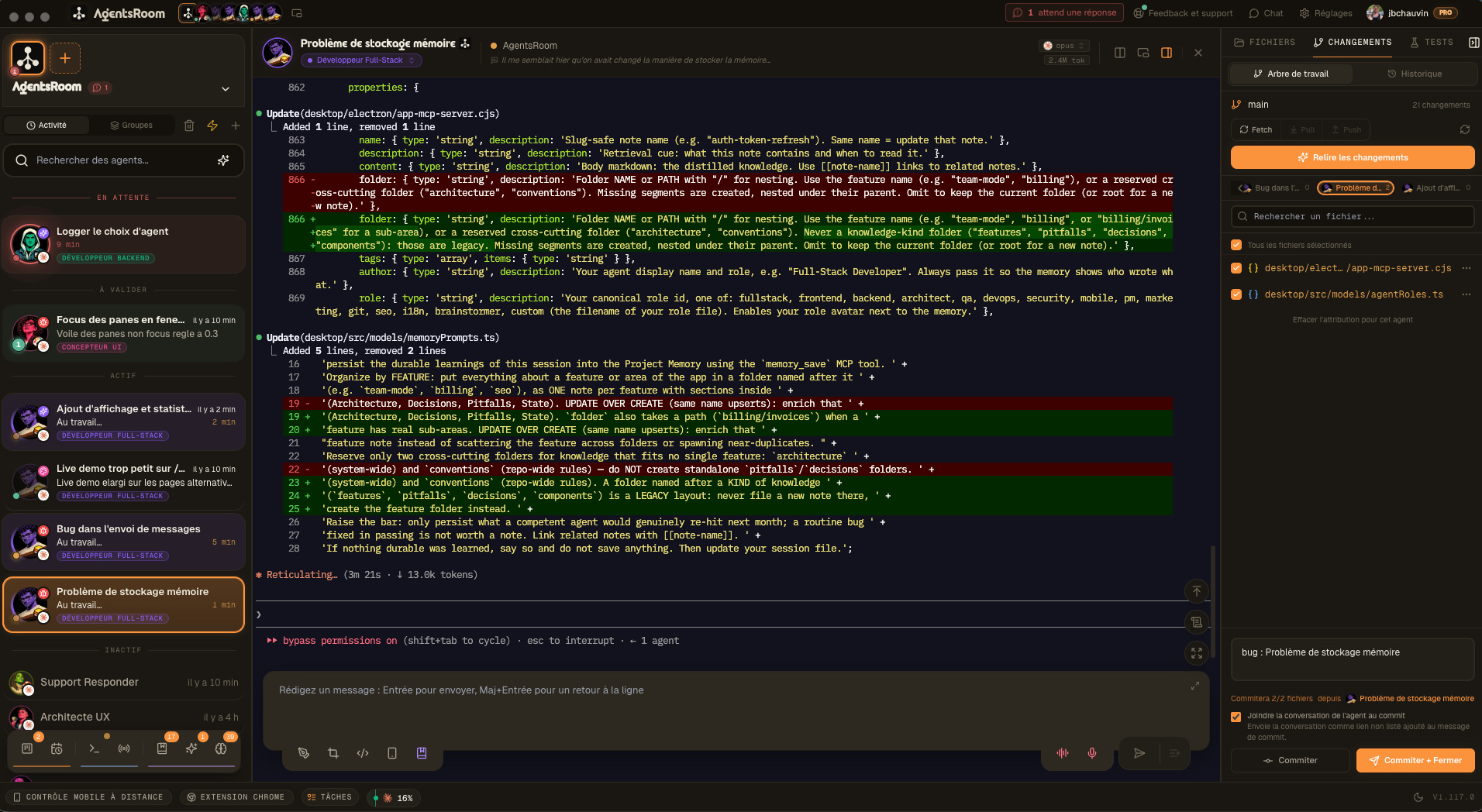
The difference at a glance
With tmux splits
- -Text-only panes: no visual overview across agents
- -No status indicators: reading terminal output is the only way to know agent state
- -Manual session management: creating, naming, and switching panes by hand
- -No notifications: you check terminals to see if agents are done
- -No project grouping: all panes look the same regardless of project
- -No role system: every pane is identical, no agent specialization
With AgentsRoom
- +Full visual GUI: see all agents across all projects at a glance
- +Real-time status: idle, working, done, or needs input. Color-coded.
- +One-click agent management: add, remove, or reassign agents instantly
- +Desktop, iOS and Android notifications when agents finish or get stuck
- +Multi-project zones: group by Work, Personal, Side projects
- +14 specialized roles: DevOps, Frontend, Backend, QA, Architect, and more
Feature-by-feature comparison
How AgentsRoom and tmux compare on the features that matter for managing Claude agents.
| Feature | AgentsRoom | tmux |
|---|---|---|
| Visual GUI | ✓ | ✗ |
| Agent status (working/done/needs input) | ✓ | ✗ |
| Push notifications (desktop + mobile) | ✓ | ✗ |
| Multi-project view | ✓ | Manual |
| Built-in terminal per agent | ✓ | ✓ |
| Edit CLAUDE.md from UI | ✓ | ✗ |
| Drag and drop organization | ✓ | ✗ |
| Specialized agent roles | ✓ | ✗ |
| Model per agent | ✓ | ✗ |
| Setup time | 30 sec | Manual |
See AgentsRoom in action
Watch how AgentsRoom manages multiple Claude agents across projects.
The desktop app, in Simple mode
On a phone the demo runs the real desktop app in its Simple interface mode: one project, its agents, one prompt. The full cockpit is on your computer.
When tmux might be the better choice
We believe in honest comparisons. Here are scenarios where tmux could be a better fit.
You live in the terminal
If your entire workflow runs over SSH or inside tmux sessions, adding a GUI app may not fit. tmux keeps everything in one environment with no context switching.
You work on remote servers
tmux sessions persist across SSH disconnects. If you frequently develop on remote machines, tmux lets you detach and reattach without losing state.
You need a general-purpose multiplexer
tmux handles all terminal work: logs, databases, servers, builds. If Claude is only part of your workflow, tmux covers everything in one tool.
Switching from tmux takes 30 seconds
No migration needed. Your code stays where it is.
Download AgentsRoom
Download the app for macOS, Windows or Linux and open it. That is the install.
Add your project folders
Point AgentsRoom to the same directories you used in tmux panes. Your CLAUDE.md files are picked up automatically.
Add agents and launch
Pick roles for your agents (DevOps, Frontend, QA...), assign models, and hit launch. Live status in seconds.
Frequently asked questions
Can I use AgentsRoom and tmux together?+
Is AgentsRoom a tmux replacement?+
Does tmux have agent status tracking?+
Can I get notifications from tmux when an agent finishes?+
How long does migration take?+
Ready to see your agents?
Download AgentsRoom and get a visual overview of all your Claude sessions in 30 seconds.
Companion app: monitor your agents on the go
Bring your own: Claude, Codex, Antigravity CLI, or other AI provider.
Push bugs and requests straight to your public backlog.