Looking for an alternative to Muxy? Meet AgentsRoom.
Muxy is a fast, native macOS terminal that organizes your panes around projects, and a great place to launch AI agents. But a terminal shows you shells, not agents. AgentsRoom is built around the agents themselves: live status, roles, and notifications for every one.
AgentsRoom is a cross-platform command center for AI coding agents. Color-coded live status, specialized roles, model per agent, desktop and mobile push notifications, and a native companion app. Muxy runs your agents in terminal tabs; AgentsRoom lets you see and steer them.
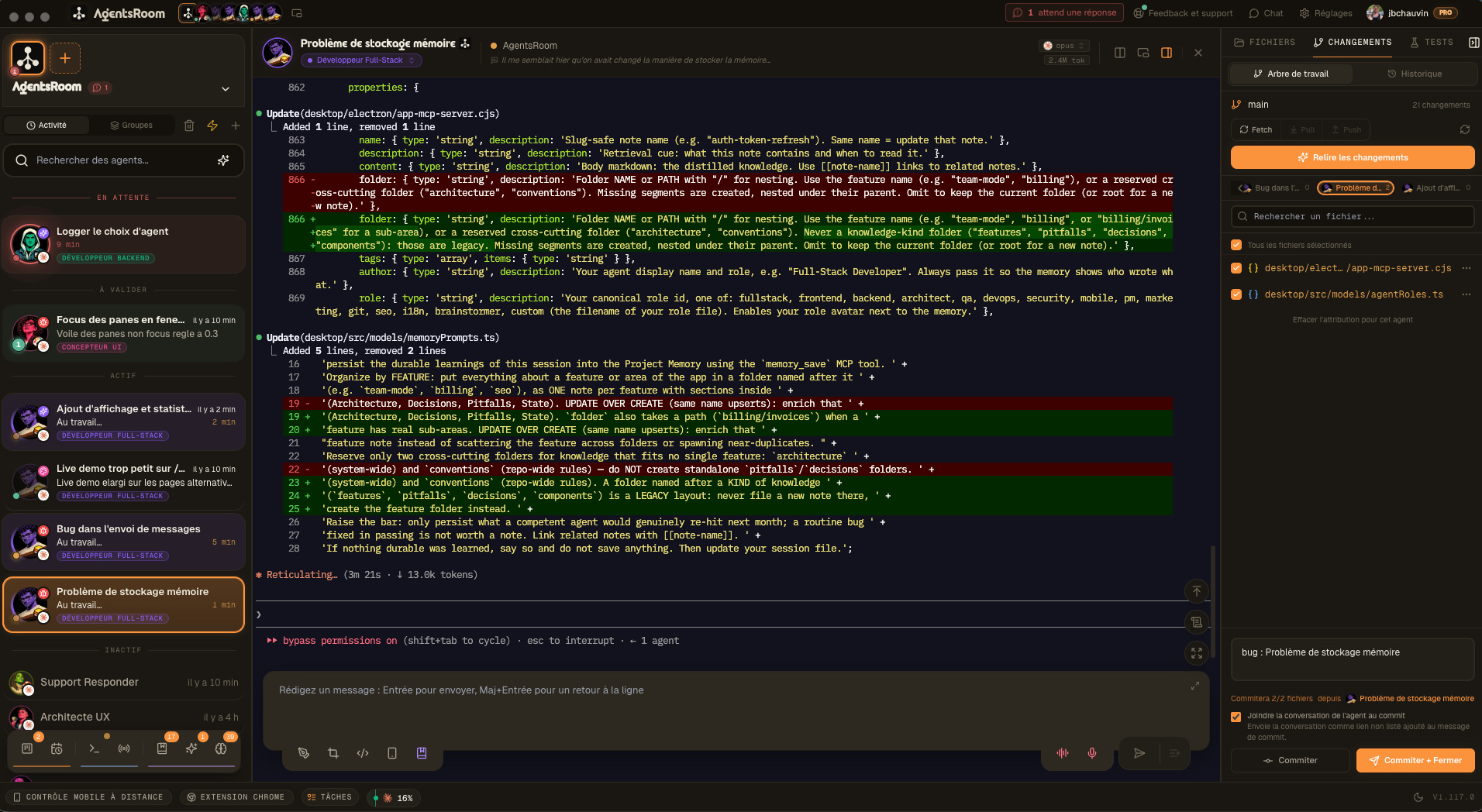
The difference at a glance
With Muxy
- -Terminal panes, not agents: you see shells and output, not each agent's live state
- -No agent status: nothing tells you an agent is thinking, done, or waiting on you
- -No specialized roles: every tab is a blank terminal, not a DevOps or QA agent
- -No model-per-agent or multi-provider orchestration inside a project
- -macOS only: no Linux or Windows build
- -General terminal notifications, not agent lifecycle alerts
With AgentsRoom
- +Color-coded live status: idle, working, done, or needs input, across every project
- +14 specialized roles: DevOps, Frontend, Backend, QA, Architect, Security, and more
- +Model per agent, plus multiple providers running in parallel inside the same project
- +Agent-aware notifications on desktop and encrypted push to your phone when agents finish or get stuck
- +Cross-platform desktop: macOS, Linux and Windows
- +A full agent workflow: prompt library, skills, backlog, MCP, browser automation, config editor
Feature-by-feature comparison
How AgentsRoom and Muxy compare on the features that matter for running AI coding agents.
| Feature | AgentsRoom | Muxy |
|---|---|---|
| Visual GUI | ✓ | ✓ |
| Real-time agent status | ✓ | ✗ |
| Agent-aware notifications | ✓ | Basic |
| Multi-project view | ✓ | ✓ |
| Built-in terminal | ✓ | ✓ |
| Edit CLAUDE.md from UI | ✓ | ✗ |
| Drag & drop organization | ✓ | ✗ |
| Specialized agent roles | ✓ | ✗ |
| Model per agent | ✓ | ✗ |
| Setup time | 30 sec | Brew |
See AgentsRoom in action
Watch how AgentsRoom runs multiple AI agents across projects, with live status on every one.
The desktop app, in Simple mode
On a phone the demo runs the real desktop app in its Simple interface mode: one project, its agents, one prompt. The full cockpit is on your computer.
When Muxy might be the better choice
We believe in honest comparisons. Muxy is an excellent terminal. Here is where it may fit you better.
You want a top-tier native terminal
Muxy is built on libghostty (the Ghostty engine) with split panes, a command palette, quick open, and 490+ themes. If you want a fast, beautiful macOS terminal as your daily driver, Muxy is exactly that.
You want open-source and extensible
Muxy is MIT-licensed and free, with a rich extensions API (window.muxy). If you want to audit the source or build your own terminal extensions, Muxy is open to that.
You are macOS-only and want it lightweight
Muxy is macOS-native, memory-efficient, and organizes terminals around projects. If you live entirely on a Mac and want the lightest native terminal, Muxy is a strong pick.
Switching from Muxy takes 30 seconds
No migration needed. Your code and terminals stay where they are.
Download AgentsRoom
Download the app and drop it in your Applications folder. Available on macOS, Linux and Windows.
Add your project folders
Point AgentsRoom to the same repositories you organized in Muxy. Your CLAUDE.md and .claude config are picked up automatically.
Add agents and launch
Pick roles for your agents (DevOps, Frontend, QA...), assign models, and hit launch. Live status shows up in seconds.
Frequently asked questions
Is AgentsRoom a good Muxy alternative?+
What is the difference between AgentsRoom and Muxy?+
Does AgentsRoom run on Windows and Linux?+
Can AgentsRoom run multiple AI providers at once?+
Is AgentsRoom free?+
Ready to see your agents, not just run them?
Download AgentsRoom and get live status, roles, and notifications in 30 seconds.
Companion app: monitor your agents on the go
Bring your own: Claude, Codex, Antigravity CLI, or other AI provider.
Push bugs and requests straight to your public backlog.