Claude Code Mods: What They Are, and the One We Ship to Every Agent
A mod is a plugin whose JavaScript runs inside Claude Code. What it can do, the three files, how to load and test one, and the mod we ship in every agent.
On 1 October 2026, Claude Code 2.1.287 shipped with a one-line changelog entry: "Added Claude Mods". Four days later, AgentsRoom started loading one of ours into the Claude agents it runs.
This article explains what a mod is, what it can do that the older extension points can't, how to write, load and test one, and what we learned shipping a mod inside every Claude agent AgentsRoom starts. Facts about Claude Code come from its documentation and changelog, read on 9 November 2026, with Claude Code 2.1.318 installed.
The short answer. A mod is a Claude Code plugin with a hooks module: a JavaScript or TypeScript file whose functions Claude Code calls from inside its own process when an event happens. A function can let the event through, change it, or answer it instead of Claude Code. That is how a mod draws a pane, adds a command, or stops a shell command before it runs.
What a mod is
Claude Code already had plugins: a folder with a manifest at .claude-plugin/plugin.json that packages skills, subagents, settings hooks and MCP servers so they install as one unit. A mod is one more thing a plugin can hold. When the plugin's hooks/hooks.json names a code file under its modules key, Claude Code loads that file and calls the register function it exports. The plugin is then called a mod.
Inside register, each call to on(event, hook) attaches a function to an event: tool.call before a tool runs, prompt.submit when you send a prompt, session.start, command.run for a slash command, ui.render when Claude Code draws a part of its screen, and more. Every hook receives three things:
$, the mods API: everything a mod can do outside its own code, such as$.ui,$.command,$.fs,$.processor$.http.e, the event, as plain data: for a tool call, the tool name and its arguments.next, which passes the event on to the other mods and then to Claude Code's own behavior, and returns the result.
What the hook does with next decides what happens. Return next(e) and you only observed. Call next with a modified copy of e and you rewrote the event. Return your own result without calling next and you answered it: the tool never runs, or Claude Code's own drawing never happens.
The documentation calls these functions hooks too. They are not the hooks you write in settings.json, which Claude Code now calls settings hooks.
Mod, settings hook, skill or MCP server
The four overlap, and a mod is the heaviest of them. Pick the lightest one that does the job.
| You want to | Use |
|---|---|
| Give Claude instructions you keep pasting into the chat | A skill (SKILL.md) |
| Give Claude tools that reach an outside system | An MCP server |
| Block, allow or log an event with a script you already have | A settings hook |
| Draw a pane or a band above the prompt, add a command that runs without a Claude turn, rewrite or answer a tool call, keep state between events | A mod |
A plugin can hold all four, so a mod can ship next to the skill and the MCP server it works with.
The three files of a mod
my-mod/
├── .claude-plugin/
│   └── plugin.json
└── hooks/
    ├── hooks.json
    └── register.ts
plugin.json is the usual plugin manifest: a name, a version, a description. hooks.json points to the code, { "modules": ["./register.ts"] }, one path relative to that file. register.ts is the hooks module. Claude Code loads .js and .ts directly, with no bundler and no build step, and the only bare import allowed is claude-code, for types and a few helpers.
The mod we ship: who changed this file?
AgentsRoom runs several coding agents on the same repository and shows, in its Changes tab, which agent changed which file, so you can review and commit each agent's work on its own. Files written with Claude's Edit and Write tools were easy: Claude Code reports them through a settings hook. Files written by a shell command were not. A sed -i, a heredoc, a codemod or an rm never goes through a file tool.
Before mods, we guessed. AgentsRoom read the agent's session transcript to learn when each Bash command started and ended, then matched the file's modification time against those windows. It worked most of the time and failed in three ways we could name:
- a deleted file has no modification time, so a deletion was never attributed;
- a read-only command such as
grepopened a window during which the agent might have written anything; - it depended on the transcript format, which Claude Code is free to change.
A mod removes the guess. Our agentsroom-changes mod hooks tool.call for the two shell tools. Right before the command runs, it takes a snapshot of the repository (git status plus the size and modification time of every dirty path). Right after, it takes a second one. The paths that differ are what that command changed, deletions included, and the mod sends them to the AgentsRoom desktop app over a local HTTP endpoint. A call that Claude Code itself flags as read-only claims nothing.
Here is the hook, shortened. The full file is 177 lines, most of them the snapshot and its limits.
import type { Register } from 'claude-code';

const SHELL_TOOLS = new Set(['Bash', 'PowerShell']);

export const register: Register = (on) => {
  on('tool.call', async ($, e, next) => {
    if (!SHELL_TOOLS.has(e.tool)) return next(e);
    const ready = await prepare($).catch(() => null); // agent id, repo root, snapshot
    if (!ready) return next(e);                        // outside AgentsRoom: do nothing
    const callId = e.tool_use_id;
    post($, ready.agentId, { kind: 'start', callId });
    const ran = await next(e);                         // the command runs here
    const wroteNothing = ran.deny !== undefined || ran.isReadOnly === true;
    await reportEnd($, { ...ready, callId }, wroteNothing)
      .catch(() => post($, ready.agentId, { kind: 'end', callId, paths: [] }));
    return ran;                                        // Claude sees the normal result
  });
};
The desktop app copies the mod into its own folder and starts each Claude agent with claude --plugin-dir <that folder>, only when the installed Claude Code is 2.1.287 or newer. We shipped it in AgentsRoom 1.201.0 on 5 October 2026.
What we learned shipping it
A mod must never cost the user a tool call. Our hook sits in front of every shell command Claude runs. If it throws, or waits on the network, Claude's work stops. Every step is guarded, each post to the desktop app is fired and forgotten, and the only wait we accept is two git status snapshots, each capped at 15 seconds. A lost post costs one attribution, never the command.
Do nothing when you are not wanted. The mod reads an environment variable that AgentsRoom sets for its agents. When it is missing, for example because someone copied the folder into their own setup, every hook goes straight to next(e).
A folder loaded with --plugin-dir is watched. Claude Code reloads the mod when a file in that folder changes, and a reload runs register again. That shaped how we install it: the desktop app writes a mod file only when its content changed, because a blind rewrite at every agent launch would reload the mod in every Claude console already open.
Plan for the API to move. The events and methods can change between releases, and the documentation says so itself. When a mod is loaded from --plugin-dir, Claude Code writes the type declarations of the running version into .claude-plugin/types/; we type-check against those, not against a web page. And if a build no longer loads our mod, nothing breaks: the mod never reports itself ready, and AgentsRoom falls back to the old transcript method.
Write your own
You have two ways in.
Ask Claude. In an interactive Claude Code session, describe the mod you want ("show the current git branch above the prompt"). Claude uses a built-in skill, plugin-authoring, writes the mod into a folder for that session, and Claude Code asks you once whether to turn on the mods Claude writes. Say yes and the mod loads when the turn ends, then reloads after each turn that changes it.
Write the three files yourself, then:
claude --plugin-dir ./my-mod       # load it for one session, hot reload on save
claude plugin validate ./my-mod    # what Claude Code reads from it, without running it
claude plugin test                 # run the mod's *.test.ts files, no session needed
claude plugin validate prints a hooks: line with the events your module handles and a calls: line with every mods API method it calls. If an event you meant to handle is missing, Claude Code will not call that hook either. Static analysis has rules: write each call in full ($.ui.toast(...), never const ui = $.ui), pass event names as string literals, and import only your own files by relative path.
To share a mod, treat it as the plugin it is: send the folder, or list it in a marketplace (a repository with a .claude-plugin/marketplace.json) so people install it with /plugin install <name>@<marketplace>.
Mods you can read today
- Built into Claude Code:
/plugin, Installed tab, Built-in section. Among them, the/diffpane and the loader that readsAGENTS.mdas project instructions, whose source Anthropic publishes in themodsfolder of the anthropics/claude-code repository, with their tests. Also built in, and off until you enable it: You should know, a side agent that flags what you or Claude might have missed. - Anthropic's samples, in the claude-code-playground repository: a context window forecast drawn above the prompt, a guard that holds a risky shell command and shows what it would change, and a
/replaycommand that steps through the last turn's edits. - Ours, described above: a mod with no interface at all, a single
tool.callhook, which is a good shape to copy if what you need is data rather than a pane.
Before you install someone else's mod
A mod is not sandboxed. It runs with your permissions: it can read and write your files, read your environment variables and settings (API keys included), start programs, make network requests, see every prompt and tool call, and approve a tool call before you are asked. If you turned on Claude Code's sandbox, it covers the Bash commands Claude runs, not the processes a mod starts.
So read before you install. Clone the mod and run claude plugin validate on the folder: the hooks: and calls: lines tell you what it listens to and what it reaches, without running anything. A mod that only draws a band above the prompt has no reason to call $.http or $.process. To stop every mod you installed, start with --safe-mode for one session, or set "disableAllHooks": true in ~/.claude/settings.json.
Where mods run
| Where you run Claude Code | Hooks run | What the mod draws shows |
|---|---|---|
claude in a terminal | Yes | Yes |
| Code tab of the Claude Desktop app (not in a WSL session) | Yes, from 2.1.286 | Yes |
| VS Code extension | Yes | From extension 2.1.299 |
claude -p and the Agent SDK | Yes | No |
| Cloud sessions | Yes, if the plugin reaches the session | No |
A mod that draws should check where it runs and fall back to text where nothing is drawn.
In AgentsRoom
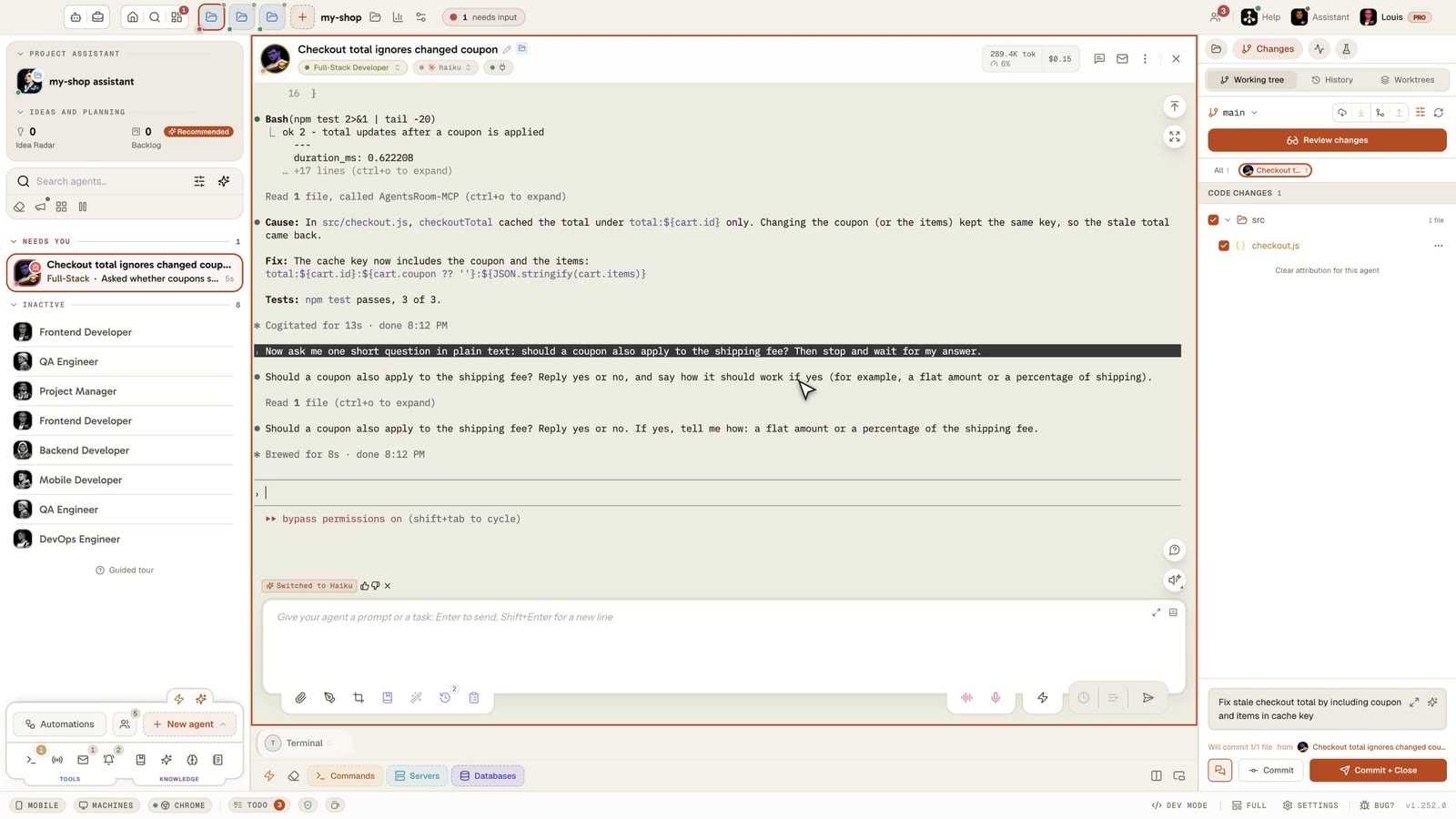
You don't install anything: from Claude Code 2.1.287, each Claude agent starts with the mod, and the Changes tab shows the files each of its shell commands created, modified or deleted, next to the agent that did it. On an older Claude Code, AgentsRoom keeps matching shell writes from the transcript, as before.
The same idea runs in other CLIs where it can: oh-my-pi gets an extension with the same contract, and the other CLIs keep matching shell writes the way they did before. If you want to go further with what Claude Code exposes at each step, our Claude Code hooks guide covers the settings hooks a mod sits next to.
Frequently asked questions
What is a mod in Claude Code?
A mod is a Claude Code plugin that contains a hooks module: a JavaScript or TypeScript file whose functions Claude Code calls from inside its own process when something happens, such as a tool call, a submitted prompt or a part of the screen being drawn. Each function can let the event through, change it, or handle it itself. That is what lets a mod draw a pane, add a command or hold a risky shell command.
Which Claude Code version do I need for mods?
Claude Code 2.1.287 or later in the terminal, released on 1 October 2026, whose changelog reads "Added Claude Mods". The Code tab of the Claude Desktop app supports them from 2.1.286. In the VS Code extension the hooks run, and what a mod draws needs extension 2.1.299 or later. Run claude --version to check.
What is the difference between a mod and a Claude Code hook?
A hook in settings.json runs a shell command, an HTTP request or a prompt when an event fires, outside Claude Code. A mod's hooks are functions that run inside Claude Code. They can do what a settings hook cannot: draw in the interface, add a slash command that runs without a Claude turn, rewrite a tool call or answer it without running the tool, and share state between hooks.
Are Claude Code mods safe to install?
A mod is not sandboxed. It runs with your permissions, can read your files and environment variables, start programs, make network requests and approve a tool call. Install mods only from authors you trust, and run claude plugin validate on the folder first: it lists the events the mod hooks and the calls it makes, without running it.
Where can I find examples of Claude Code mods?
Anthropic publishes the source of some built-in mods, such as the /diff pane and the AGENTS.md loader, in the mods folder of the anthropics/claude-code repository, and sample mods in the anthropics/claude-code-playground repository. The AgentsRoom one described in this article is a fourth kind of example: a mod with no interface, only a tool.call hook.
Can I turn mods off?
Yes. Disable one mod from the Installed tab of /plugin, start a single session with --safe-mode, or set disableAllHooks to true in ~/.claude/settings.json to stop every mod you installed, along with your settings hooks. --safe-mode and disableAllHooks leave the built-in mods running: those are turned off one by one in /plugin.
































Download AgentsRoom
Run all your AI agents, on all your projects, from a single window.
Companion app: monitor your agents on the go
Bring your own: Claude, Codex, Antigravity CLI, or other AI provider.
Push bugs and requests straight to your public backlog.
Agents you read like a conversation
Each agent has a role, a face, and a thread you read like a messaging app.
Keep reading
30 Hook Events Fire in a Claude Code Session. Only 3 Can Talk Back.
The complete list of Claude Code hook events, when each one fires, which 15 can block, and the stdout rule that silently swallows most hook output. A field reference built from running hooks in production across thousands of agent sessions.
Read the articleReduce MCP Token Usage: How We Cut Our Tool Definitions by 60%
Every MCP tool your agent can call is a block of JSON the model may read on every request. Ours weighed about 95,000 tokens. Here is how to measure yours in two minutes, what we cut without removing a single tool, and the budget check that stops it from growing back.
Read the articleBest AI Model for Coding? What 1,200 Developers Actually Launch
205,366 agent launches over 28 days: Opus first, GPT-6.1 Sol second, and half of accounts on one model we suggest by default. What the numbers prove, and what they can't.
Read the article