Looking for a T3 Code alternative? Meet AgentsRoom.
T3 Code is a free, open-source control surface for coding agents under the MIT license: Codex, Claude, Cursor, OpenCode and others become chat threads in a desktop, web and mobile app, with worktrees, diffs and pull requests built in. AgentsRoom takes another route: it runs each agent CLI exactly as its vendor ships it, in its own terminal, and organizes the work around it with a backlog, specialized roles and agent teams.
Both tools run your agents on your own subscriptions, in parallel, across several projects, and follow them from a phone. The difference is what you look at and how the work is organized. T3 Code gives every provider the same chat interface. AgentsRoom keeps the real CLI in front of you, supports Claude, Codex, GitHub Copilot CLI, Cursor and 12 other agent CLIs, and adds the layer above the agents: tickets they pick up, roles, teams and a shared project memory.
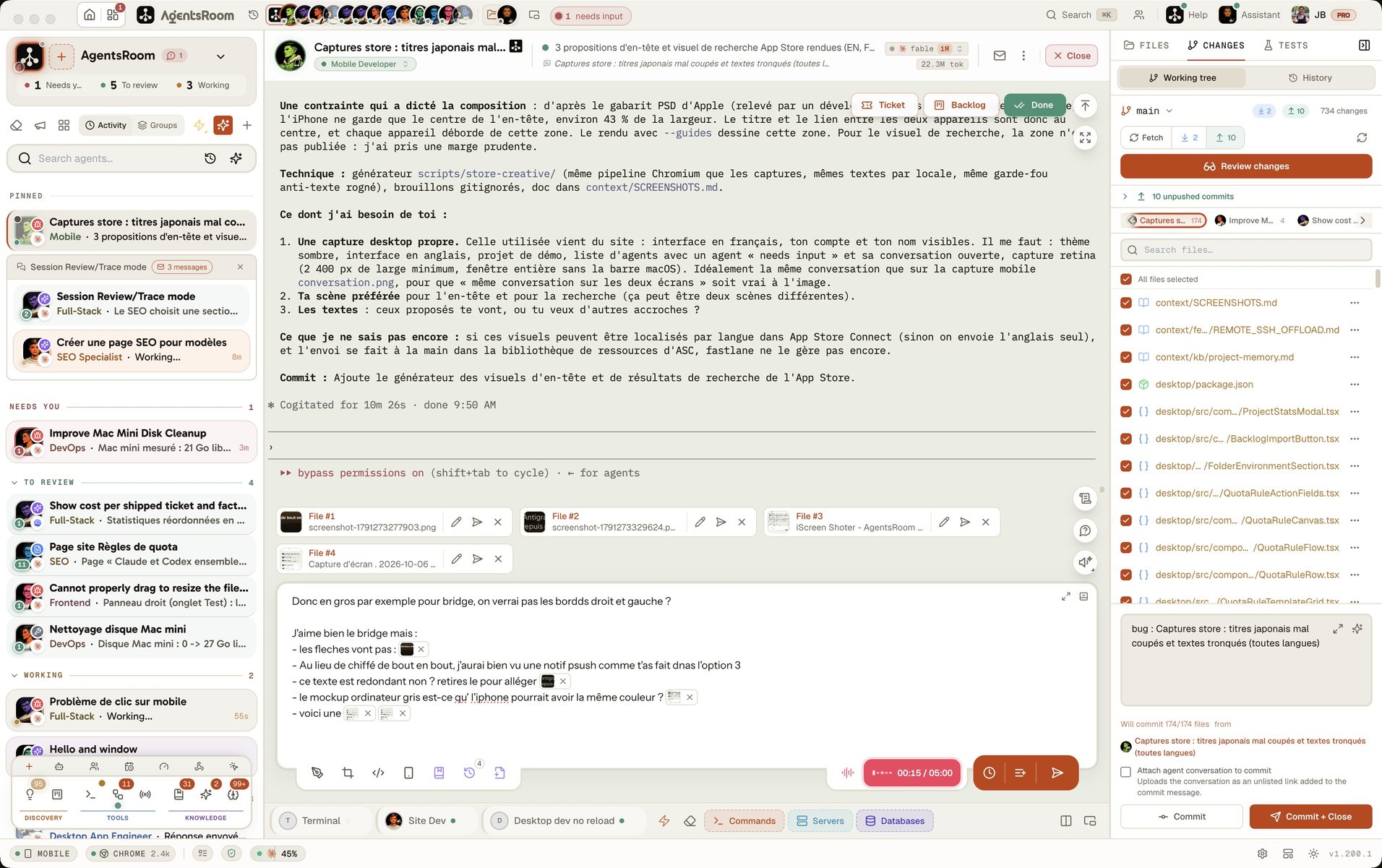
The difference at a glance
With T3 Code
- Free and open source under the MIT license, with no plan and no caps
- Agents shown as chat threads, driven through each provider's SDK or app server
- Codex, Claude, Cursor, Grok Build, OpenCode, Antigravity and a few more, plus any agent that speaks ACP
- A desktop app, a web app and iOS and Android apps, connected through T3 Connect, Tailscale or SSH
- A worktree per thread, per-turn diffs and a full pull request flow on GitHub, GitLab and other hosts
- Still a young project: version 0.1, and its own README says to expect bugs
With AgentsRoom
- Every agent runs its real CLI in its own terminal: every slash command, plugin and setting of the CLI works as is
- Claude, Codex, GitHub Copilot CLI, Cursor and 12 other agent CLIs, side by side in one window
- A Kanban backlog: you write the ticket, an agent picks it up with the right role and model
- 14 specialized roles and agent teams on a visual canvas, where Dev hands over to QA
- At a usage limit, the same conversation moves to another account you are signed in to and carries on
- Native iOS and Android apps over an end-to-end encrypted relay: a push when an agent is blocked, and you answer it
Chat threads or real terminals
This is the choice that matters most when you compare the two, because it decides what you see all day.
T3 Code turns every agent into a chat
T3 Code talks to each agent through a programmatic interface: the Codex app server, the Claude Agent SDK, the Cursor SDK, ACP for others. Every provider then looks the same, a clean thread with messages, tool calls and diffs, and you can switch models in the middle of it. The price is that you see T3 Code's rendering of the agent, not the agent itself: what a CLI shows in its own interface only appears once T3 Code supports it.
AgentsRoom keeps the CLI in front of you
AgentsRoom starts the agent CLI you already use, in a real terminal, and adds a live status on top: working, waiting for you, done. Nothing sits between you and the agent, so a new CLI feature works the day its vendor ships it, and you can type into any terminal at any moment. The organization happens around the terminals, not inside them: projects, roles, tickets, teams and notifications.
Each question has its own page
Feature-by-feature comparison
An honest T3 Code comparison starts with what T3 Code does better. The first rows are its own, the middle ones are shared, and the last ones are where AgentsRoom goes further.
| Feature | AgentsRoom | T3 Code |
|---|---|---|
| Open source | ✗ | ✓ |
| Free with no caps | Free plan | ✓ |
| Web app in the browser | ✗ | ✓ |
| Any ACP agent can be added | ✗ | ✓ |
| Visual interface | ✓ | ✓ |
| Agent status (working, waiting, done) | ✓ | ✓ |
| Multi-project management | ✓ | ✓ |
| Drag and drop organization | ✓ | ✓ |
| Model per agent | ✓ | ✓ |
| Git worktree per agent | Optional | ✓ |
| Built-in diff review | ✓ | ✓ |
| Several accounts per provider | ✓ | ✓ |
| Quota and usage tracking | ✓ | ✓ |
| Scheduled and webhook-triggered runs | ✓ | ✓ |
| Browser the agents can drive | ✓ | ✓ |
| Agents on remote machines over SSH | ✓ | ✓ |
| MCP server for agents | ✓ | ✓ |
| Notifications when an agent needs you | ✓ | ✓ |
| Native iOS and Android apps | ✓ | ✓ |
| Agent CLIs supported | 16 | 8 + ACP |
| The agent CLI in its own terminal | ✓ | Chat view |
| Another account takes over at the limit, same conversation | ✓ | Resume at reset |
| End-to-end encrypted link to the phone | ✓ | HTTPS tunnel |
| Task backlog feeding the agents | ✓ | ✗ |
| Specialized agent roles (14) | ✓ | ✗ |
| Agent teams (visual workflows) | ✓ | Subagents |
| Shared project memory | ✓ | ✗ |
| Prompt and skill libraries | ✓ | Prompt stash |
| Edit CLAUDE.md and AGENTS.md from the interface | ✓ | ✗ |
| Setup time | 30 sec | ~1 min |
What AgentsRoom adds around the agents
T3 Code is very good at running threads. AgentsRoom is built for the moment you have a dozen agents and need to know who does what, with what, and why.
Tickets, not only prompts
In T3 Code, the work starts as a message in a new thread. AgentsRoom carries a Kanban backlog: you write the task, drag it to In Progress, and an agent picks it up with the right role and model. When it is done, the ticket moves to review with the diff attached.
Roles that shape each agent
Every AgentsRoom agent has one of 14 specialized roles, Frontend, Backend, QA, DevOps, Security and others, each with its own instructions, its default model and its color in the sidebar. T3 Code threads are all the same kind of agent; what changes is the prompt you type.
Teams, not only subagents
T3 Code lets an agent delegate a subtask to a child thread. AgentsRoom goes one step further with agent teams drawn on a canvas, where Dev hands over to QA and QA to the reviewer, and with saved agents that write to each other whatever CLI each one runs.
A memory the whole project shares
AgentsRoom keeps a project memory: decisions, conventions and pitfalls written once and read by every agent of the project, whichever CLI it runs. A new agent starts with what the previous ones learned instead of rediscovering it.
Prompts and skills you reuse
T3 Code keeps a prompt stash on each device and reads the skills each CLI already has. AgentsRoom adds libraries synced to your account: prompts and skills you save once and send to any agent, on any project, from the desktop or the phone.
A phone link that cannot be read in transit
Both tools put your agents in your pocket. T3 Code links the phone through T3 Connect and a Cloudflare tunnel over HTTPS. AgentsRoom sends everything between the phone and the desktop through an end-to-end encrypted relay: the server passes the messages along without being able to read them.
See AgentsRoom in action
Watch how AgentsRoom drives several coding agents from a single window, with a backlog, specialized roles and one terminal per agent.
The desktop app, in Simple mode
On a phone the demo runs the real desktop app in its Simple interface mode: one project, its agents, one prompt. The full cockpit is on your computer.
When T3 Code might be the better choice
We believe in honest comparisons, and an alternative to T3 Code is not always what you need. Here are the cases where T3 Code is the right tool and AgentsRoom is not.
You want open source
T3 Code is released under the MIT license: you can read the code, fork it, change the interface and run your own build. AgentsRoom is not open source. If being able to audit and modify the tool matters more than anything else, T3 Code wins.
You want it in a browser
T3 Code has a web app and a headless server you can start on any machine and open from a browser. AgentsRoom is a desktop app for macOS, Windows and Linux, with iOS and Android apps; there is no browser version.
Your workflow is pull requests
T3 Code gives every thread its own worktree and branch and goes all the way to the pull request: generated title and description, stacked pull requests, review and merge, on GitHub, GitLab and several other hosts. If your day is opening and merging pull requests, T3 Code is built around exactly that.
You prefer a chat to a terminal
If you find terminal interfaces noisy and want every agent to look the same, a clean thread with messages and diffs, T3 Code's chat view is the more comfortable one. AgentsRoom deliberately keeps the real CLI on screen.
Getting started takes 30 seconds
AgentsRoom works with the projects and the CLIs you already have. Nothing to migrate: your agent subscriptions stay where they are.
Download AgentsRoom
Download the desktop app for macOS, Windows or Linux from agentsroom.dev and open it. That is the install.
Add your projects
Drag your project folders into AgentsRoom. Your existing CLAUDE.md and AGENTS.md files are detected automatically.
Launch your agents
Pick a CLI you are already signed in to, give each agent a role, and start working. They run on your machine with your own accounts.
Frequently asked questions
What is T3 Code?
What is the best T3 Code alternative?
T3 Code vs AgentsRoom: what is the difference?
Is AgentsRoom free like T3 Code?
Does AgentsRoom support the same agents as T3 Code?
Can I follow my agents from my phone with AgentsRoom?
What happens when an agent hits its usage limit?
Can I use AgentsRoom and T3 Code on the same project?
Other comparisons
See how AgentsRoom compares with the agent managers and terminals developers also look at.
Try AgentsRoom today
Download and manage all your coding agents in 30 seconds. Free for 2 projects.
Companion app: monitor your agents on the go
Bring your own: Claude, Codex, Antigravity CLI, or other AI provider.
Push bugs and requests straight to your public backlog.