Looking for an alternative to iTerm2? Meet AgentsRoom.
A Claude Code companion app compared to the most popular macOS terminal emulator.
iTerm2 is a feature-rich terminal for macOS. AgentsRoom is built specifically for managing Claude Code agents with status tracking, notifications, and multi-project organization.
Side-by-Side Comparison
iTerm2
- -General-purpose terminal; since 3.7 a Claude Code session can set a subtitle, a color and a dot on its own tab, but there are no agent cards, no roles and no per-agent history
- -Split panes require manual arrangement for each session
- -Alerts come from triggers and marks, or as push alerts to the iOS companion app; nothing tracks an agent finishing its turn
- -No multi-project organization; tabs and panes are generic
- -No concept of agent roles or per-agent model configuration
- -Requires manual setup for each Claude Code session
AgentsRoom
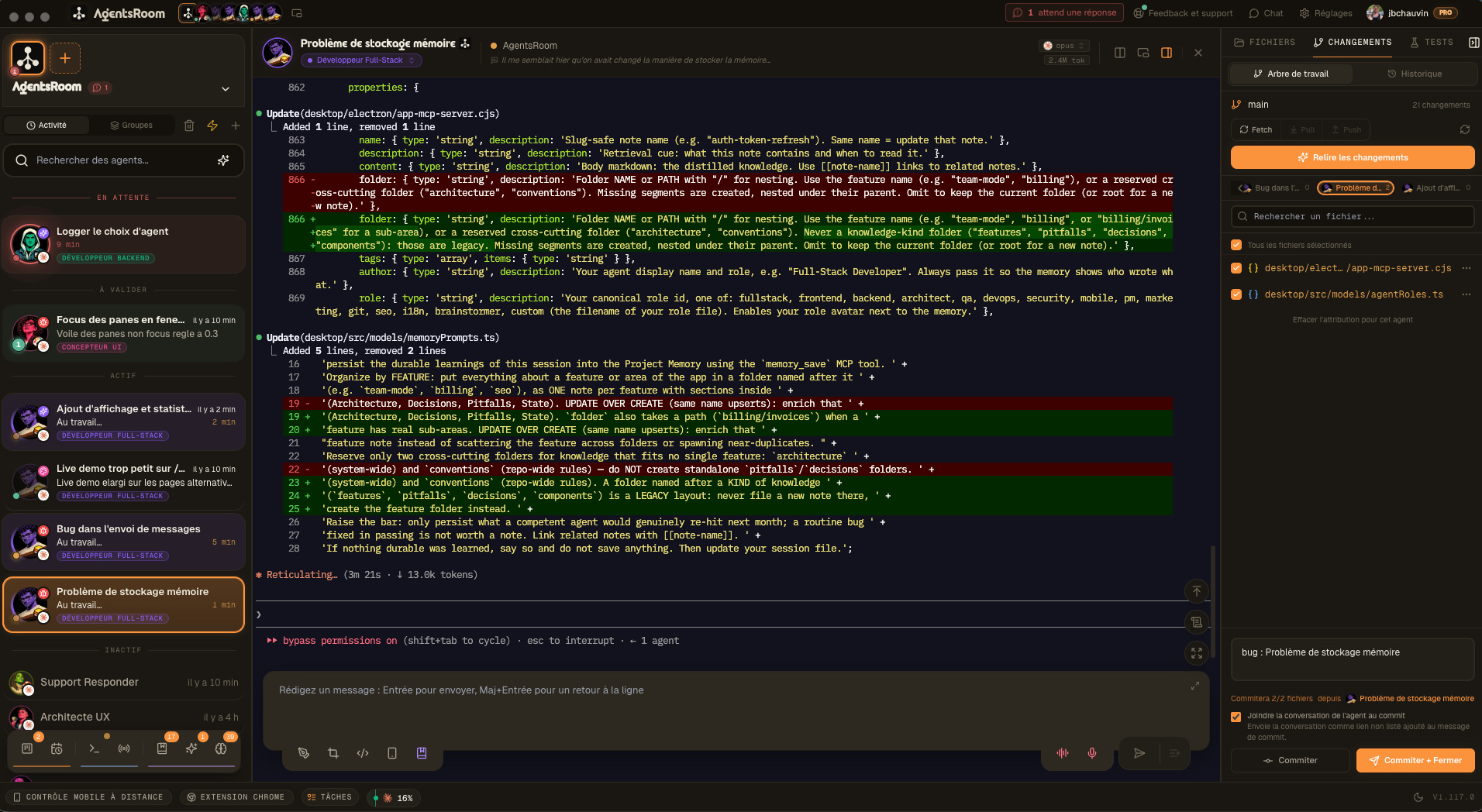
- +Purpose-built companion app for Claude Code with a dedicated GUI
- +Drag and drop agent tiles organized into project zones
- +Desktop, iOS and Android notifications when agents finish work
- +Multi-project management with named zones and grouping
- +14 specialized roles with per-agent model configuration
- +30-second setup: download, open, and start adding agents
Feature Comparison
How each tool handles Claude Code workflows, feature by feature.
| Feature | AgentsRoom | iTerm2 |
|---|---|---|
| Visual GUI | ✓ | ✗ |
| Real-time agent status | ✓ | ✗ |
| Finish notifications | ✓ | ✗ |
| Multi-project zones | ✓ | ✗ |
| Terminal access | ✓ | ✓ |
| Config editor | ✓ | ✗ |
| Drag and drop layout | ✓ | ✗ |
| Specialized roles | ✓ | ✗ |
| Model per agent | ✓ | ✗ |
| Setup time | 30 sec | Manual |
See AgentsRoom in Action
Watch how AgentsRoom manages multiple Claude Code agents across projects.
The desktop app, in Simple mode
On a phone the demo runs the real desktop app in its Simple interface mode: one project, its agents, one prompt. The full cockpit is on your computer.
When to Choose iTerm2
iTerm2 remains a strong choice for these scenarios.
Terminal-first workflow
You prefer a keyboard-driven terminal for all CLI work, not just Claude Code. iTerm2 covers SSH, scripts, and general shell usage.
General terminal needs beyond AI
Your daily work involves many non-Claude tasks. iTerm2 handles everything from Docker to database CLIs in one app.
Extensive customization
You rely on iTerm2 profiles, triggers, color schemes, and keyboard shortcuts refined over years. These features go beyond what any Claude-specific tool provides.
Getting Started with AgentsRoom
Three steps to move your Claude Code workflow from iTerm2 to AgentsRoom.
Download AgentsRoom
Get the desktop app from agentsroom.dev. Install and launch in under 30 seconds.
Create project zones
Organize your Claude agents by project. Drag and drop to arrange them as you need.
Assign roles and models
Pick from 14 specialized roles and set the model for each agent. Start working.
Frequently Asked Questions
Can I use AgentsRoom and iTerm2 together?+
Does AgentsRoom replace iTerm2 entirely?+
How does AgentsRoom handle multiple projects compared to iTerm2 split panes?+
Does AgentsRoom support iTerm2 features like profiles and triggers?+
Is there a mobile companion for iTerm2?+
Ready to try AgentsRoom?
Download the free desktop app and manage your Claude Code agents visually.
Companion app: monitor your agents on the go
Bring your own: Claude, Codex, Antigravity CLI, or other AI provider.
Push bugs and requests straight to your public backlog.