在找 AMUX 的替代品?認識一下 AgentsRoom。
帶行動版同步的原生桌面代理管理器,對上基於瀏覽器的 tmux 封裝層。
兩個工具都能幫你並行執行多個 Claude Code 代理。AgentsRoom 是一款面向 macOS、Windows 和 Linux 的原生桌面應用,帶 14 種角色、即時狀態和行動版通知。AMUX 則在 tmux 之上提供一個網頁介面,方便從瀏覽器訪問。
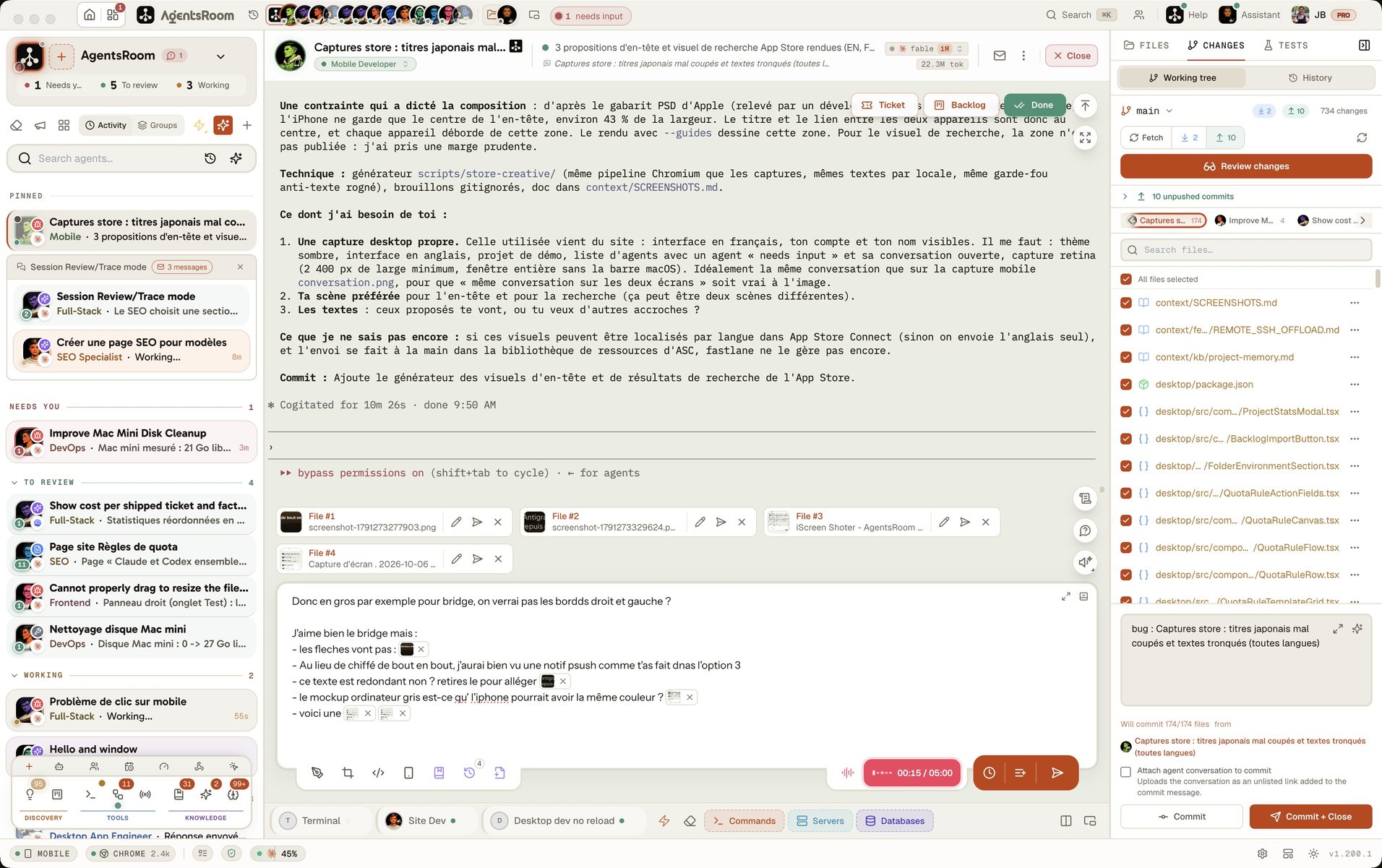
並排對比
AMUX
- -建置在 tmux 之上的瀏覽器介面
- -只有基礎的代理狀態,沒有即時更新
- -既沒有桌面通知,也沒有行動版通知
- -一次只能處理一個專案
- -沒有角色體系,代理也沒有分工
- -只能手動配置,沒有視覺化編輯器
AgentsRoom
- +面向 macOS、Windows 和 Linux 的原生應用,內建終端
- +即時代理狀態,配彩色指示器
- +桌面、iOS 和 Android 推送通知
- +多專案管理,支援拖放
- +14 種專業代理角色(架構師、測試員、評審員…)
- +按代理配置模型,還有設定編輯器
功能對比
直觀看看在管理 Claude Code 代理這件事上,每個工具分別提供了什麼。
| 功能 | AgentsRoom | AMUX |
|---|---|---|
| 視覺化介面 | ✓ | 網頁介面 |
| 即時代理狀態 | ✓ | 基礎 |
| 通知 | ✓ | ✗ |
| 多專案 | ✓ | ✗ |
| 內建終端 | ✓ | ✓ |
| 配置編輯器 | ✓ | ✗ |
| 拖放 | ✓ | ✗ |
| 專業角色 | ✓ | ✗ |
| 每個代理的模型 | ✓ | ✗ |
| 設定時間 | 30 秒 | 10 分鐘 |
看它實際執行
看 AgentsRoom 如何從同一個介面管理多個 Claude Code 代理。
桌面應用,精簡模式
在手機上,演示以精簡介面模式執行真正的桌面應用:一個專案、它的代理、一條提示詞。完整的駕駛艙在你的電腦上。
什麼時候該選 AMUX
在某些特定場景裡 AMUX 很合適。以下就是這些情況。
你更喜歡網頁介面
AMUX 在任何瀏覽器裡都能跑。如果你在多個作業系統之間來回切換,又想要一致的介面而不裝原生應用,AMUX 正好覆蓋這個用法。
你在遠端伺服器上執行代理
AMUX 可以部署在遠端伺服器上,透過 SSH 隧道或瀏覽器訪問。對於擁有集中式建置機器的團隊,這很有用。
你的團隊共用一台伺服器
多個開發者可以連到同一台共享伺服器上執行的 AMUX 執行個體。AgentsRoom 則專注於個人開發者的工作流程,配端到端加密的行動版同步。
從 AMUX 切換過來
遷到 AgentsRoom 用不了一分鐘。你的 Claude Code 設定檔照單全收。
下載 AgentsRoom
從 agentsroom.dev 安裝桌面應用。開啟它,指向你的專案目錄。
配置你的代理
分配角色、設定模型,用拖放整理代理。你現有的 Claude Code 設定檔會被自動識別。
開始幹活
直接從應用裡啟動代理。狀態更新、通知和行動版同步都開箱即用。
常見問題解答
AMUX 是什麼?+
AgentsRoom 能在 Linux 和 Windows 上執行嗎?+
AMUX 支援代理角色嗎?+
兩者的設定時間差多少?+
用 AMUX 能收到通知嗎?+
準備好管理你的 Claude 代理了嗎?
下載 AgentsRoom,30 秒內開始並行執行多個代理。
配套應用:隨時隨地監控你的 Agent
使用 Claude、Codex、Antigravity CLI 或其他 AI 提供商。
把 Bug 和需求直接傳送到您的公開待辦清單。