Know When Agents Finish
Running multiple Claude sessions means output happens in terminals you are not watching. AgentsRoom marks unread agents, sends native notifications on completion, and shows badge counts so nothing gets missed.
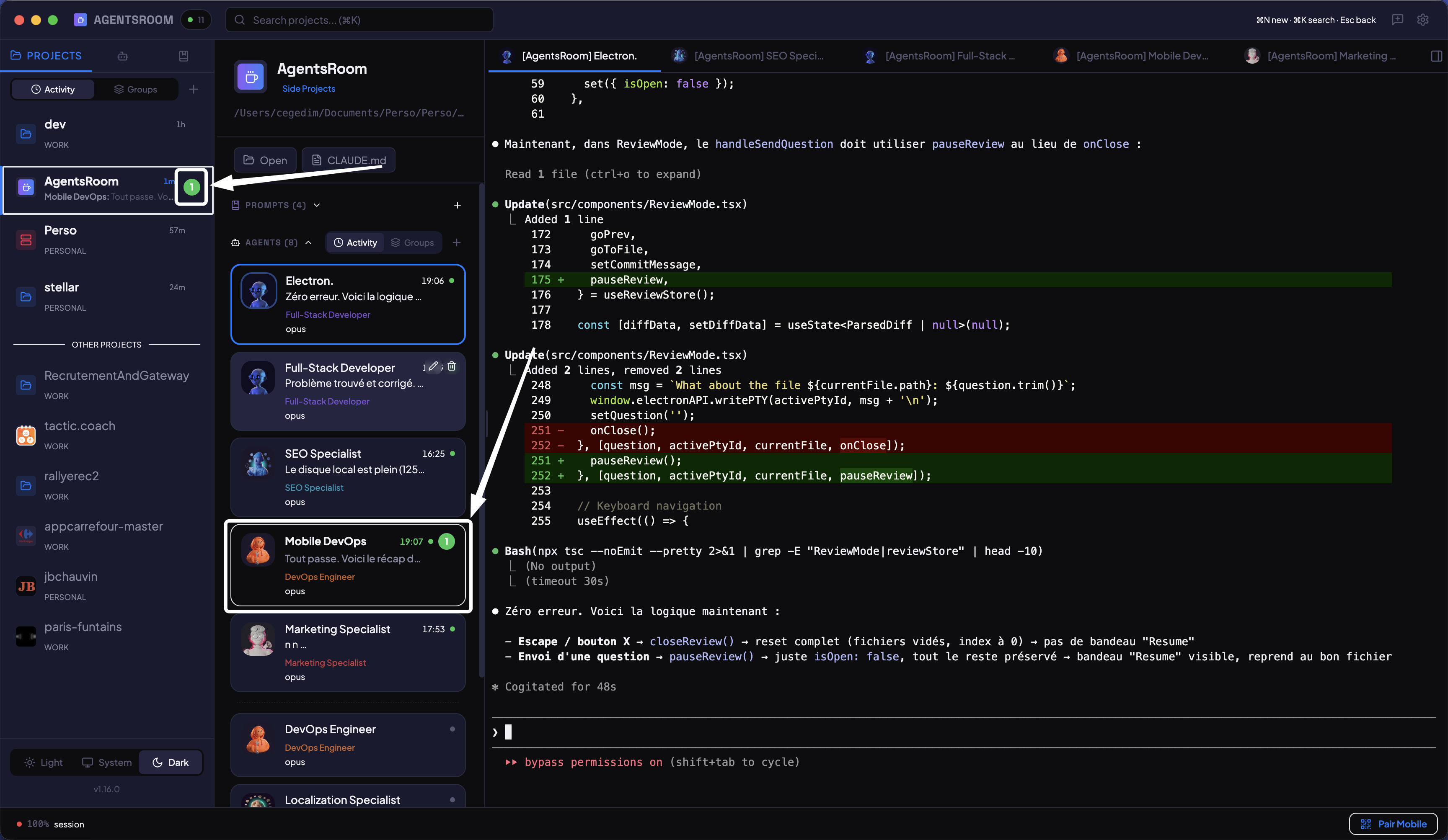
Sidebar with unread counts per project, green-tinted unread rows, and last message preview on hover.
How Notifications Work
From in-app unread indicators to native OS alerts and mobile push.
Unread Count Badges
Each project in the sidebar shows a badge with the number of agents that produced output since you last viewed them. At a glance, you see which projects need attention.
Last Message Preview
Hover over a project to see a WhatsApp-style preview: the agent name followed by the last line of output. Useful for deciding which agent to check first without switching tabs.
Native macOS Notifications
When an agent completes its work and you are not viewing that terminal, AgentsRoom sends a native macOS notification. Click it to navigate directly to that agent.
Dock Badge Count
The AgentsRoom dock icon shows the total unread count across all projects. Even when the app is in the background, you can see how many agents produced new output.
Mobile Push Notifications
If the desktop window is not focused, push notifications are sent to your iOS or Android device. A 5-second deduplication window prevents repeated alerts from the same agent.
From Output to Alert
Four steps between an agent producing output and you seeing it.
Agent produces output
While you are viewing a different agent's terminal, another agent writes new output. AgentsRoom detects this activity in the background.
Session marked unread
The agent row gets a green-tinted background and bold text. The project's sidebar badge increments. The dock icon updates its total count.
Notification sent
A native macOS notification fires with the agent name and project. If the desktop window is not focused, a push notification goes to your phone.
Unread cleared on view
Open the agent's terminal and the unread flag clears automatically. The badge count decrements. No manual dismiss required.
FAQ
When does a session get marked as unread?+
Do mobile push notifications work without an account?+
Can I disable notifications?+
How does deduplication work for mobile push?+
Stop Checking Terminals Manually
Download AgentsRoom and let notifications tell you when agents finish. Desktop and mobile, with unread indicators built in.
Companion app: monitor your agents on the go
Compatible with any Claude plan (Free, Pro, Max, Team, Enterprise)