たくさんのプロジェクト、たくさんのAIエージェント、
1つのウィンドウ、混沌ゼロ
AgentsRoomは、Claude、Codex、GitHub Copilot CLI、Cursor、ほか10種類のエージェントCLIを、すべてのプロジェクトをまたいで同時に並列で操る視覚的コックピットです。どのエージェントがどのプロジェクトで作業中か、どれが終わったか、どれがあなたの返信を待っているかが、一瞬でわかります。
12個の名もなきターミナルタブはもう要りません。どこまでやったか思い出そうとする必要もありません。色分けされたロール、ライブステータス、プロジェクトごとのカウンター、ネイティブのデスクトップ通知、モバイルプッシュ。あなたのAIエージェントのフリートが、ついに読み取れるようになります。
全体像:たくさんのプロジェクト、たくさんのAIエージェントを並列で実行し、色分けされたロール、ライブステータス、プロジェクトごとのカウンターを備える。
並列のマルチエージェント作業は、AI支援開発の新しい当たり前になりました。クライアントのバックエンドにClaude Codeエージェントを1つ、自分のSaaSのフロントエンドにCodex CLIエージェントを1つ、サイドプロジェクトのテストにAntigravity CLIエージェントを1つ立ち上げる。3つのプロジェクト、3つのエージェントを同時に。30分後、iTerm2、Warp、Ghostty、Kitty、Alacritty、WezTerm、tmux、zellijのどれを使っていても、どのタブがどのプロジェクトに対応するのか、どれが終わったのか、どれがクラッシュしたのか、どれがあなたを待っているのか、もうわからなくなっています。
AgentsRoomは、そのタブのジャングルを、視覚的なマルチプロジェクト・マルチエージェントのコックピットに置き換えます。すべてのプロジェクトはサイドバーに収まり、ゾーンごとにまとめられます(仕事、個人、サイドプロジェクト、フリーランス、学習、あるいはドラッグ&ドロップでその場で作る任意のゾーン)。すべてのAIエージェントは、ロール、アバター、色、システムプロンプト、プロバイダーを持ち、隔離されたPTYセッションで動きます。各エージェントのステータス(思考中、完了、行き詰まり、待機中)はライブで表示されるので、ターミナルを見渡す必要はありません。
具体的には:朝AgentsRoomを開き、プロジェクトをクリックし、4つのエージェント(DevOps、フロントエンド、QA、アーキテクト)を立ち上げ、別のプロジェクトに移動してさらに3つ立ち上げ、彼らが作業している間にSlackのスレッドに返信する。DevOpsが終わった瞬間にデスクトップ通知がポップする。戻ってきて差分を検証し、次のタスクを渡し、次のプロジェクトへ進む。マルチプロジェクト、マルチエージェント、並列で。頭はすっきり。
AgentsRoomのインターフェース:左のサイドバーにはゾーンごとにまとめられたプロジェクト、各プロジェクトにはロールとステータスを持つAIエージェントが並び、中央にはフォーカスされたエージェントのターミナル。
視覚的コックピットがマルチエージェント作業のすべてを変える理由
AIエージェント2つの並列なら、どんなターミナルでも問題ありません。5つ、10個、15個になると、頭が崩壊します。どれが何を待っていたか忘れ、間違って同じエージェントを立ち上げ直し、別のプロジェクトにいたせいで2時間タスクの完了を見逃す。コストはモデルの計算量ではなく、頭の中での追跡にあります。
AgentsRoomの賭け:あなたの頭がもう覚えなくていいことをUIが覚えてくれれば、もっと出荷できる。だからすべてのエージェントには、ロールごとに固定されたアバターと、安定した色があります(DevOpsはオレンジ、フロントエンドはシアン、バックエンドは紫、QAは赤、アーキテクトは青、モバイル、セキュリティ、PM、マーケティング、SEO、i18n、Git、フルスタック、Brainstormer)。さらに、自分で定義したカスタムロールも同じです。すべてのプロジェクトは、作業中のエージェント数、完了数、行き詰まり数を表示します。エージェントが思考中のとき、プロジェクトの左の枠線がそのロールの色をまとい、アニメーションのシマーがループで滑るので、視界の隅で活動をとらえられます。
さらに重要なこと : PTYセッションはプロジェクトの切り替えをまたいで保持されます。プロジェクトAからBへ、そしてまたAへ移っても、エージェントは離れたときのまま、スクロールバックも完全、CLIも待機状態、コンテキストもそのままで見つかります。再起動なし、履歴の消失なし、再ログインなし。あなたがよそを見ている間も、エージェントはバックグラウンドで動き続けます。
そして本当に重いワークフロー(同じリポジトリに同時に触れる5つ以上のエージェント)のために、各エージェントは自分専用のgit worktreeで動けます:自分のブランチ上にあるリポジトリの隔離されたコピーで、同じファイルに触れるエージェント同士のマージコンフリクトはゼロ。各ブランチを自分のペースで、エージェントごと、ファイルごとにレビューできます。
マルチエージェントを管理可能にする視覚的な構成要素
UIのあらゆる細部は、誰が何に取り組んでいるか、誰が終わったか、誰があなたを必要としているかを一瞬で見抜けるように設計されています。すべてのプロジェクトを一度に。
マルチプロジェクトのサイドバー
すべてのリポジトリをゾーンごとにまとめます(仕事、個人、フリーランス、サイドプロジェクト、学習)。ドラッグ&ドロップで並べ替え。クリックで即座に切り替え。
プロジェクトごとのマルチエージェント
DevOps、フロントエンド、バックエンド、QA、アーキテクト、モバイル、セキュリティ、PM、マーケティング、SEO、i18n、Git、フルスタック、Brainstormer、あるいはカスタムロールを、同じプロジェクトの中で立ち上げます。並列で。
色分けされたロール
14のロール、14の固定された色。DevOpsはオレンジ、フロントエンドはシアン、バックエンドは紫、QAは赤、アーキテクトは青。名前を読まなくてもすべてのエージェントを見分けられます。
ライブのアニメーションステータス
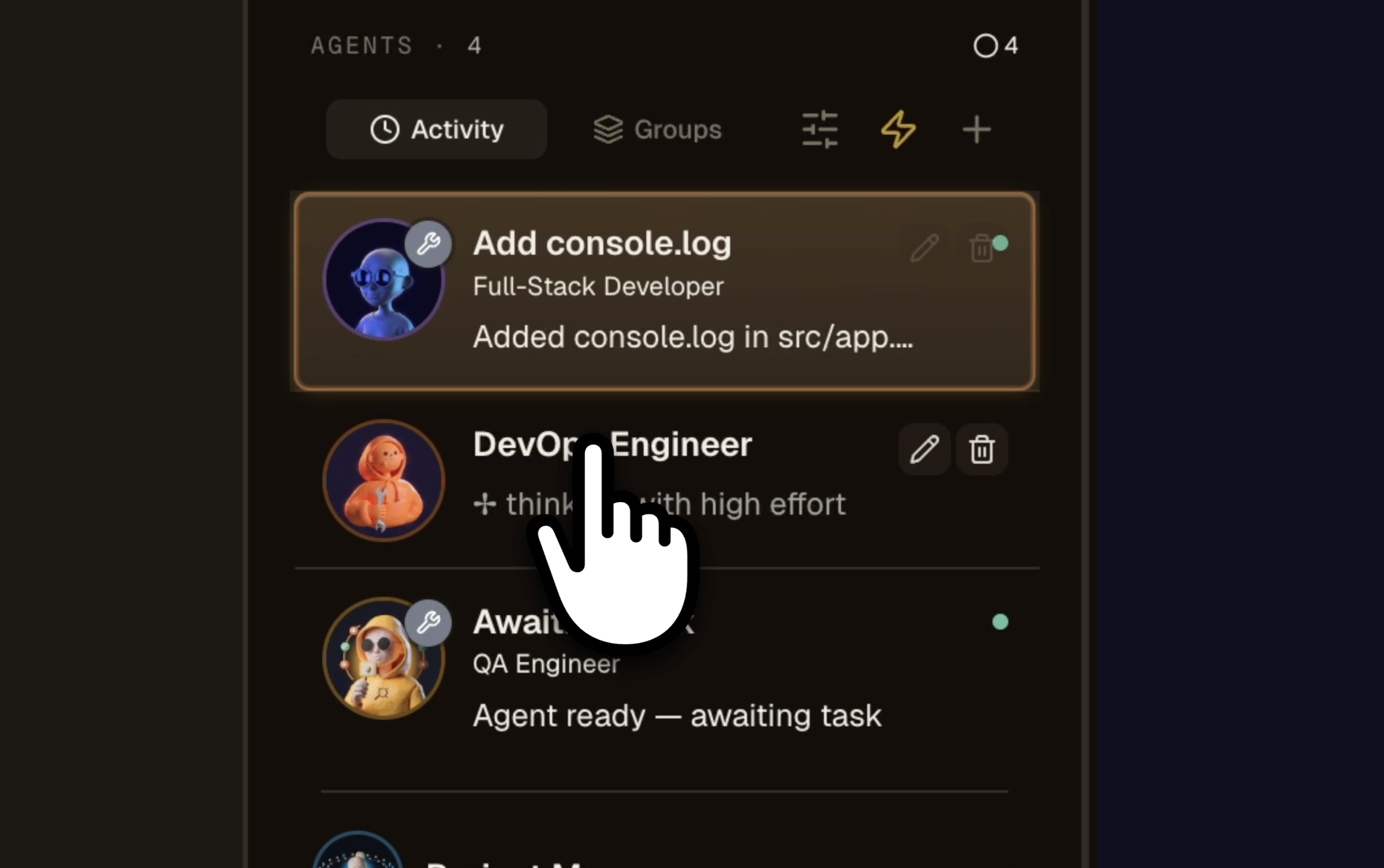
思考中は黄色の脈打つドット、完了は緑、あなたを待っているときは赤の脈打つドット、待機中はグレー。曖昧さゼロ。
プロジェクトごとのカウンター
何個のエージェントが作業中で、何個が終わり、何個が行き詰まっているか。サイドバーとプロジェクトビューでライブ更新。
色分けされたプロジェクトの枠線
エージェントが思考中のとき、プロジェクトの左の枠線がそのロールの色をまとい、シマーがループで滑ります。視界の隅で活動をとらえられます。
永続的なPTYセッション
プロジェクトを切り替えてもエージェントは死にません。戻ってくれば、そこにいます。スクロールバックも完全、コンテキストも保たれ、ターミナルは離れたときのまま。
ネイティブのデスクトップ通知
エージェントが終わるか行き詰まった瞬間にシステム通知。未読合計をDockバッジに表示。ターミナルを見守る必要はありません。
モバイルプッシュ
iOSとAndroidのアプリは、E2EEリレーを通じて同じ通知を受け取ります。コーヒー中、地下鉄、ジムでも、エージェントを追跡できます。
ドラッグ&ドロップのゾーン
仕事、個人、サイドプロジェクト、フリーランス、学習。自分のゾーンを作り、プロジェクトをドロップする。脳は箱を好みます。
エージェントごとに隔離された差分
5つのエージェントが同じリポジトリに触れるとき、各エージェントの変更を個別に見られます。スパゲッティの山としてではなく、機能ごとにレビューします。
エージェントごとのgit worktree
各エージェントは自分専用のgit worktreeブランチで作業できます。コンフリクトゼロ、踏み荒らしゼロ、準備ができたらマージ。
14のロール、14の色、14の専門領域
すべてのAIエージェントは、システムプロンプト、デフォルトモデル、固定された色を持つロールを受け継ぎます。だから、どのプロジェクトで誰が何をしているか、一目でわかります。
なぜiTerm2、Warp、tmux、Cursorではないのか ?
これらのツールはどれも、その役割においては優秀です。しかし、5つのプロジェクトをまたいで10の専門AIエージェントを一度に操るために設計されたものは1つもありません。AgentsRoomはそのために設計されました。
iTerm2、Warp、Ghostty、Kitty、Alacritty、WezTerm、Hyper
一般的なシェル作業には優れたターミナルエミュレーター。AIエージェント、プロジェクト、ロール、ステータスの概念はゼロ。8タブにもなれば、もうどれがどれかわかりません。
tmux、zellij、screen
強力なマルチプレクサ。ただし8ペインを超えると、迷わないために設定ファイルを書く羽目になります。そしてあなたのClaudeエージェントには、相変わらずアバターもロールも色もありません。
CMUX、AMUX
Claude Code向けのtmuxラッパー。worktree隔離には便利ですが、コックピットビューも、ロールの色も、モバイルコンパニオンも、ネイティブ通知もありません。
Conductor、Orca、Jean、JC
並列エージェント向けのデスクトップアプリ。どれも穴があります:マルチプロジェクトのコックピットがない、あるいはモバイルコンパニオンがない、あるいは内蔵トンネルがない、あるいは色分けされたロールがない。
Cursor、Windsurf、Aider単体
優れたAI支援IDEですが、1人の人間と1つのエージェントを一度に扱う設計です。AgentsRoomは、1人の人間と10の並列エージェントのために設計されています。
Devin AI、Superconductor、クラウドエージェント
クラウド専用。コードを自分で管理できず、クレジット課金で、ローカルのターミナルが手に入りません。AgentsRoomは公式CLIを通じてあなたのマシンで動作し、あなたが求めたときだけクラウドに出ます。
AgentsRoomは、マルチプロジェクトのコックピット、マルチエージェントのコックピット、色分けされたロール、ライブステータス、モバイルコンパニオン、localhostトンネル、ブラウザMCP、かんばんバックログ、そしてClaude、Codex、GitHub Copilot CLI、Cursor、ほか10種類のエージェントCLIを通じたデフォルトでローカルの実行を組み合わせた、唯一のアプリです。
日々の使い方
プロジェクトを追加し、ゾーンにドロップする
AgentsRoomをあなたのマシン上の任意のgitフォルダに向けます。プロジェクトを仕事、個人、フリーランス、サイドプロジェクト、学習にドラッグするか、自分のゾーンを作ります。
最初のエージェントを立ち上げる
プロジェクトをクリックし、ロール(DevOps、フロントエンド、QA、アーキテクトなど)を付けてエージェントを追加します。各ロールには、システムプロンプト、色、アバター、デフォルトモデルが付いてきます。
複数のエージェントを並列で実行する
DevOps + フロントエンド + QAを同時に立ち上げます。各エージェントは隔離されたPTYセッション、自分のcwd、完全なxterm.jsターミナルを得ます。あなたが先に進む間、彼らはバックグラウンドで動きます。
何も失わずにプロジェクトを切り替える
別のプロジェクトをクリックすれば、そのプロジェクト自身のエージェントが現れます。前のプロジェクトに戻れば、エージェントはまだそこにいて、スクロールバックも完全、ステータスも最新。セッションの消失ゼロ。
視界の隅で活動を追跡する
サイドバーは今思考中のロールの色をまとい、アニメーションのシマーが活動を知らせ、エージェントが終わるとカウンターが増えます。あなたは安心してほかのことに取り組めます。
エージェントが呼んだら反応する
デスクトップ通知、モバイルプッシュ、Dockバッジ、脈打つ赤いドット:あなたを待っているエージェントを見逃すのは不可能です。クリックして検証し、次のタスクを渡し、先へ進む。
同じグリッドが、あなたのポケットに
iOSとAndroidのアプリは、エンドツーエンド暗号化されたリレー(X25519 + XSalsa20-Poly1305)を通じて、デスクトップと同じプロジェクト、同じエージェント、同じ色、同じステータスをリアルタイムで表示します。
スマホからClaude Codeエージェントを立ち上げ、ターミナルに入力し、差分を検証し、保存したプロンプトを送る。あなたのマシンはサーバーのまま、スマホはそのリモコンになります。4Gでも5Gでも動きます。
コックピット以上のもの:エージェントのための完全なIDE
AgentsRoomは、ただのターミナルダッシュボードではありません。右のパネルには、QAエージェントが自分の作業をテストできる内蔵ブラウザMCP、プロンプトエディター(Scratchpad)、プロジェクトごとの共有プロンプトライブラリ、かんばんバックログ、開発サーバーを共有する内蔵localhostトンネル、そしてファイルごとの差分レビューが含まれます。
そのすべてが、横並びで、同じウィンドウの中で、あなたのAIエージェントとターミナルの隣に。機能を出荷するために10個の異なるツールを行き来する必要は、もうありません。
FAQ
AIエージェントを並列で何個実行できますか ?
マシンとプロバイダーのクォータが許す限り何個でも。各エージェントは、自分のCLIプロセス(claude、codex、opencode、antigravity、aider)を持つ独立したPTYセッションを開きます。最近のマシンなら、ユーザーは日常的に10〜20のエージェントを問題なく並列で動かしています。ボトルネックはプロバイダーのAPIクォータであって、AgentsRoomではありません。
プロジェクトを切り替えてもエージェントは動き続けますか ?
はい。PTYセッションはterminalStoreにメモリ上で存在し、プロジェクトを切り替えても生き続けます。戻ってくれば、すべてがそこにあります。スクロールバックも完全、コンテキストも保たれ。切り替えでセッションが死ぬことはゼロです。
どのエージェントが私を待っているか、どうやって知るのですか ?
複数のシグナルが重なります:エージェントカード上の脈打つ赤いドット、未読バッジ、プロジェクトカードの「待機」カウンター、ネイティブのデスクトップ通知、コンパニオンアプリ経由のモバイルプッシュ、Dockやタスクバーのバッジ。行き詰まったエージェントを見逃すのは不可能です。
ロールの色はカスタマイズできますか ?
14の組み込みロールにはそれぞれ固定された色があります(DevOpsはオレンジ、フロントエンドはシアン、バックエンドは紫、QAは赤、アーキテクトは青など)。カスタムロールでは、色、システムプロンプト、デフォルトモデル、アバターを選びます。その色はUIのあらゆる場所で一貫して保たれます。
複数のエージェントが同時に同じファイルに触れたらどうなりますか ?
git worktreeを有効にしましょう:各エージェントは自分のブランチ上のリポジトリの隔離されたコピーで作業します。マージコンフリクトゼロ、踏み荒らしゼロ。準備ができたらエージェントごとにブランチをマージします。軽めのワークフローなら共有モードで十分です:エージェントごとのレビューが各エージェントの差分を切り分けます。
どのAIプロバイダーを混在させられますか ?
同じアプリの中で14のプロバイダーを並列に : Claude Code(Anthropic)、Codex CLI(OpenAI)、GitHub Copilot CLI(GitHub)、OpenCode、Antigravity CLI(Google)、Aider、Grok Build(xAI)、Mistral Vibe(Mistral AI)、Kimi Code(Moonshot AI)、Amp(Sourcegraph)、oh-my-pi、Freebuff(Codebuff)、Devin(Cognition)、Cursor(Anysphere)。すべてのエージェントが異なるプロバイダーを使えます。だからDevOpsはClaude Opus、フロントエンドはCodex、QAはAntigravityを、すべて同じプロジェクトの中でコンフリクトなく動かせます。
マルチプロジェクトの俯瞰ビューはありますか ?
はい。左のサイドバーは、すべてのプロジェクトをそのカウンター(作業中のエージェント、完了したエージェント、行き詰まったエージェント)とアニメーションの活動インジケーターとともに一度に一覧表示します。さらに、すべてのプロジェクトをまたいでチケットをグローバルなかんばんに集約する「バックログ」ビューもあります。あなたのフリート全体が、画面上に。
スマホはリアルタイムで追従しますか ?
はい、AgentsRoomのエンドツーエンド暗号化リレーを通じて。iOSとAndroidのアプリは、デスクトップと同じプロジェクト・エージェント・ステータスのグリッドを表示します。立ち上げ、検証し、ターミナルに入力し、プッシュ通知を受け取る。すべて4G/5G越しで、VPNやポートフォワーディングは不要です。
エージェントは自分の担当以外のプロジェクトを見られますか?
はい、読み取り専用でなら可能です。1つのプロダクトが複数のリポジトリにまたがり、それぞれ別のプロジェクトとして開かれていることはよくあります。エージェントはアカウントのプロジェクト一覧を取得し、名前を指定して別プロジェクトのバックログ、メモリ、スキル、プロンプトを読めます。フロントエンドのエージェントが重複チケットを立てる前に、バックエンドのリポジトリに同等のチケットがないか確認できるのはこのためです。別のプロジェクトへ書き込むことや、そこで何かを実行することは、意図的にできないようにしています。
エージェントのリストが長くなっても読みやすく保つには?
リストは、すでに見たものとまだ見ていないものを分け、その下は非アクティブなエージェントだとわかる明確な境界を引きます。各カードには、複数のCLIアカウントが使えるときにどのアカウントで動いているかが表示されるので、2つの異なるClaudeやCodexのログインで動く2体のエージェントを取り違えることはありません。エージェントは1つずつではなくまとめて閉じられますし、ナビゲーションボタンを押せば、何も閉じずにプロジェクトのホームへ戻れます。
互いに作業を引き継ぐエージェント
マルチプロジェクト・マルチエージェントのコックピットは土台です。さらに先へ進んでエージェントを連鎖させたいとき(DevがQAに引き継ぎ、QAがバグでDevに戻し、PMの目の下で)、AgentsRoom Teamsが、n8n風の視覚的ワークフローエディターを通じてその引き継ぎをオーケストレーションします。
すべてのノードは、ロール、プロバイダー、モデルを持つエージェントです。エッジは、条件、フィードバックループ、最大サイクルのガードを運べます。引き継ぎのペイロードには、機能の要約、gitの差分、触れたファイル、リスク、テストのヒントが含まれます。
Agent Teamsを見るさらに詳しく
git worktree: 複数のAIエージェントを衝突なしで動かすための土台
エージェントを並列で走らせると、お互いの作業を上書きしてしまう。git worktreeなら2つのコマンドで解決できる。その使い方を紹介する。
3から8のコーディングエージェントを並行して実行しつつ、管理を失わない方法
複数のClaude CodeやCodexエージェントを同時に起動するのは簡単です。制御を維持することが難しいのです。ここでは実際に機能する方法を紹介します。
10のエージェントが同時に同じ型チェックを実行した。解決策はディレクトリだった。
同じチェックアウトに17のコーディングエージェント、同時に走る10のtsc、load average 37、空きRAMは87 MB。90秒の型チェックが7分36かかりました。計測した内容、マシンが計算していなかった理由、そして問題を解決した小さな共有ロックを紹介します。どんなリポジトリにもコピーできます。
12個のターミナルタブを操るのはやめましょう
AgentsRoomをダウンロードして、AIエージェントのフリートの主導権を取り戻しましょう。マルチプロジェクト、マルチエージェント、並列で、二度と見失うことなく。プロジェクト2件まで無料。
コンパニオンアプリ:外出先でもエージェントを確認
Claude、Codex、Antigravity CLI、またはその他の AI プロバイダーを使用します。
バグや要望を公開バックログに直接送信できます。